Bigroti's Posts
Nairaland Forum › Bigroti's Profile › Bigroti's Posts
 Career › Re: How I Moved From Shame to Grace With Blogging - Diary Of A Jobless Nigerian by Bigroti(m): 12:51pm On Sep 27, 2015 Career › Re: How I Moved From Shame to Grace With Blogging - Diary Of A Jobless Nigerian by Bigroti(m): 12:51pm On Sep 27, 2015 |
official blog: Importance of installment payment in Nigeria http://paytwice..com/2015/09/importance-of-installment-payment-in.html?spref=tw |
| Phones › Top 3 Chinese Smart Phones That Gives A Bang For Your Buck by Bigroti(op): 4:22pm On Sep 15, 2015 |
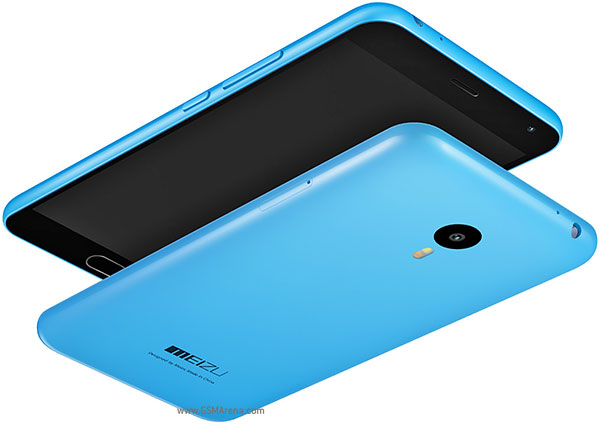
While the budget-friendly mid-range segment continues to get more and more competitive, there is no shortage of fantastic device options for consumers. That said, the really good smartphones in this category still come in at close to, or slightly higher, than the $250( 50-57k) mark, but if you were on the lookout for even more affordable choices, here is an awesome list for you.. It’s pretty much common knowledge that devices like the Moto-G offer exceptional value, and while you can find some of the more common low-cost options in my list of top 10 quality phones that are reasonable priced here https://www.nairaland.com/2569685/top-10-quality-phones-reasonably#37578586 list, the focus here is on a few devices that don’t get quite as much attention but should. With price points well below $200(40k-46k), let’s take a look at 3 of the best CHINESE smartphones currently available. 1. Meizu M2 Note https://cdn2.gsmarena.com/vv/pics/meizu/meizu-m1-note2-2.jpg First up is recently-released Meizu M2 Note, that, despite featuring a price tag of around $160(32K-37K), manages to stand out by including features that you would expect from a device that costs at least twice as much, and therefore offering the most bang for your buck. The strongest aspect of the Meizu M2 Note is undoubtedly its 5.5-inch IGZO display with a 1080p resolution, which is certainly beyond anything you’d see with any other device in this price range. In addition to the exceptional display, the M2 Note features a commendable design, a surprisingly solid build quality, and great battery life. The camera is also capable of producing some nice looking images, even though it does require some trial and error to cater the shot perfectly. The pre-installed Music app even provides legal unlimited music streaming and the option to download music for no additional charge. This device is not without its flaws, however. Unfortunately, it isn’t the fastest performer on this list with its 1.3 GHz MediaTek MT6753 processor, but that’s not to say that the performance is poor by any means. Everything works as it should, and any issues with performance are seen only when playing graphically intensive games. Another noticeable issue is with the single speaker unit on the back, which does get fairly loud, but sounds distorted at the highest volume. The FlyMe OS is also a sharp departure from stock Android, and will take some getting used to. This device manages to shine where other similar low-cost smartphones don’t, and while not without its flaws, the Meizu M2 Note is still an excellent choice, especially for those who have media consumption in mind, courtesy of its fantastic display experience. 2. Lenovo K3 Note https://www.androidcentral.com/sites/androidcentral.com/files/styles/larger/public/article_images/2015/06/lenovo-k3-note.jpg?itok=GaZ88b5o Next up is the latest budget-friendly offering from Lenovo, the K3 Note. The K3 Note is a worthy alternative to the M2 Note, and is stronger in a few key areas, most notably in performance. With a 1.7 GHz MediaTek MT6752 processor, this device is noticeably faster when opening apps, and can even handle processor-intensive gaming very well. Performance isn’t the only strong suit of the K3 Note either, with the device featuring a good display, clear audio output, and great battery life, with users also being given the option to swap out the battery. The camera also takes some impressive images, and can take even better shots than the M2 Note in the right conditions. That said, while the display of the K3 Note is good, it is still far from the quality of the display of the Meizu M2 Note, and there are some issues with brightness, resulting in mediocre outdoor visibility. While the speaker features a clear audio output, it doesn’t get too loud though, and can be difficult to hear in even slightly noisy environments. The angular design may also not be for everyone, and there is the possibility of varying software experiences depending on the re-seller. The Lenovo K3 Note manages to get all the essentials right when it comes to a providing a good smartphone experience, if you are looking for the best performance possible in this price range, this is the device to get. Price range between (32k-40k) 3. Elephone P6000 Pro https://des.everbuying.net/uploads/2015/201507/heditor/201507171047394588.jpg Elephone may not be the most well-known Android smartphone manufacturer, but the P6000 Pro is the cheapest of the lot, with a price point starting at just under $120(24k-28k). It has to be mentioned though that the device seen in this comparison is P6000, the Pro iteration brings only a few subtle improvements, notably in the updated processing package and latest software version. The P6000 Pro is powered by the same MediaTek MT6753 processor used in the M2 Note, but is clocked at a slightly faster 1.5 GHz. Performance should be about the same with both devices, but helping the P6000 Pro is its near stock build of Android 5.1 Lollipop which should allow for a smoother experience. The 5-inch display comes with a 720p resolution, but some users will appreciate the smaller form factor of the device, compared to the other two phones on this list. As good as the performance is, the camera does fall quite short of the benchmark set by the M2 Note and K3 Note in terms of overall quality, and doesn’t offer as good a battery life either. The speaker also sounds tinny and distorted, even if it does get fairly loud. The Elephone P6000 Pro may not be as impressive as the other two smartphones above, but it does have some positives, such as its smaller form factor, good performance, and near stock software experience, along with the fact that this device is also a little bit cheaper than the others. There is also a version of the device with 3 GB of RAM on-board, which will set you back only an additional $20. source http://www.androidauthority.com |
| Career › This Picture Tells The Pension Story by Bigroti(op): 3:36pm On Sep 15, 2015 |
we have seen it happen over and over again. billions of pension funds looted and no one is held accountable. in most cases those responsible are released on bail for peanuts.. and those who are being owed pension go on endless cues waiting and dying on the line. we hope the madness that ran rampant during oga jo's time will cease under our new commander in chief
|
| Politics › LOL. Nigerian Police by Bigroti(op): 3:06pm On Sep 15, 2015 |
i couldn't help but laugh when i saw this
|
| Phones › Re: 10 Uncommon Things Your Smartphone Can Do by Bigroti(op): 7:40pm On Sep 08, 2015 |
You can contact us at paytwice to upgrade to an android. 07066581375 cheekilicious: |
| Phones › 10 Uncommon Things Your Smartphone Can Do by Bigroti(op): 7:00pm On Sep 08, 2015 |
Smartphones are great; they're basically a computer in your pocket packed full of features to make your life easier. But some of these features are less obvious than others, so to help you get the most out of your phone, here are 10 things you might not have known you could do with it. 1. Change the launcher on Android Almost every smartphone maker overlays Android with its own interface, be it Samsung's TouchWiz or HTC's Sense. They spend enormous amounts of time making sure they get it just right, trying to improve on stock Android while standing out from the crowd. But despite their best efforts they can't please everyone. Features are lacking or forced on you and things just don't look or feel right. Thankfully there's a solution. Smartphone makers aren't the only ones who can develop an interface (or launcher) for Android and many third parties have unleashed their own creations onto Google Play, allowing you to download new launchers and replace whatever one your phone came with. A quick search for 'launcher' will turn up many, but some are better than others. Nova Launcher is among the best. It closely resembles stock Android, but gives you a number of powerful tools to further customize it, and there are free and paid versions. Another option, particularly if you want a launcher you can show off, is Next Launcher 3D. As the name suggests, it uses a 3D effect to make icons pop out of the screen. Fancy effects aside, it's also got a robust feature set, including the ability to create custom themes and app icons. At £11.49 it's not cheap, but can you really put a price on the sense of satisfaction you'll get from having the showiest launcher around? 2. Control other devices with infrared More and more Android phones are being released with infrared blasters, particularly high-end handsets like the Samsung Galaxy S6 and HTC One M9. If your phone has one of these, in theory it can control anything that responds to infrared signals. You'll likely find that your phone already has an app that makes use of it hidden away somewhere, which can be programmed to control your TV or set-top box. But even if your phone doesn't have a built-in infrared control, or you just don't get on with the one that is included, you'll find that Google Play has a few available to download, such as the Peel Smart Remote, which is often just re-skinned by manufacturers anyway. 3. Identify songs instantly You may already know that you can get Shazam or SoundHound for your smartphone, both of which can be used to identify a song as it's playing. But did you know that Google, Apple and Microsoft have also created their own song identification tools? They're built right into their respective virtual assistants, so you can just ask Google Now or Siri what's playing or tap the Music Search icon inside Cortana. 4. Turn your Android into a games console There are some tremendously powerful Android phones around, but raw power isn't all that's required for a good gaming experience. Sometimes you need a big screen and a proper controller too. The good news is that these things are within your reach. MHL (aka Mobile High-Definition Link) is a way to connect phones and other portable electronics to HD televisions and monitors, using an MHL cable linked between the micro USB port on your phone and your screen's HDMI. Not all phones support MHL, but handsets by Samsung and Sony do. Assuming your phone supports it, you can pick up an MHL cable from around £10 and then you'll be able to experience media from your smartphone on a big screen. That's great for video, but for games you're still stuck with a touchscreen interface. However, there are a number of Bluetooth smartphone controllers available and with one of those in hand you can take smartphone gaming to a level that approaches home consoles. If you've got a Sony Xperia Z3+, Sony Xperia Z3, Sony Xperia Z3 Compact or Sony Xperia Z2, another idea is to make use of PS4 Remote Play and play your console games on your phone. 5. Use your smartphone as a level Most smartphones include an accelerometer, which is used to identify your phone's orientation, so that the screen will know when to auto rotate and means your phone can be used as a spirit level. If you have an Android or BlackBerry phone, you can download apps to do this, but if you have an Apple device running iOS 7 or higher, the function is built in. Having said that, it can be hard to find it, as you have to launch the compass app and then swipe across to a second screen. It's not the most obvious location, but now you know where it is you can get to work checking your bed/table/sofa/TV/house/bae is level. 6. Automate your life with IF IF (previously IFTTT or If That Then This) is an app available on Android and iOS, which creates simple connections between apps and functions. You could, for example, set mobile data to turn off when you're connected to Wi-Fi or automatically upload new photos to your cloud storage service of choice. As long as there's an app or function somewhere you should be able to do it. To make things even easier, there are dozens of pre-created 'recipes', so you can instantly automate almost everything. 7. Speak any language Even the best linguist can't be expected to rattle off complex sentences in various languages, and many of us struggle to say anything more complicated than 'hello' in another country. Your smartphone can make speaking and understanding other languages a whole lot easier. If you've got an Android phone you can just ask Google Now to translate a word or phrase for you and get both a spoken and written response, while the app iTranslate, available on iOS, Windows Phone and Android, works similarly. 8. Use volume buttons to skip songs Using a phone as an MP3 player is great, but when the screen's off and the phone's in your pocket it can be a chore to skip that Haddaway song you drunkenly added to your playlist. However, with a little bit of alteration you can make your volume buttons double as a way to skip tracks. On BlackBerry 10 this is easy; just head to 'System Volume' in the settings screen and turn 'Music Shortcuts' on. Once you've done that you'll be able to skip to the next track by holding the volume up button and play a previous one by holding the down button. A tap on either of them will change the volume as usual. On Android, something similar can be achieved with the help of a third party app, such as 'Pocket Skip Track' or 'Change Track', which allow you to skip a song with a tap of the volume buttons. Unfortunately this is only possible on iOS with a jailbreak and Windows Phone 8 has no way of doing it without first turning the screen on. 9. Restore deleted photos on iOS 8 If you get a bit too tap happy it's possible to accidentally delete one of your many treasured cat or food photos, but if you have an iPhone all is not lost. The Photos app has a 'Recently Deleted' album where all those pictures are stored for 30 days, so you can just head in to there and recover them. On the other hand, if you really don't want someone to see that photo of you passed out at elegushi, it's worth heading into the Recently Deleted album and double deleting it. 10. Block annoying numbers No longer do you have to suffer mtn or etisalat voice marketting calls and other nuisance callers like bae that isnt bae but wants to be bae, as most smartphones offer the ability to block numbers. With iOS 8 on the iPhone there are several ways to do it, but the easiest is just to go into your recent calls log, tap the 'i' next to the number you want to block and then tap 'block this caller'. On Android, things can be a bit more convoluted and depends in part on what phone you have. It may be that you can do it in a similar way to iOS 8; on the HTC One M9 you can simply tap and hold a number in your call history and then tap 'Block contact'. Other smartphones, such as the Samsung Galaxy S6, feature an auto reject list, which is generally found in the phone settings menu and allows you to manually add numbers to a list of rejected callers. However, if all else fails, there are apps to do the job, such as 'Truecaller' and 'Mr. Number'. On Windows Phone 8.1 you can enable a 'blocked numbers' option in the 'Call + SMS filter' section of the settings menu. Once enabled you'll find the option to block a number when you long press it in your recent calls list. Sadly it's not currently possible to natively block a number on BlackBerry 10, but there are apps available from BlackBerry World that do the job. source: techradar.com Looking for a fancy new phone to go with your newly found knowledge? Check out my list of top android phones https://www.nairaland.com/2568376/top-10-android-phones-2015 1 Like
|
| Technology Market › 10 Uncommon Things Your Smartphone Can Do by Bigroti(op): 6:40pm On Sep 08, 2015 |
Smartphones are great; they're basically a computer in your pocket packed full of features to make your life easier. But some of these features are less obvious than others, so to help you get the most out of your phone, here are 10 things you might not have known you could do with it. 1. Change the launcher on Android Almost every smartphone maker overlays Android with its own interface, be it Samsung's TouchWiz or HTC's Sense. They spend enormous amounts of time making sure they get it just right, trying to improve on stock Android while standing out from the crowd. But despite their best efforts they can't please everyone. Features are lacking or forced on you and things just don't look or feel right. Thankfully there's a solution. Smartphone makers aren't the only ones who can develop an interface (or launcher) for Android and many third parties have unleashed their own creations onto Google Play, allowing you to download new launchers and replace whatever one your phone came with. A quick search for 'launcher' will turn up many, but some are better than others. Nova Launcher is among the best. It closely resembles stock Android, but gives you a number of powerful tools to further customize it, and there are free and paid versions. Another option, particularly if you want a launcher you can show off, is Next Launcher 3D. As the name suggests, it uses a 3D effect to make icons pop out of the screen. Fancy effects aside, it's also got a robust feature set, including the ability to create custom themes and app icons. At £11.49 it's not cheap, but can you really put a price on the sense of satisfaction you'll get from having the showiest launcher around? 2. Control other devices with infrared More and more Android phones are being released with infrared blasters, particularly high-end handsets like the Samsung Galaxy S6 and HTC One M9. If your phone has one of these, in theory it can control anything that responds to infrared signals. You'll likely find that your phone already has an app that makes use of it hidden away somewhere, which can be programmed to control your TV or set-top box. But even if your phone doesn't have a built-in infrared control, or you just don't get on with the one that is included, you'll find that Google Play has a few available to download, such as the Peel Smart Remote, which is often just re-skinned by manufacturers anyway. 3. Identify songs instantly You may already know that you can get Shazam or SoundHound for your smartphone, both of which can be used to identify a song as it's playing. But did you know that Google, Apple and Microsoft have also created their own song identification tools? They're built right into their respective virtual assistants, so you can just ask Google Now or Siri what's playing or tap the Music Search icon inside Cortana. 4. Turn your Android into a games console There are some tremendously powerful Android phones around, but raw power isn't all that's required for a good gaming experience. Sometimes you need a big screen and a proper controller too. The good news is that these things are within your reach. MHL (aka Mobile High-Definition Link) is a way to connect phones and other portable electronics to HD televisions and monitors, using an MHL cable linked between the micro USB port on your phone and your screen's HDMI. Not all phones support MHL, but handsets by Samsung and Sony do. Assuming your phone supports it, you can pick up an MHL cable from around £10 and then you'll be able to experience media from your smartphone on a big screen. That's great for video, but for games you're still stuck with a touchscreen interface. However, there are a number of Bluetooth smartphone controllers available and with one of those in hand you can take smartphone gaming to a level that approaches home consoles. If you've got a Sony Xperia Z3+, Sony Xperia Z3, Sony Xperia Z3 Compact or Sony Xperia Z2, another idea is to make use of PS4 Remote Play and play your console games on your phone. 5. Use your smartphone as a level Most smartphones include an accelerometer, which is used to identify your phone's orientation, so that the screen will know when to auto rotate and means your phone can be used as a spirit level. If you have an Android or BlackBerry phone, you can download apps to do this, but if you have an Apple device running iOS 7 or higher, the function is built in. Having said that, it can be hard to find it, as you have to launch the compass app and then swipe across to a second screen. It's not the most obvious location, but now you know where it is you can get to work checking your bed/table/sofa/TV/house/bae is level. 6. Automate your life with IF IF (previously IFTTT or If That Then This) is an app available on Android and iOS, which creates simple connections between apps and functions. You could, for example, set mobile data to turn off when you're connected to Wi-Fi or automatically upload new photos to your cloud storage service of choice. As long as there's an app or function somewhere you should be able to do it. To make things even easier, there are dozens of pre-created 'recipes', so you can instantly automate almost everything. 7. Speak any language Even the best linguist can't be expected to rattle off complex sentences in various languages, and many of us struggle to say anything more complicated than 'hello' in another country. Your smartphone can make speaking and understanding other languages a whole lot easier. If you've got an Android phone you can just ask Google Now to translate a word or phrase for you and get both a spoken and written response, while the app iTranslate, available on iOS, Windows Phone and Android, works similarly. 8. Use volume buttons to skip songs Using a phone as an MP3 player is great, but when the screen's off and the phone's in your pocket it can be a chore to skip that Haddaway song you drunkenly added to your playlist. However, with a little bit of alteration you can make your volume buttons double as a way to skip tracks. On BlackBerry 10 this is easy; just head to 'System Volume' in the settings screen and turn 'Music Shortcuts' on. Once you've done that you'll be able to skip to the next track by holding the volume up button and play a previous one by holding the down button. A tap on either of them will change the volume as usual. On Android, something similar can be achieved with the help of a third party app, such as 'Pocket Skip Track' or 'Change Track', which allow you to skip a song with a tap of the volume buttons. Unfortunately this is only possible on iOS with a jailbreak and Windows Phone 8 has no way of doing it without first turning the screen on. 9. Restore deleted photos on iOS 8 If you get a bit too tap happy it's possible to accidentally delete one of your many treasured cat or food photos, but if you have an iPhone all is not lost. The Photos app has a 'Recently Deleted' album where all those pictures are stored for 30 days, so you can just head in to there and recover them. On the other hand, if you really don't want someone to see that photo of you passed out at elegushi, it's worth heading into the Recently Deleted album and double deleting it. 10. Block annoying numbers No longer do you have to suffer mtn or etisalat voice marketting calls and other nuisance callers like bae that isnt bae but wants to be bae, as most smartphones offer the ability to block numbers. With iOS 8 on the iPhone there are several ways to do it, but the easiest is just to go into your recent calls log, tap the 'i' next to the number you want to block and then tap 'block this caller'. On Android, things can be a bit more convoluted and depends in part on what phone you have. It may be that you can do it in a similar way to iOS 8; on the HTC One M9 you can simply tap and hold a number in your call history and then tap 'Block contact'. Other smartphones, such as the Samsung Galaxy S6, feature an auto reject list, which is generally found in the phone settings menu and allows you to manually add numbers to a list of rejected callers. However, if all else fails, there are apps to do the job, such as 'Truecaller' and 'Mr. Number'. On Windows Phone 8.1 you can enable a 'blocked numbers' option in the 'Call + SMS filter' section of the settings menu. Once enabled you'll find the option to block a number when you long press it in your recent calls list. Sadly it's not currently possible to natively block a number on BlackBerry 10, but there are apps available from BlackBerry World that do the job. source: techradar.com Looking for a fancy new phone to go with your newly found knowledge? Check out my list of top android phones https://www.nairaland.com/2568376/top-10-android-phones-2015
|
| Technology Market › Paytwice For New Phones, Laptops, And Electronics by Bigroti(op): 7:13pm On Sep 07, 2015 |
We sell new phones, laptops, TV, freezers, washing machines, home theaters etc at affordable prices. we also give the options to paytwice on any product and brand. contact us for more information Email: rotialli@gmail.com pin:7fe4aa70 Number:07066581375 |
| Politics › This Picture Tells The Story Of The Police And Politics by Bigroti(op): 8:44am On Sep 07, 2015 |
im sure we can all relate to this 1 Like
|
| Career › What If You Had The Option To Pay Twice? by Bigroti(op): 4:00pm On Sep 06, 2015 |
As a salary earner, would you prefer to pay more than once on certain goods like phones, laptops, electronics etc? |
| Career › Re: Salary Earners Can You Relate To This Picture? by Bigroti(op): 11:32pm On Sep 04, 2015 |
Loool. It doesn't have to be hard. If you are employed you can Paytwice for phones laptops and general electronics. Call 07066581375 Pin 7FE4AA70 Bigroti: |
| Career › Re: Salary Earners Can You Relate To This Picture? by Bigroti(op): 9:23am On Sep 04, 2015 |
Lool. May our salaries grow like its on steroids MarvellousGod: 17 Likes |
| Technology Market › Re: Top 8 Affordable Android Tablets by Bigroti(op): 8:11pm On Sep 03, 2015 |
[quote author=Bigroti post=37642596][/quote]contact us at paytwice for installment payment on phones and electronics. we offer you a convenient way to pay for your phone and electronics for more information contact us on Email: rotialli@gmail.com pin:7fe4aa70 Number:07066581375. |
| Technology Market › Top 8 Affordable Android Tablets by Bigroti(op): 8:10pm On Sep 03, 2015 |
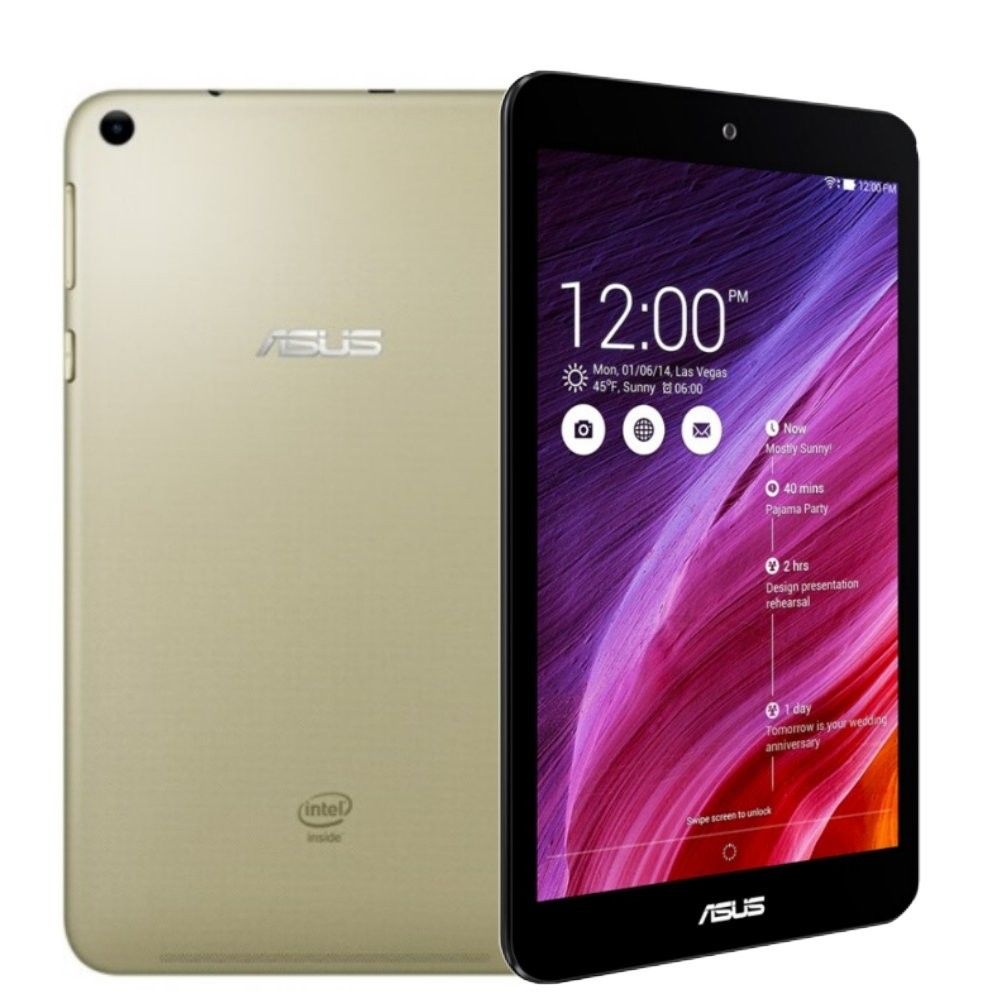
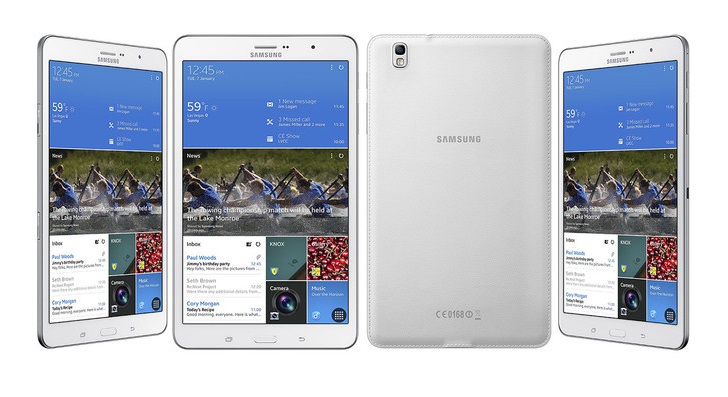
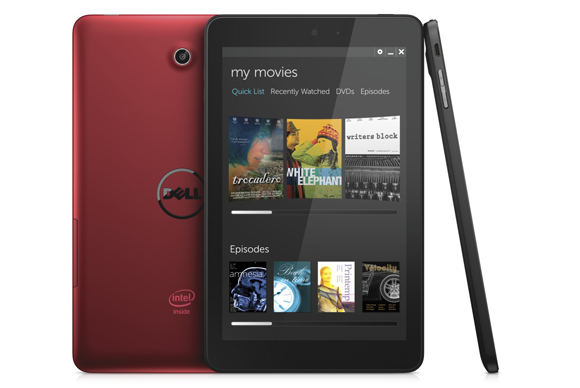
I dare say affordable.. affordability can be relative.. but in this context, considering the specifications and capabilities of this tabs it is applicable here. While high-end devices are generally the stars of the Android world, there is a growing emphasis on quality on a budget, and that’s very visible in the tablet arena. From companies that are willing to sacrifice profits for the sake of market share, to established players looking to improve their game in the mid-range, several companies have brought to market affordable Android tablets that are actually worth buying. Unfortunately, for every great budget friendly Android tablet, there are tons of poorly made, clunky, and under-powered TAB out there, which can make buying tablets on a budget a pain. i am here to help. if you’re looking for a good budget-friendly gift for a loved one, or just want to treat yourself, check out this list OF tablets. shall we begin! Joining the Nexus 7 (2013) and the Asus MemoPad 8 on this list, are some new devices like the 10-inch Lenovo Tab 2 A10, as well as tablets that have received significant price cut that put them in the range of 45k or below, including the Galaxy Tab Pro 8.4. 1. Nexus 7 (2013) Despite being almost two years old, the Nexus 7 (2013) is still one of the best tablets you can buy, and with newer tablets making their way to consumers, the already attractive price tag of the Nexus 7 (2013) is bound to get even better. The Nexus 7 (2013)’s quad-core Snapdragon S4 Pro processor, clocked at 1.5 GHz, and backed by the Adreno 320 GPU and 2GB of RAM is still more than capable of handling all but the most processor-intensive activities. Its display resolution is still the highest you can get in this size category, and most importantly, you get a great software experience, helped along by the guarantee of timely updates, including Android 5.0 Lollipop. This is why the Nexus 7 (2013) opens this list of best Android tablets on a budget. yo can get this for 38k-40k. https://www.themobimag.com/wp-content/uploads/2013/11/Nexus-7-2013-Box.jpg Specs 7-inch LCD IPS display with 1920 x 1200 resolution (323ppi) 1.5GHz quad-core Qualcomm Snapdragon S4 Pro processor Adreno 320 GPU 2GB RAM 16/32GB storage 5 MP rear camera, 1.2 MP front-facing camera 200 x 114 x 8.7 mm, 290 grams 3,950 mAh Android 5.0 Lollipop 2. Asus MeMO Pad 8 Asus refreshed the affordable Android tablet it first launched last year, bringing to the new MeMO Pad 8 improved specifications and a better overall performance. The new MeMO Pad 8 combines a 8-inch IPS LCD screen with a quad-core Intel Atom Z3745 processor running at 1.33 GHz and 1GB of RAM. A thin and light design makes this tablet very portable, and a ton of extra goodies worth around 40K-45K makes this a good choice for budget buyers. [img]https://www.esoftload.info/wp-content/uploads/2015/01/Asus-Memo-Pad-8-ME181CX.jpg[/img] Specs 8-inch IPS LCD display with 1200 x 800 resolution (189 ppi) 1.33 GHz quad-core Intel Atom Z3745 processor 1 GB RAM 16 GB internal storage, expandable 5 MP rear camera, 2 MP front-facing camera 211.7 x 124.9 x 8.3 mm, 320 grams 3,040 mAh battery Android 4.4.2 KitKat 3. Samsung Galaxy Tab Pro 8.4 While the Galaxy Tab Pro 8.4 is priced slightly above the mid-range level, it’s a difficult device to ignore, given all that it offers for only a slightly higher price tag compared to the other devices on this list of budget friendly Android tablets. With its very high resolution display, making it a fantastic media-consumption companion, and a processing package that powered flagship devices only a short time ago, the Galaxy Tab Pro 8.4 is more than impressive when you consider its price point. Samsung is known for packing their devices to the hilt with software features, and that is also available here for those that are looking for it. Samsung has refreshed their mid-range tablet portfolio since the release of this device, but the Galaxy Tab Pro 8.4 remains one of the best choices of the lot, and not only because of its comparatively cheaper price point. it cost about 50k-55k https://www.hapakenya.com/wp-content/uploads/2014/01/Galxy-tab-pro.jpg Specs 8.4-inch Super Clear LCD display with 2560 x 1600 resolution (359 ppi) 2.3 GHz quad-core Qualcomm Snapdragon 800 processor Adreno 330 GPU 2 GB RAM 16/32 GB storage, expandable via microSD up to 64 GB 8 MP rear camera, 2 MP front-facing camera 219 x 128.5 x 7.2 mm, 331 grams 4,800 mAh Android 4.4 Kitkat (upgrade to Android 5.0 Lollipop) 4. Dell Venue 8 The already budget-friendly Dell Venue 8 saw a significant price cut following the release of its successor, making this one of the cheapest Android tablets currently available. Powered by an Intel processor that is backed by 1 GB of RAM, the specifications of this tablet may not be as impressive as some of the others on this list, but it is still quite a capable performer, with a display resolution that is great for watching videos or gaming. Of course, it is hard to overlook its unbeatable 25-30k price point, making it a great choice for those on a budget. https://core0.staticworld.net/images/article/2013/12/venue8_pro_2_gallery-100155228-large.png Specs 8-inch display with a 1920 x 1200 resolution (283 ppi) 2.1 GHz dual-core Intel Z3480 processor 1 GB RAM 16 GB storage, expandable via microSD by up to 64 GB 5 MP rear camera, 1.2 MP front-facing camera 130 x 216 x 8.95 mm 4,550 mAh battery Android 4.4 KitKat 5. LG G Pad 8 (LGV480) Following the success of the LG G Pad 8.3, LG added three new devices to their G Pad tablet line last year, featuring three different display sizes. Falling in the middle of the pack was the LG G Pad 8.0, with its 8-inch display big enough to enjoy gaming and video watching, without being too unwieldy. On the specifications front, the device may not feature a display with a particularly high resolution, but the Snapdragon 400 processor has proven itself to be a very reliable processing package. This is also one of the few budget-friendly tablets to receive an upgrade to Android 5.0 Lollipop, making for a very compelling package overall. you can get it between 35-40k https://static.comparatif-tablette.net/img/29/868/lg-g-pad-8-v480-2.jpg Specs 8-inch IPS LCD display with 1280 x 800 resolution (189 ppi) 1.2 GHz quad-core Qualcomm Snapdragon 400 processor Adreno 305 GPU 1 GB RAM 16 GB storage, expandable via microSD by up to 64 GB 5 MP rear camera, 1.3 MP front-facing camera 4,200 mAh battery 210.8 x 124.2 x 9.9 mm, 342 grams Android 5.0 Lollipop BUY FROM AMAZON FROM $169 6. Acer Iconia Tab 8 The Acer Iconia Tab 8 is another great option for those looking for a low-cost tablet that offers solid specifications and performance. The device also comes with a premium design and build quality that goes beyond what its price point suggests, a high resolution display, and dual rear speakers that allow for a good audio experience, along with a large battery and the promise of an impressive battery life. Overall, the Acer Iconia Tab 8 is certainly one of the best options when it comes to budget friendly Android tablets. it cost between 40-45k https://static.acer.com/up/Resource/Acer/Tablets/Iconia%20Tab%208%20W/Images/20140912/tablet-acer-Iconia-Tab-8W-Preview.png Specs 8-inch IPS LCD display with a 1920 x 1200 resolution (283 ppi) 1.33 GHz quad-core Intel Atom Z3745 processor (1.86 GHz Turbo) Intel Gen 7 (Ivy Bridge) GPU 2 GB RAM 16/32 GB storage, expandable via microSD up to 64 GB 5 MP rear camera, 2 MP front-facing camera 4,600 mAh battery 215 x 130 x 8.5 mm, 360 grams Android 4.4.2 KitKat 7. Amazon Kindle Fire HDX 7 The Kindle Fire HDX was another fantastic addition to the popular tablet line from Amazon, offering features and specifications that allow for solid performance and a high resolution display and dual Dolby Digital speakers that makes it a great media-consumption companion. While the software iteration is far removed from the traditional Android experience, this take on Android is ideal to take advantage of the Amazon ecosystem and everything it entails, including games, books, movies, and more. If you’re in the market for a low-cost Android tablet, the Kindle Fire HDX is a great choice for you. you can get it for about 40k https://rack.2.mshcdn.com/media/ZgkyMDEzLzA5LzI0LzkwL0FtYXpvbktpbmRsLjUyZGY0LmpwZwpwCXRodW1iCTg1MHg4NTA-CmUJanBn/0538f426/6ad/Amazon-Kindle-Fire-HDX-89-7-angleview.jpg Specs 7-inch IPS LCD display with a 1920 x 1200 resolution (323 ppi) 2.2 GHz quad-core Qualcomm Snapdragon 800 processor Adreno 330 GPU 2 GB RAM 16/32/64 GB storage 1.3 MP front-facing camera battery allows for battery life up to 11 hours 186 x 128 x 9 mm, 303 grams Fire OS 4 1 Like |
| Phones › Re: Top 10 quality phones that are reasonably priced by Bigroti(op): 7:18pm On Sep 03, 2015 |
they are sir. but in comparison to this ones i listed, they don't make the cut gsparks01: |
| Career › Salary Earners Can You Relate To This Picture? by Bigroti(op): 7:13pm On Sep 03, 2015 |
i think we can all relate to this. GOD bless NAIJA 22 Likes 2 Shares
|
| Politics › Re: Buhari Unveiled A Kitchen & Store-Room Cabinet Of 100% Northern Males - Egbejumi by Bigroti(m): 4:44pm On Sep 03, 2015 |
what does this have to do with the uni i attended? just like your post your question has no point. i pointed out the fact that buhari isn't done with his appointments, i pointed out the fact that where who comes into the kitchen comes from doesn't matter as long as the person produces good food. so tell me again what is uneducated about what i have said. point it out don't ask mundane questions sir. UmuEri: |
| Politics › Re: President Buhari Orders Closure Of Aso Rock Villa Church by Bigroti(m): 2:56pm On Sep 03, 2015 |
why would anyone believe this story? its not even a well fabricated story. and all this gullible people have swallowed it up. how sad. TechWalker007: |
| Business To Business › Buy Now! Pay Monthly/ Installment Payment by Bigroti(op): 12:12pm On Sep 03, 2015 |
have you ever wanted to buy that new trending phone or laptop or that new flat screen HDTV with awesome picture quality, hometheatres, split AC, freezer you so rightly deserve. but due to financial constraints you couldn't? there is always so much to do. the kids, rent, family etc something always comes up. at paytwice we understand this we have been there. that is why we offer you an installment payment plan that allows you to divide the payment for that product you want and love. yes you probably have someone or know someone who offers you this plans, but at what interest? because we understand you and know where you are coming from we do not charge any interest on our installments.. for more information and inquiries contact Email: rotialli@gmail.com pin:7fe4aa70 Number:07066581375 |
| Politics › Re: Buhari Unveiled A Kitchen & Store-Room Cabinet Of 100% Northern Males - Egbejumi by Bigroti(m): 11:44am On Sep 03, 2015 |
I sincerely do not understand the point this article is trying to make. except instigate hate and sway our attention from the progress being made. the appointments so far are not even up to half of the appointments yet to come. why should i care if all the appointees are northerners? if i can get fuel when i need it, if i have stable power supply, if i know our dignity as a nation is slowly but surely returning, if i know stealing is now corruption, if i know my brothers and sisters in the north are being rescued and can go back to a scarred but normal life soon. what errant bigoted nonsense is this. a nation that fell asleep for about 6 years is now waking up, let the giant stretch before it moves. keep a positive and open mind. the world has left us behind while we are still haggling over mundane things like ethnicity. if the cooks in the kitchen can cook what do i care where they come from. UmuEri: |
| Investment › 8 Simple Steps To Be Your Own Boss by Bigroti(op): 11:22am On Sep 03, 2015 |
f you want to start a business in Nigeria today but don't know where to start from , don't worry, you are not alone. Given the economic realities of the Country, people have come to realize that the "job" they thought was waiting for them doesn't exist. Others have come to the conclusion that they would rather create work they love, constructed to fit with their own life goals than suffer at the hands of a boss. No matter what the motivation is to be your own boss, you can start today, its simple but not easy. a lot of hardwork and determination goes into it. but once you get to do what you love the work involved can be a minor inconvenience Note: being your own boss doesn't mean you will get rich immediately. this is not a get rich quick scheme Here are some tips to get you started 1. Take control of your situation. If you are not happy with the current situation you have found yourself in, admit that no one can fix them except for you. It doesn't do any good to blame the economy, your boss, your spouse or your family. Change can only occur when you make a conscious decision to make it happen. 2.Identify the Business that is right for you . Give yourself permission to explore various options. Be willing to take into consideration several factors like your personality, social styles, age skills etc. listen to your intuition don't just jump into it because everyone is doing it or because it sounds like a golden goose. We tend to ignore intuition even though deep down we often know the truth. Ask yourself "What gives me energy even when I'm tired?" How do you know what business is "right" for you? There are three common approaches to entrepreneurship: A.Do What You Know: Have you been sacked or you want a change? Look at some of the things have done for people in the past or you are currently doing at your spare time and think about how you could package those skills and offer them as your own services or products. B.Do What Others Do: Learn about other businesses that interest you. the keyword here is "interest" Once you have identified a business you like, emulate it. C.Solve a Common Problem: Is there a gap in the market? is there a niche you have identified in the existing market? Is there a service or product you would like to bring to the market? (Note: This is the highest-risk of the three approaches but also the most rewarding. KONGA, DEALDEY.) If you choose to do this, make sure that you become a student and gain knowledge first before you spend any money. 3. .Business Planning Improves Your Chances for Success. Most people don't plan, but it will help you get to market faster. The real value of creating a business plan is not in having the finished product in hand; rather, the value lies in the process of researching and thinking about your business in a systematic way. The act of planning helps you to think things through thoroughly, study and research if you are not sure of the facts, and look at your ideas critically. It takes time now, but avoids costly, perhaps disastrous, mistakes later Ask yourself the following questions: - What am I building? - Who will I serve? - What is the promise I am making to my customers/clients and to myself? - What are my objectives, strategies and action plans (steps) to achieve my goals? 4.understand your customers before you spend any kobo. Before you start spending your money, find out if people are actually interested in your products or services and if they will spend their money on it. This may be the most important thing you do. You can do this by validating your market. In other words, who, exactly, will buy your products or services other than your family or friends? (in your head you mite be thinking oh everyone in Nigeria will want my product." Trust me--they won't.) What is the size of your target market? Who are your customers? Is your product or service relevant to their everyday life? Why do they need it? There is industry research available that you can uncover for free. Read industry articles with data (Google the relevant industry associations) and read Census data to learn more. However, the most important way to get this information is to ask your target market/customers directly and then listen. 5.look at your personal finances and how much money you can actually spend on your business As an entrepreneur, your personal life and business life are interconnected. You are likely to be your first and possibly only investor. Therefore, having a detailed understanding of your personal finances, and the ability to track them, is an essential first step before seeking outside funding for your business. investors will take you more serious if they know you have teeth in the game As you are creating your business plan, you will need to consider what type of business you are building is it a lifestyle business? (smaller amount of startup funds), a franchise? (moderate investment depending on the franchise), or a high-tech business like an E commerce business (this will require significant capital investment). Depending on where you fall on the continuum, you will need varying degree of capital to launch and grow your business. 6.Build a Support Network. now that You've made the initial commitment to your business. the next step will be to cultivate a network of supporters, advisers, partners, allies and vendors. If you believe in your business, others will too. Network locally, nationally & via social networks. Join networks like nairaland(of course you are already here) facebook, twitter, your local chamber of commerce, or other relevant business groups. Here are some networking basics: - When attending networking events, ask others what they do and think about how you can help them. The key is to listen more than to talk about yourself. - No matter what group you join, be generous, help others and make introductions without charging them. - By becoming a generous leader, you will be the first person that comes to mind when someone you've helped needs your service or hears of someone else who needs your service. 7.Sell By Creating Value. Even though we purchase products and services every day, people don't want to be just "sold" too, they want to know you have their interest at heart, Focus on serving your customers. The more people you serve, the more money you will make. When considering your customers or clients, ask yourself: - What can I give them? - How can I make them successful in their own pursuits? - This approach can help lead you to new ways to hone your product or service and deliver more value, which your customers will appreciate. 8. Get the Word Out. Be willing to say who you are and what you do with conviction and without apology. Embrace and use the most effective online tools (Twitter, Facebook, YouTube, LinkedIn) available to broadcast your news. Use social networks as "pointer" sites; i.e., to point to anything you think will be of interest to your fans and followers. Even though social networks are essential today (you must use them!), don't underestimate the power of other methods to get the word out: e.g., word-of-mouth marketing, website and internet marketing tools, public relations, blog posts, columns and articles, speeches, e-mail, newsletters, and the old-fashioned but still essential telephone. If you take these steps, you'll be well on your way to becoming your own boss. It's important to remember that you are not alone. If you want to "be your own boss" but you still feel stuck, reach out and connect with other entrepreneurs in a variety of ways. You may be surprised by the invaluable contacts that are right at your fingertips. God bless. 1 Like |
| Phones › Re: Top 8 affordable Android Tablets by Bigroti(op): 10:25am On Sep 03, 2015 |
Best value.. no interest Bigroti: |
| Phones › Re: Top 8 affordable Android Tablets by Bigroti(op): 11:28pm On Sep 02, 2015*. Modified: 10:24am On Sep 03, 2015 |
contact us at paytwice for installment payment on phones and electronics. we offer you a convenient way to pay for your phone and electronics for more information contact us on Email: rotialli@gmail.com pin:7fe4aa70 Number:07066581375. |
| Phones › Top 8 affordable Android Tablets by Bigroti(op): 11:23pm On Sep 02, 2015*. Modified: 10:07am On Sep 03, 2015 |
I dare say affordable.. affordability can be relative.. but in this content considering the specifications and capabilities of this tab it is applicable here While high-end devices are generally the stars of the Android world, there is a growing emphasis on quality on a budget, and that’s very visible in the tablet arena. From companies that are willing to sacrifice profits for the sake of market share, to established players looking to improve their game in the mid-range, several companies have brought to market affordable Android tablets that are actually worth buying. Unfortunately, for every great budget friendly Android tablet, there are tons of poorly made, clunky, and under-powered TAB out there, which can make buying tablets on a budget a pain. i am here to help. if you’re looking for a good budget-friendly gift for a loved one, or just want to treat yourself, check out this list OF tablets. shall we begin! Joining the Nexus 7 (2013) and the Asus MemoPad 8 on this list, are some new devices like the 10-inch Lenovo Tab 2 A10, as well as tablets that have received significant price cut that put them in the range of 45k or below, including the Galaxy Tab Pro 8.4. 1. Nexus 7 (2013) Despite being almost two years old, the Nexus 7 (2013) is still one of the best tablets you can buy, and with newer tablets making their way to consumers, the already attractive price tag of the Nexus 7 (2013) is bound to get even better. The Nexus 7 (2013)’s quad-core Snapdragon S4 Pro processor, clocked at 1.5 GHz, and backed by the Adreno 320 GPU and 2GB of RAM is still more than capable of handling all but the most processor-intensive activities. Its display resolution is still the highest you can get in this size category, and most importantly, you get a great software experience, helped along by the guarantee of timely updates, including Android 5.0 Lollipop. This is why the Nexus 7 (2013) opens this list of best Android tablets on a budget. yo can get this for 38k-40k. https://www.themobimag.com/wp-content/uploads/2013/11/Nexus-7-2013-Box.jpg Specs 7-inch LCD IPS display with 1920 x 1200 resolution (323ppi) 1.5GHz quad-core Qualcomm Snapdragon S4 Pro processor Adreno 320 GPU 2GB RAM 16/32GB storage 5 MP rear camera, 1.2 MP front-facing camera 200 x 114 x 8.7 mm, 290 grams 3,950 mAh Android 5.0 Lollipop 2. Asus MeMO Pad 8 Asus refreshed the affordable Android tablet it first launched last year, bringing to the new MeMO Pad 8 improved specifications and a better overall performance. The new MeMO Pad 8 combines a 8-inch IPS LCD screen with a quad-core Intel Atom Z3745 processor running at 1.33 GHz and 1GB of RAM. A thin and light design makes this tablet very portable, and a ton of extra goodies worth around 40K-45K makes this a good choice for budget buyers. [img]https://www.esoftload.info/wp-content/uploads/2015/01/Asus-Memo-Pad-8-ME181CX.jpg[/img] Specs 8-inch IPS LCD display with 1200 x 800 resolution (189 ppi) 1.33 GHz quad-core Intel Atom Z3745 processor 1 GB RAM 16 GB internal storage, expandable 5 MP rear camera, 2 MP front-facing camera 211.7 x 124.9 x 8.3 mm, 320 grams 3,040 mAh battery Android 4.4.2 KitKat 3. Samsung Galaxy Tab Pro 8.4 While the Galaxy Tab Pro 8.4 is priced slightly above the mid-range level, it’s a difficult device to ignore, given all that it offers for only a slightly higher price tag compared to the other devices on this list of budget friendly Android tablets. With its very high resolution display, making it a fantastic media-consumption companion, and a processing package that powered flagship devices only a short time ago, the Galaxy Tab Pro 8.4 is more than impressive when you consider its price point. Samsung is known for packing their devices to the hilt with software features, and that is also available here for those that are looking for it. Samsung has refreshed their mid-range tablet portfolio since the release of this device, but the Galaxy Tab Pro 8.4 remains one of the best choices of the lot, and not only because of its comparatively cheaper price point. it cost about 50k-55k https://www.hapakenya.com/wp-content/uploads/2014/01/Galxy-tab-pro.jpg Specs 8.4-inch Super Clear LCD display with 2560 x 1600 resolution (359 ppi) 2.3 GHz quad-core Qualcomm Snapdragon 800 processor Adreno 330 GPU 2 GB RAM 16/32 GB storage, expandable via microSD up to 64 GB 8 MP rear camera, 2 MP front-facing camera 219 x 128.5 x 7.2 mm, 331 grams 4,800 mAh Android 4.4 Kitkat (upgrade to Android 5.0 Lollipop) 4. Dell Venue 8 The already budget-friendly Dell Venue 8 saw a significant price cut following the release of its successor, making this one of the cheapest Android tablets currently available. Powered by an Intel processor that is backed by 1 GB of RAM, the specifications of this tablet may not be as impressive as some of the others on this list, but it is still quite a capable performer, with a display resolution that is great for watching videos or gaming. Of course, it is hard to overlook its unbeatable 25-30k price point, making it a great choice for those on a budget. https://core0.staticworld.net/images/article/2013/12/venue8_pro_2_gallery-100155228-large.png Specs 8-inch display with a 1920 x 1200 resolution (283 ppi) 2.1 GHz dual-core Intel Z3480 processor 1 GB RAM 16 GB storage, expandable via microSD by up to 64 GB 5 MP rear camera, 1.2 MP front-facing camera 130 x 216 x 8.95 mm 4,550 mAh battery Android 4.4 KitKat 5. LG G Pad 8 (LGV480) Following the success of the LG G Pad 8.3, LG added three new devices to their G Pad tablet line last year, featuring three different display sizes. Falling in the middle of the pack was the LG G Pad 8.0, with its 8-inch display big enough to enjoy gaming and video watching, without being too unwieldy. On the specifications front, the device may not feature a display with a particularly high resolution, but the Snapdragon 400 processor has proven itself to be a very reliable processing package. This is also one of the few budget-friendly tablets to receive an upgrade to Android 5.0 Lollipop, making for a very compelling package overall. you can get it between 35-40k https://static.comparatif-tablette.net/img/29/868/lg-g-pad-8-v480-2.jpg Specs 8-inch IPS LCD display with 1280 x 800 resolution (189 ppi) 1.2 GHz quad-core Qualcomm Snapdragon 400 processor Adreno 305 GPU 1 GB RAM 16 GB storage, expandable via microSD by up to 64 GB 5 MP rear camera, 1.3 MP front-facing camera 4,200 mAh battery 210.8 x 124.2 x 9.9 mm, 342 grams Android 5.0 Lollipop BUY FROM AMAZON FROM $169 6. Acer Iconia Tab 8 The Acer Iconia Tab 8 is another great option for those looking for a low-cost tablet that offers solid specifications and performance. The device also comes with a premium design and build quality that goes beyond what its price point suggests, a high resolution display, and dual rear speakers that allow for a good audio experience, along with a large battery and the promise of an impressive battery life. Overall, the Acer Iconia Tab 8 is certainly one of the best options when it comes to budget friendly Android tablets. it cost between 40-45k https://static.acer.com/up/Resource/Acer/Tablets/Iconia%20Tab%208%20W/Images/20140912/tablet-acer-Iconia-Tab-8W-Preview.png Specs 8-inch IPS LCD display with a 1920 x 1200 resolution (283 ppi) 1.33 GHz quad-core Intel Atom Z3745 processor (1.86 GHz Turbo) Intel Gen 7 (Ivy Bridge) GPU 2 GB RAM 16/32 GB storage, expandable via microSD up to 64 GB 5 MP rear camera, 2 MP front-facing camera 4,600 mAh battery 215 x 130 x 8.5 mm, 360 grams Android 4.4.2 KitKat 7. Amazon Kindle Fire HDX 7 The Kindle Fire HDX was another fantastic addition to the popular tablet line from Amazon, offering features and specifications that allow for solid performance and a high resolution display and dual Dolby Digital speakers that makes it a great media-consumption companion. While the software iteration is far removed from the traditional Android experience, this take on Android is ideal to take advantage of the Amazon ecosystem and everything it entails, including games, books, movies, and more. If you’re in the market for a low-cost Android tablet, the Kindle Fire HDX is a great choice for you. you can get it for about 40k https://rack.2.mshcdn.com/media/ZgkyMDEzLzA5LzI0LzkwL0FtYXpvbktpbmRsLjUyZGY0LmpwZwpwCXRodW1iCTg1MHg4NTA-CmUJanBn/0538f426/6ad/Amazon-Kindle-Fire-HDX-89-7-angleview.jpg Specs 7-inch IPS LCD display with a 1920 x 1200 resolution (323 ppi) 2.2 GHz quad-core Qualcomm Snapdragon 800 processor Adreno 330 GPU 2 GB RAM 16/32/64 GB storage 1.3 MP front-facing camera battery allows for battery life up to 11 hours 186 x 128 x 9 mm, 303 grams Fire OS 4 8. Lenovo Tab 2 A10 The Lenovo Tab 2 A10 has a lot going for it when compared to the rest of the devices on this list. For starters, this is the only device to be released in 2015, introduced back at MWC this year, while being the only 10-inch tablet in this roundup as well. This is also the first tablets to feature Dolby ATMOS 3D Cinema audio enhancements, which aims to make your audio experience much clearer, while taking advantage of the beautiful, large Full HD display. Performance is impressively smooth, and while mobile photography isn’t a key feature when it comes to tablets, this device does offer a solid camera experience. If you’re looking for a large-screen tablet experience on a budget, look no further than the Lenovo Tab 2 A10. you can get it for about 45k. https://i-cdn.phonearena.com/images/phones/51912-xlarge/TAB-2-A10-4a.jpg Specs 10.1-inch IPS LCD display with a 1920 x 1200 resolution (218 ppi) 1.7 GHz quad-core MediaTek MT8165 processor 2 GB RAM 16 GB storage, expandable via microSD up to 64 GB 8 MP rear camera, 5 MP front-facing camera 7,000 mAh battery 247 x 171 x 8.9 mm, 509 grams Android 4.4 Kitkat (upgrade to Android 5.0 Lollipop ) source: http://www.androidauthority.com 1 Like |
| Business › Re: 8 Simple Steps To Be Your Own Boss!! by Bigroti(op): 7:01pm On Sep 02, 2015 |
[quote author=Bigroti post=37602912][/quote]contact us at paytwice for installment payment on phones and electronics. we offer you a convenient way to pay for your phone and electronics for more information contact me on Email: rotialli@gmail.com pin:7fe4aa70 Number:07066581375 |
| Phones › Re: Top 10 quality phones that are reasonably priced by Bigroti(op): 6:57pm On Sep 02, 2015 |
[quote author=Bigroti post=37578586][/quote]contact us at paytwice for installment payment on phones and electronics. we offer you a convenient way to pay for your phone and electronics for more information contact me on Email: rotialli@gmail.com pin:7fe4aa70 Number:07066581375 |
| Phones › Re: Top 10 Android Phones Of 2015 by Bigroti(op): 6:55pm On Sep 02, 2015 |
[quote author=Bigroti post=37557140][/quote]contact us at paytwice for installment payment on phones and electronics. we offer you a convenient way to pay for your phone and electronics for more information contact me on Email: rotialli@gmail.com pin:7fe4aa70 Number:07066581375 |
| Business › 8 Simple Steps To Be Your Own Boss!! by Bigroti(op): 5:54pm On Sep 02, 2015*. Modified: 8:05pm On Sep 02, 2015 |
If you want to start a business in Nigeria today but don't know where to start from , don't worry, you are not alone. Given the economic realities of the Country, people have come to realize that the "job" they thought was waiting for them doesn't exist. Others have come to the conclusion that they would rather create work they love, constructed to fit with their own life goals than suffer at the hands of a boss. No matter what the motivation is to be your own boss, you can start today, its simple but not easy. a lot of hardwork and determination goes into it. but once you get to do what you love the work involved can be a minor inconvenience Note: being your own boss doesn't mean you will get rich immediately. this is not a get rich quick scheme Here are some tips to get you started 1. Take control of your situation. If you are not happy with the current situation you have found yourself in, admit that no one can fix them except for you. It doesn't do any good to blame the economy, your boss, your spouse or your family. Change can only occur when you make a conscious decision to make it happen. 2.Identify the Business that is right for you . Give yourself permission to explore various options. Be willing to take into consideration several factors like your personality, social styles, age skills etc. listen to your intuition don't just jump into it because everyone is doing it or because it sounds like a golden goose. We tend to ignore intuition even though deep down we often know the truth. Ask yourself "What gives me energy even when I'm tired?" How do you know what business is "right" for you? There are three common approaches to entrepreneurship: A.Do What You Know: Have you been sacked or you want a change? Look at some of the things have done for people in the past or you are currently doing at your spare time and think about how you could package those skills and offer them as your own services or products. B.Do What Others Do: Learn about other businesses that interest you. the keyword here is "interest" Once you have identified a business you like, emulate it. C.Solve a Common Problem: Is there a gap in the market? is there a niche you have identified in the existing market? Is there a service or product you would like to bring to the market? (Note: This is the highest-risk of the three approaches but also the most rewarding. KONGA, DEALDEY.) If you choose to do this, make sure that you become a student and gain knowledge first before you spend any money. 3. .Business Planning Improves Your Chances for Success. Most people don't plan, but it will help you get to market faster. The real value of creating a business plan is not in having the finished product in hand; rather, the value lies in the process of researching and thinking about your business in a systematic way. The act of planning helps you to think things through thoroughly, study and research if you are not sure of the facts, and look at your ideas critically. It takes time now, but avoids costly, perhaps disastrous, mistakes later Ask yourself the following questions: - What am I building? - Who will I serve? - What is the promise I am making to my customers/clients and to myself? - What are my objectives, strategies and action plans (steps) to achieve my goals? 4.understand your customers before you spend any kobo. Before you start spending your money, find out if people are actually interested in your products or services and if they will spend their money on it. This may be the most important thing you do. You can do this by validating your market. In other words, who, exactly, will buy your products or services other than your family or friends? (in your head you mite be thinking oh everyone in Nigeria will want my product." Trust me--they won't.) What is the size of your target market? Who are your customers? Is your product or service relevant to their everyday life? Why do they need it? There is industry research available that you can uncover for free. Read industry articles with data (Google the relevant industry associations) and read Census data to learn more. However, the most important way to get this information is to ask your target market/customers directly and then listen. 5.look at your personal finances and how much money you can actually spend on your business As an entrepreneur, your personal life and business life are interconnected. You are likely to be your first and possibly only investor. Therefore, having a detailed understanding of your personal finances, and the ability to track them, is an essential first step before seeking outside funding for your business. investors will take you more serious if they know you have teeth in the game As you are creating your business plan, you will need to consider what type of business you are building is it a lifestyle business? (smaller amount of startup funds), a franchise? (moderate investment depending on the franchise), or a high-tech business like an E commerce business (this will require significant capital investment). Depending on where you fall on the continuum, you will need varying degree of capital to launch and grow your business. 6.Build a Support Network. now that You've made the initial commitment to your business. the next step will be to cultivate a network of supporters, advisers, partners, allies and vendors. If you believe in your business, others will too. Network locally, nationally & via social networks. Join networks like nairaland(of course you are already here) facebook, twitter, your local chamber of commerce, or other relevant business groups. Here are some networking basics: - When attending networking events, ask others what they do and think about how you can help them. The key is to listen more than to talk about yourself. - No matter what group you join, be generous, help others and make introductions without charging them. - By becoming a generous leader, you will be the first person that comes to mind when someone you've helped needs your service or hears of someone else who needs your service. 7.Sell By Creating Value. Even though we purchase products and services every day, people don't want to be just "sold" too, they want to know you have their interest at heart, Focus on serving your customers. The more people you serve, the more money you will make. When considering your customers or clients, ask yourself: - What can I give them? - How can I make them successful in their own pursuits? - This approach can help lead you to new ways to hone your product or service and deliver more value, which your customers will appreciate. 8. Get the Word Out. Be willing to say who you are and what you do with conviction and without apology. Embrace and use the most effective online tools (Twitter, Facebook, YouTube, LinkedIn) available to broadcast your news. Use social networks as "pointer" sites; i.e., to point to anything you think will be of interest to your fans and followers. Even though social networks are essential today (you must use them!), don't underestimate the power of other methods to get the word out: e.g., word-of-mouth marketing, website and internet marketing tools, public relations, blog posts, columns and articles, speeches, e-mail, newsletters, and the old-fashioned but still essential telephone. If you take these steps, you'll be well on your way to becoming your own boss. It's important to remember that you are not alone. If you want to "be your own boss" but you still feel stuck, reach out and connect with other entrepreneurs in a variety of ways. You may be surprised by the invaluable contacts that are right at your fingertips. God bless. 1 Like |
| Phones › Re: Top 10 quality phones that are reasonably priced by Bigroti(op): 3:22pm On Sep 02, 2015 |
list out the specifications of the infinix hot note and compare it to the motorola moto G juddexy2: |
| Phones › Re: Top 10 quality phones that are reasonably priced by Bigroti(op): 3:20pm On Sep 02, 2015 |
i also mentioned 45k, 16k, 15k, 20k. affordable in relativity to their specifications was the initial purpose of using "the term affordable" and i have changed the title to a more generally acceptable one. i hope this clarifies donhils: |
| Phones › Re: Top 10 quality phones that are reasonably priced by Bigroti(op): 1:48pm On Sep 02, 2015 |
Maybe those will go in the list of top China made phones gsparks01: |
| Phones › Re: Top 10 quality phones that are reasonably priced by Bigroti(op): 9:51am On Sep 02, 2015 |
Reasonably priced considering their specifications i didn't say cheap and i didn't say affordable to avoid confusion. Its like saying the new camry 2014 is reasonably priced for 5million. Craven: |