 Phones › Re: UMIDIGI DISCUSSION THREAD by osic(m): 7:54pm On Apr 10, 2020 Phones › Re: UMIDIGI DISCUSSION THREAD by osic(m): 7:54pm On Apr 10, 2020 |
Good Evening From my Umidigi A5 PRO... 

|
| Phones › Re: UMIDIGI DISCUSSION THREAD by osic(m): 4:22pm On Apr 04, 2020 |
nani667:
So UMI have low-key crept into the $300+ price range
Pricing has been the only thing they had going for them, hope this will not backfire  Let's wait and see what they have up their sleeves. Pretty sure the price will take a cut. |
| Phones › Re: UMIDIGI DISCUSSION THREAD by osic(m): 9:21am On Apr 04, 2020*. Modified: 2:41pm On Apr 04, 2020 |
Sinachi100:
Oga BOSS we d JJC for Umidigi A5pro need ur number 09 0 |
| Phones › Re: UMIDIGI DISCUSSION THREAD by osic(m): 4:04pm On Apr 03, 2020 |
dollarnaira:
How is the voice call?
Louder and crisp or same? Same |
| Phones › Re: UMIDIGI DISCUSSION THREAD by osic(m): 4:04pm On Apr 03, 2020 |
dollarnaira:
Ok.
But
Was ur stock rom ear piece in call volume lower or higher compared to when on new rom? I haven't encountered any volume issues. |
| Phones › Re: UMIDIGI DISCUSSION THREAD by osic(m): 8:50am On Apr 03, 2020 |
dollarnaira:
How is the voice call?
Louder and crisp or same? Perfecto!! |
| Phones › Re: UMIDIGI DISCUSSION THREAD by osic(m): 9:19pm On Apr 02, 2020 |
Gazzy88:
I never knew the device have a screen recorder ooo It comes with the new ROM |
| Phones › Re: UMIDIGI DISCUSSION THREAD by osic(m): 9:18pm On Apr 02, 2020 |
Lexusgs430:
The umidigi A5 pro is complicated, it takes 365 days to fully digest it all........  |
| Phones › Re: UMIDIGI DISCUSSION THREAD by osic(m): 6:36pm On Apr 02, 2020 |
Lexusgs430:
Cheaper than buying another device..........  You are a mind reader |
| Phones › Re: UMIDIGI DISCUSSION THREAD by osic(m): 5:21pm On Apr 02, 2020 |
geebehn:
True!
I also hate the big icons, but battery life is importanter Those huge 4G icons motivated me to change my ROM. |
| Phones › Re: UMIDIGI DISCUSSION THREAD by osic(m): 5:11pm On Apr 02, 2020 |
Gazzy88:
Are you having any issues with it so far? Does it work seamlessly. So far, It has been working seamlessly. My only concern so far is the poor SOT, I just noticed that the in built screen recorder isn't working. But I can live with that. |
| Phones › Re: UMIDIGI DISCUSSION THREAD by osic(m): 2:39pm On Apr 02, 2020*. Modified: 4:01pm On Apr 02, 2020 |
Gazzy88:
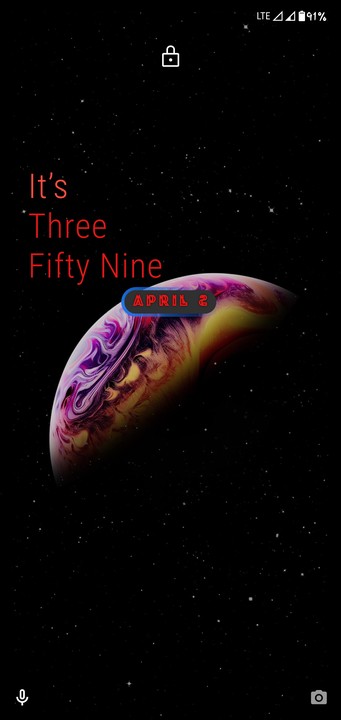
Do you use a5 pro? If yes, can you drop the features of the new ROM that the old one lacks. Can you change the fonts on this new ROM? *Yes, I do. ** You can find the features on Google *** Pic below 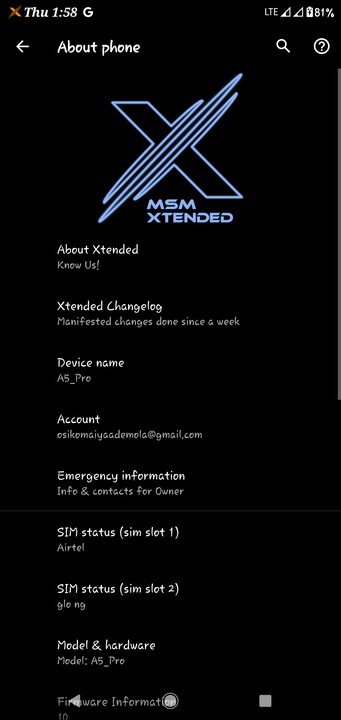
|
| Phones › Re: UMIDIGI DISCUSSION THREAD by osic(m): 11:05am On Apr 02, 2020 |
saint2ace:
Nice one, please keep us updated esp on the battery drain. Hopefully battery life will improve once the ROM 'settles in' Here's my SOT with the new ROM... You decide. 
|
| Phones › Re: UMIDIGI DISCUSSION THREAD by osic(m): 9:53am On Apr 01, 2020 |
saint2ace:
Any improvement in relation to the original ROM? Just installed yesterday night, ROM comes with all Android 10 features. All I noticed is battery drain, but I'll keep checking if anything changes. For those who needs to also change theirs, search for @umidigia5prochat on telegram. |
| Phones › Re: UMIDIGI DISCUSSION THREAD by osic(m): 9:27pm On Mar 31, 2020*. Modified: 11:34pm On Mar 31, 2020 |
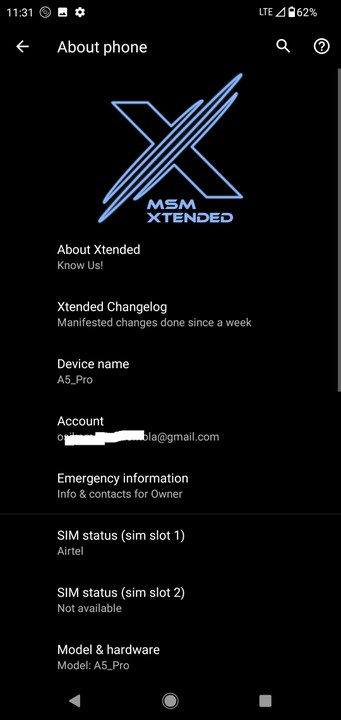
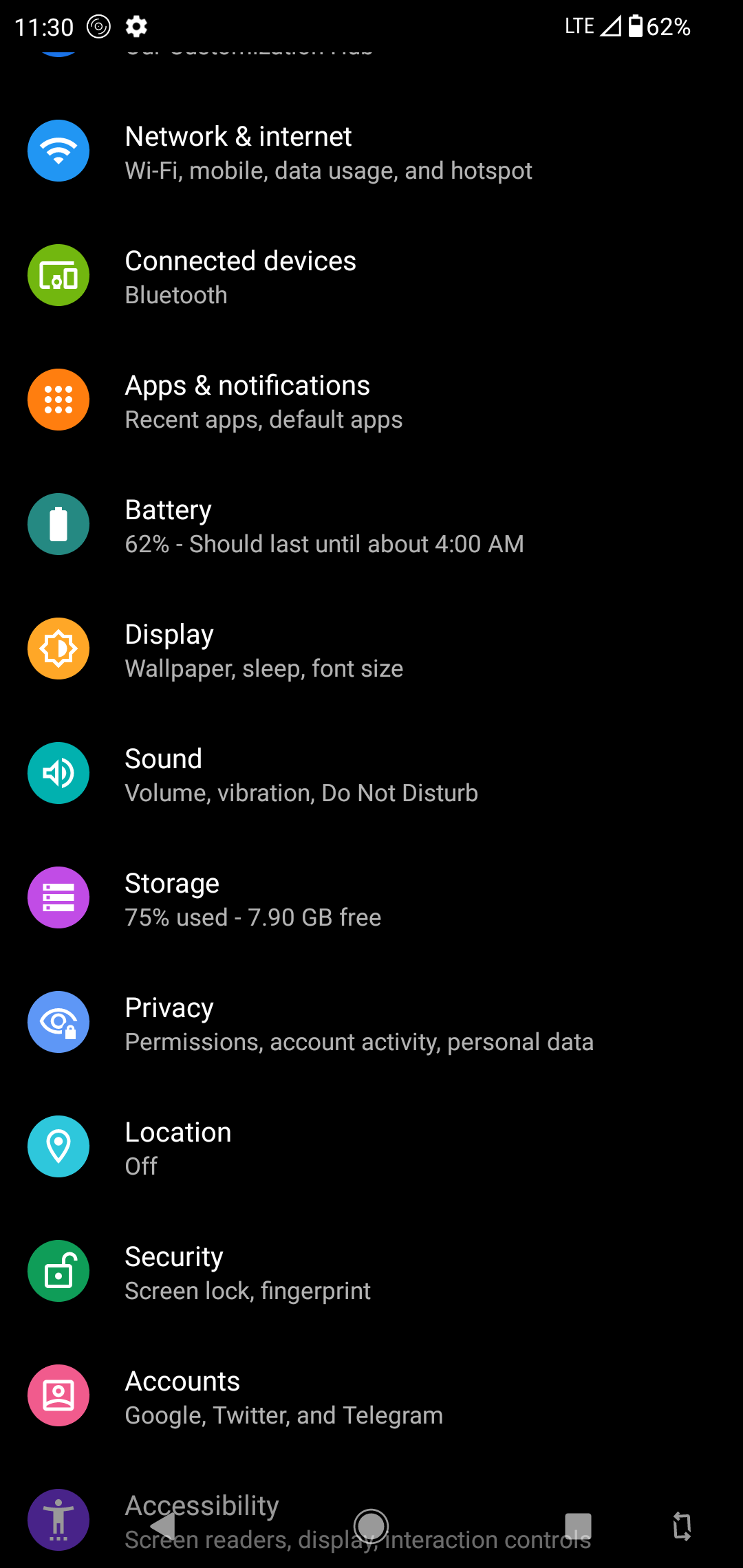
Finally installed a new ROM to my UMIDIGI A5 PRO...
Lexusgs430 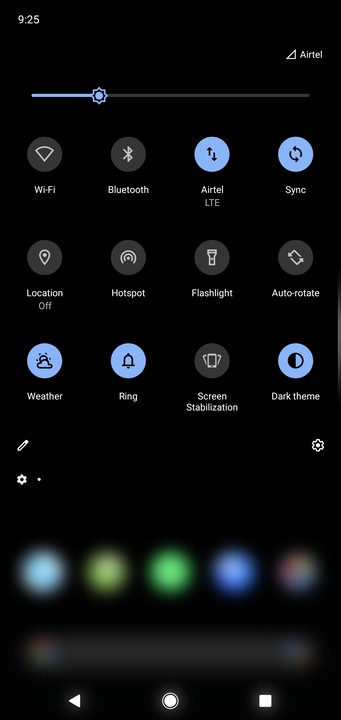
|
| Phones › Re: UMIDIGI DISCUSSION THREAD by osic(m): 7:11am On Mar 29, 2020 |
|
| Phones › Re: UMIDIGI DISCUSSION THREAD by osic(m): 6:09pm On Mar 28, 2020 |
11Anonymous:
You can transfer the ROM file to your phone memory and flash from there. So it can be done without backing up on an external storage and I won't lose my files  |
| TV/Movies › Re: What Series Are You Watching Now? Part 2 by osic(m): 5:38pm On Mar 28, 2020 |



|
| TV/Movies › Re: What Series Are You Watching Now? Part 2 by osic(m): 8:16pm On Mar 27, 2020 |
Bratking:
The RT and IMDb ratings are very low. I will unbiasedly rate it a 2/10 |
| Phones › Re: UMIDIGI DISCUSSION THREAD by osic(m): 4:04pm On Mar 27, 2020*. Modified: 4:54pm On Mar 27, 2020 |
It's coming... 
|
| Phones › Re: UMIDIGI DISCUSSION THREAD by osic(m): 12:28pm On Mar 27, 2020 |
11Anonymous:
How to flash a custom ROM on A5 pro.
1. Unlock bootloader
2. Flash TWRP
3. Flash ROM.
Requirements.
i. A PC.
ii. SP Flash tool v5.1924(latest version) (Download it).
iii. Required Drivers. ( Download it).
iv. Unlocked bootloader file. (Download it).
v. TWRP by Hadenix(Download it).
vi. MT6763 file in txt format (Download it).
vii. Disable verify file. It goes along with TWRP. (download it).
viii. Custom ROM. (Download it). I recommend Pixel experience. You can try out other ROMs if you like.
You can get all these files from the telegram channel. https ://t .me/umidigia5prochat. Just request for it.
To the steps.
1. Unlocking bootloader.
•Go to you phone settings≥ About phone, find build number and touch it 5 times to make you a developer.
•Go to settings > System > Advanced> developer's option, enable the option for OEM unlocking and USB debugging.
★Make sure you backup your apps and necessary files in your internal memory before this next step, cox your phone will be formatted.
On your PC
•Install the required drivers.
•Unzip the unlocked bootloader zip file.
•Connect your phone to the PC
•Open the unlocked bootloader file and run the batch file, your phone will reboot in fastboot mode and require you to press YES or No to unlock the bootloader.
•Press YES (Vol up).
All your data will be cleared i.e your phone will be formatted.
2. Flashing TWRP
•Put disable verify file in the root of your SD card and insert SD in your phone.
• Unzip SP Flash tool file on your PC.
•Unzip TWRP you downloaded.
Rename your TWRP img file by Hadenix to 'recovery' on your PC.
•Copy your scatter file to the folder where you have recovery img.
•Move the folder to SP Flash tool folder.
•In your SP Flash tool folder, click flash_tool to open the software.
•Under scatter loading file, look for the folder where your scatter file is and click it, and click open.
•You will see lots of green column pop up under download only.
•Tick ONLY recovery box and UNTICK the rest. (A strong warning). Don't be afraid sha, just tick only recovery box.
•Click download.
•Now connect your phone to your PC.
•Hold Vol down and power button Wait for the recovery to flash 100% it will show on your PC till you hear a disconnected sound and release your fingers.
•Disconnect the phone form the PC.
•Hold Vol up and power button, till the screen lights up, when the screen goes off release the buttons.
•Hold Vol down and power button, till the screen lights up, when the screen goes off release the buttons.
• Again, hold Vol up and power button, till the screen lights up, wait till it boots to your new recovery.
•It will ask you for password, at the bottom look for how to ignore.
•Click install.
•Look for your SD card among your list.
•Cick disable verify decrypt and flash it.
3. Flashing ROM.
★Backup your stock ROM incase you want to go back to your old ROM or your new one refused to boot, just a precaution that everyone that flashes ROM's follow
In the TWRP go to backup and slide to the right to backup.
•Put ROM in root of your SD card.
Wipe data and davilk.
Install the ROM from SD card.
And that's it. Bro, can I chat with you on WhatsApp?? I'm trying to change my ROM. 0 9 0 5 7 4 5 7 3 3 1 |
| TV/Movies › Re: What Series Are You Watching Now? Part 2 by osic(m): 4:41pm On Mar 26, 2020 |
slowpoison1:
The gay kissing scene on Letter to the king was stupid and unnecessary AF. To think i sent the yeye film to my 10 year old little bro. Thank God i found out before he started to watch. why do all the tv shows keep doing this? I hold no grudge against gay people but it seems like the west are over doing it with there equal representation nonsense  I was pissed also, must LGBTQ COMMUNITY be included in all series?? Uncalled for! |
| Phones › Re: UMIDIGI DISCUSSION THREAD by osic(m): 12:58pm On Mar 26, 2020 |
techycontents:
Nigerians don't like Nigerians that voice the obvious truth dude.. A5 pro doesn't support OTG
neither does it support reverse charging orr may be the version of the A5 pro I'm using doesn't support OTG Umidigi A5 Pro supports OTG, I still used it on my phone some days ago. It might be your device or the device you connected your phone with. |
| TV/Movies › Re: What Series Are You Watching Now? Part 2 by osic(m): 10:44am On Mar 26, 2020 |
Time to try ZeroZeroZero
Hope it's worth my data |
| Phones › Re: The Gallery (Mobile Photography/Art) by osic(m): 10:42am On Mar 26, 2020 |
Softbreast:
Samsung Galaxy A50 + Snapseed Love this picture, can I get the full resolution, kindly send it to me on WhatsApp. O 9 O 5 7 4 5 7 3 3 1 |
| TV/Movies › Re: What Series Are You Watching Now? Part 2 by osic(m): 7:18am On Mar 26, 2020 |
eldred15:
Which group on telegram is the VIS a vis?
I've been searching since. @moviesgangs on telegram |
| Phones › Re: UMIDIGI DISCUSSION THREAD by osic(m): 8:37pm On Mar 25, 2020 |
techycontents:
Sorry to disappoint you. It does not support OTG. I'M USING THE DEVICE 
|
| TV/Movies › Re: What Series Are You Watching Now? Part 2 by osic(m): 4:59pm On Mar 25, 2020 |
The letter for the king, expected more... |
| Phones › Re: UMIDIGI DISCUSSION THREAD by osic(m): 2:45pm On Mar 23, 2020 |
Atlantia:
I believe so Backup your phone data to n external storage and factory reset your phone. |
| Phones › Re: UMIDIGI DISCUSSION THREAD by osic(m): 9:49am On Mar 23, 2020 |
Atlantia:
Hi everyone. Hope we're all doing our best to stay safe this period...
My A5pro has come up with another worrying issue. For the past few weeks, it's been showing a ”system ui has stopped” message. It started one or twice a day but now it pops up more often.
Just this morning, it's happened more times than I can count.
I've done everything from uninstalling some 3rd party apps to using the volume up and power off button to reboot the phone.
After each process, the message pops up again.
What could be wrong? Is your phone updated?? |
| Phones › Re: UMIDIGI DISCUSSION THREAD by osic(m): 12:52pm On Mar 13, 2020 |
Daintydan:
How many of you A5 Pro users have updated to Android 10? I've tried the little I can to install Android 10 on my device, (I'm a tech jjc o), I couldn't make any headway. If you have, how did you go about it? 11Anonymous:
How to flash a custom ROM on A5 pro.
1. Unlock bootloader
2. Flash TWRP
3. Flash ROM.
Requirements.
i. A PC.
ii. SP Flash tool v5.1924(latest version) (Download it).
iii. Required Drivers. ( Download it).
iv. Unlocked bootloader file. (Download it).
v. TWRP by Hadenix(Download it).
vi. MT6763 file in txt format (Download it).
vii. Disable verify file. It goes along with TWRP. (download it).
viii. Custom ROM. (Download it). I recommend Pixel experience. You can try out other ROMs if you like.
You can get all these files from the telegram channel. https ://t .me/umidigia5prochat. Just request for it.
To the steps.
1. Unlocking bootloader.
•Go to you phone settings≥ About phone, find build number and touch it 5 times to make you a developer.
•Go to settings > System > Advanced> developer's option, enable the option for OEM unlocking and USB debugging.
★Make sure you backup your apps and necessary files in your internal memory before this next step, cox your phone will be formatted.
On your PC
•Install the required drivers.
•Unzip the unlocked bootloader zip file.
•Connect your phone to the PC
•Open the unlocked bootloader file and run the batch file, your phone will reboot in fastboot mode and require you to press YES or No to unlock the bootloader.
•Press YES (Vol up).
All your data will be cleared i.e your phone will be formatted.
2. Flashing TWRP
•Put disable verify file in the root of your SD card and insert SD in your phone.
• Unzip SP Flash tool file on your PC.
•Unzip TWRP you downloaded.
Rename your TWRP img file by Hadenix to 'recovery' on your PC.
•Copy your scatter file to the folder where you have recovery img.
•Move the folder to SP Flash tool folder.
•In your SP Flash tool folder, click flash_tool to open the software.
•Under scatter loading file, look for the folder where your scatter file is and click it, and click open.
•You will see lots of green column pop up under download only.
•Tick ONLY recovery box and UNTICK the rest. (A strong warning). Don't be afraid sha, just tick only recovery box.
•Click download.
•Now connect your phone to your PC.
•Hold Vol down and power button Wait for the recovery to flash 100% it will show on your PC till you hear a disconnected sound and release your fingers.
•Disconnect the phone form the PC.
•Hold Vol up and power button, till the screen lights up, when the screen goes off release the buttons.
•Hold Vol down and power button, till the screen lights up, when the screen goes off release the buttons.
• Again, hold Vol up and power button, till the screen lights up, wait till it boots to your new recovery.
•It will ask you for password, at the bottom look for how to ignore.
•Click install.
•Look for your SD card among your list.
•Cick disable verify decrypt and flash it.
3. Flashing ROM.
•Put ROM in root of your SD card.
Wipe data and davilk.
Install the ROM from SD card.
And that's it. Don't forget to keep us updated. |
| Phones › Re: The Xiaomi Thread. by osic(m): 9:55am On Mar 12, 2020 |
Redmi Note 9 
|


