 Phones › Gionee A1 Lite Is Here With 20 MP Front Camera Together With Android Nougat by Gsmbasics(op): 10:26pm On Jun 16, 2017 Phones › Gionee A1 Lite Is Here With 20 MP Front Camera Together With Android Nougat by Gsmbasics(op): 10:26pm On Jun 16, 2017 |
Gionee has just introduced a toned down model of the Gionee A1. The Gionee A1 Lite, as it is called is getting red, black and gold colour choices.
As for the specifications, the Gionee A1 Lite comes with a 5.3 inch HD IPS display screen, a 1.3 GHz Octa-core MediaTek MT6753 processor chip. It brings along 3 GB of RAM along with Android Nougat that features Amigo 4.0 UI as the skin.
https://gsmbasics.com.ng/media/large/7fc9c793a5-gionee-a1-lite.jpg
It features a reasonable 32 GB of storage space and we have no idea if it is expandable. The battery capacity is basically the same as the Gionee A1 which is 4,000 mAh.
Gionee supports selfie focus by placing a 20-megapixel camera at the front of the phone. Gionee A1 Lite has a 13 MP camera at the back of the phone. For connectivity, the Gionee A1 Lite provides the expected 4G, WiFi, GPS/AGPS, micro USB, 3.5 mm audio jack as well as Bluetooth 4.1. http://gsmbasics.com.ng/783/gionee-a1-lite-is-here-with-20-mp-front-camera-together-with-android-nougat.html |
| Phones › Google Testing New Offline Page Notification Detail For Play Store by Gsmbasics(op): 8:16am On Jun 16, 2017 |
Google is regularly trying to enhance user experience with the Play Store. A few of them are duplicated from its other apps and services.
Before when you lost a network connection, the Play Store would display a formal "No internet connection. Ensure WiFi or cellular data is turned on, then try again" page.
https://gsmbasics.com.ng/media/large/902ecfbc6f-google-playstore-notification.jpg
Nowadays, you will be shown a notify button. So that when your internet stabilises, you will receive a notification. The notification will point out that "You tried to view it when you were offline". Touching on the notification will get you back to your searched page.
Beware, this is a server-side improvement and no action is required from the user's side. You will have the feature automatically. Currently, it is just rolling out to a few individuals. But we have a feeling it will be provided to all users soon. http://gsmbasics.com.ng/781/google-testing-new-offline-page-notification-detail-for-play-store.html |
| Phones › Whatsapp Blackberry 10 Support Expiries June 30th by Gsmbasics(op): 7:30am On Jun 16, 2017 |
WhatsApp is one of the most popular cross-platform messaging service on earth that's used to send billions of text messages every day.
It's available on a wide range of platforms however the Facebook-owned company has also been scaling down its existence on platforms that are no more relevant.
BlackBerry 10, as well as BBOS, are two such platforms which WhatsApp has explained that it will end support for all of them come June 30th.
"These platforms don't provide the sort of capabilities we need to increase our app's features in the years to come," is the reason that WhatsApp has considered ending support for these platforms. It's throwing similar treatment to the Nokia S40 as well as Symbian S60 platforms.
WhatsApp advises that users who will no longer have the capacity to access the service on their BlackBerry phones should change their phones to one that's at least run by Android 2.3.3, iOS 7 or even Windows Phone 8. It has also published guides on how you can transfer chat history directly from BlackBerry OS and BB10 to other phones through email.
The move to suspend support for BlackBerry was in fact made at the beginning of last year. The firm intended to end support by December 2016 but based on the remarks it got from the online community, it came to the conclusion to extend the deadline day to June 30, 2017. WhatsApp will not be accessible on these phones after the above-mentioned date. http://gsmbasics.com.ng/780/whatsapp-blackberry-10-support-expiries-june-30th.html |
| Phones › Gmail Completes 1 Billion Download And Install On Play Store by Gsmbasics(op): 7:20am On Jun 16, 2017*. Modified: 7:44am On Jun 16, 2017 |
It seems to be the Fourth or perhaps Fifth app from Google which has accomplished the 1 Billion downloads on Play Store.
One of the most used Email platforms has achieved another record of gaining 1 Billion downloads and install on the Play Store.
Google has put in many new features to help make it the best Email service for everyone. Just recently, smart replies have been added to the application for easy and convenient use.
Also, you can send money through Gmail, only in the United States. In addition, there are many intelligent features that Google provides with its mail client. there's Instagram as well which is at the moment in the 1 Billion Club.
I have contributed to that 1 Billion mark. How about you? http://gsmbasics.com.ng/779/gmail-completes-1-billion-download-and-install-on-play-store.html |
| Business › Re: Gtbank Launches Gtpatriot, A Subsidized Banking Package For Nigeria’s Military by Gsmbasics: 7:15pm On Jun 15, 2017 |
|
| Phones › Android Battery Killers: 5 Worst Apps That Use Up Smartphone Battery by Gsmbasics(op): 1:22am On Jun 14, 2017 |
It's no longer a secret that some Android applications are killing your battery.
These apps keep functioning in the background constantly, even when you are not using them. They're pinging the internet and making use of motion sensors, all of it drawing the battery's life.
While a number of apps do this, some are far even worse than others. The major leeches are often some of the most famous apps.
We can also now single out these apps with the help of research conducted by antivirus companies Avast and AVG, and tech fanatics. Here are the worst applications that consume your battery on Android phones.
1. Snapchat
https://gsmbasics.com.ng/media/large/c8ffe9a587b126f152ed3d89a146b445.JPG
Bad news, Snapchat consumers. This is one of the most battery-hogging social media app based on every survey available. Snapchat was listed # 4 in Avast's checklist and # 2 in AVG's checklist. A number of users on Facebook group reported a significant battery improvement after uninstalling Snapchat.
What You Can possibly do
turn off location tracking, a major battery leech. But be warned, this also turns off geo filters, one of Snapchat's cool latest features.
2. Tinder
https://gsmbasics.com.ng/media/large/b3e3e393c77e35a4a3f3cbd1e429b5dc.JPG
Tinder improves your social lifestyle, but it also sucks the life from your battery. The app is just about finding people who are around you, so it continuously monitors your location and refreshes the internet based on that.
What You Can possibly do
Turn off the app's background refresh so it stops functioning silently when you are not even checking it. You might also need to disable all notifications as well. This combination results in better battery performance, base on several user reports.
3. BBC News (or Any News App).
https://gsmbasics.com.ng/media/large/96da2f590cd7246bbde0051047b0d6f7.JPG
News apps are very important to stay updated, but this comes at the cost of battery life. Applications for BBC News, CNN, and even others continuously refresh in the background. Luckily, this is the easiest to deal with.
What You Can possibly do.
Get rid of the apps. Uninstall any news application you have. It offers nothing significantly much more than their mobile site. So just turn the mobile site into a Chrome-based app. It's very easy, and it takes less space, data, and even battery.
4. Facebook and Messenger.
https://gsmbasics.com.ng/media/large/084b6fbb10729ed4da8c3d3f5a3ae7c9.JPG
The biggest social media on earth is also among the biggest battery drainers. The Facebook application, and its sister application Messenger, consistently rank high in each of these reports. It's obvious when you consider the number of Android permissions Facebook requests for.
What You Can possibly do.
Get rid of the main Messenger app and download Messenger Lite, the company's lightweight option. Messenger Lite works with less data, resources, as well as battery. You'll miss a few features, like video calling, but the whole experience is excellent.
5. YouTube, Netflix, and also Other Streaming Apps.
https://gsmbasics.com.ng/media/large/069059b7ef840f0c74a814ec9237b6ec.JPG
If you like to stream all your movies as well as music, then it's only normal that those apps will use a lot of battery. Besides, they're using either Wi-Fi or perhaps data, and when it comes to video streaming, your screen is also on throughout.
What You Can possibly do.
There's nothing you can possibly do here since the experience demands battery usage. The very best you can hope to get is through small techniques. Such as, manually set the display screen brightness to the lowest for relaxed viewing when streaming movies, and also use wired headphones in place of Bluetooth ones.
How Is Your Battery Life?
Android phone manufacturers are increasing battery sizes in smartphones. Now you can get Android phones like Tecno L9 Plus and Gionee M6 with batteries as large as 5000 and 6000 mAh. http://gsmbasics.com.ng/773/android-battery-killers-5-worst-apps-that-use-up-smartphone-battery.html |
| Phones › Gionee S10 With Four Cameras And 4GB RAM Debut In China by Gsmbasics(op): 9:36pm On Jun 09, 2017*. Modified: 8:40am On Jun 10, 2017 |
Gionee S10 debut in China with a shocking four cameras in a phone.
The Gionee S10 comes in three different models-- S10, S10B, and S10C. Gionee is describing it as its flagship device with 4GB RAM as well as 64GB internal storage space.
Gionee S10
https://gsmbasics.com.ng/media/small/63baee8503-gionee-s10.jpg
Gionee S10 features a 5.5 inch full HD display screen containing Helio P25 Soc on the board. There are two cameras on both sides. On the front area it comes with 20MP + 8MP front and on the rear, there is 16MP + 8 MP camera.
Even more, to increase the backup time, they have integrated 3450 mAh battery. There's 4GB of RAM and is offered with 64GB of internal storage.
It is offered in 5 colours i.e Black, Blues, Green, Gold.
Gionee S10B
https://gsmbasics.com.ng/media/small/a328e73481-gionee-s10b.jpg
There are some difference in specifications if we check it with other models. It has same 5.5 inches full HD display screen. The processor of S10B is different as it hosts Mediatek MT6755 Helio P10 along with 4 GB of RAM and 64GB internal storage space.
In the camera area, there's a dual 13MP +5 MP back facing the camera. Also, there's a 16 MP of front camera, 3700 mAh battery.
It is offered in Black, Gold and White colours.
Gionee S10C
https://gsmbasics.com.ng/media/small/00445da7ef-gionee-s10c.jpg
It is the smaller phone than the other 2 S10s. The display screen size measures to get 5.2 inches and pack 4GB of RAM as well as 32GB of internal Storage space. In addition, there's a 16 MP front camera with 13 MP back camera. In regards to battery capacity, it has 3100 mAh of battery.
It is offered in Black, Green, Gold colours.
Gionee S10
5.5-inch full HD display
Helio P25 SoC
4GB RAM and 64GB internal storage
20MP + 8MP front camera
16MP + 8MP rear camera
3450mAh battery
5 colours: Black, Blue, Green, Gold and White
Gionee S10B
5.5-inch full HD display
Helio P10 SoC
4GB RAM and 64GB internal storage
13MP + 5MP dual rear camera
16MP front camera
3700mAh battery
3 colours: Black, Gold and White
Gionee S10C
5.2-inch HD display
4GB RAM and 32GB internal storage
16MP front camera
13MP rear camera
3100mAh battery
4 colours: Black, Green, Gold and White http://gsmbasics.com.ng/770/gionee-s10-with-four-cameras-as-well-as-4gb-ram-debut-in-china.html |
| TV/Movies › Re: Kechi Okwuchi At America's Got Talent 2017, Wows Crowd by Gsmbasics: 9:26pm On Jun 09, 2017 |
This is beautiful. |
| Phones › Youtube Changes User Interface With Navigation Tabs At The Bottom Of The Screen by Gsmbasics(op): 10:00pm On Jun 01, 2017 |
Google a few days ago rolled out an updated interface for its YouTube apps to make them much easier to navigate.
The new YouTube User Interface features navigation tabs at the bottom, a step that should make them easy to touch on even the biggest phablets available on the market.
The tabs are also named to ensure that you know precisely what they do, and the YouTube application will recognize where you left off on each tab when switching in between them.
Other changes being presented to the YouTube app also include a separation of Account and Library to make it less complicated to find what you're searching for. Your videos, including playlists as well as watch history, remain in the Library section. Your Account and Settings are located in the profile icon at the top of the screen.
Lastly, Google says that it has helped make the navigation tabs viewable on all pages besides Watch so you can easily jump between tabs regardless of where you are.
This new-look YouTube User Interface is already available on iOS and it slowly makes its way to Android owners. http://gsmbasics.com.ng/761/youtube-changes-user-interface-with-navigation-tabs-at-the-bottom-of-the-screen.html |
| Phones › Re: How Much RAM Do You Really Need In Android Smart Device? by Gsmbasics(op): 8:27pm On Jun 01, 2017 |
Frederick7:
Shit!! Damn!! I was thinking of the sallah ram! Mehn Really, but when Sallah comes you won't still buy the ram. |
| Phones › Samsung Just Introduced A New Phone Known As Galaxy 'feel'. by Gsmbasics(op): 8:06am On May 30, 2017 |
Samsung has introduced a new smartphone in its Galaxy Seris known as Samsung Galaxy Feel.
The smart device operates the most recent Android 7.0 Nougat on a 4.7 inch AMOLED display screen that comes with a semiHD resolution of 720 × 1080 Pixels.
The display screen is dust and water resistance having an IP6x rating. Galaxy feel is the second announcement from Samsung after its introduction of Galaxy S8.
https://gsmbasics.com.ng/media/large/b8cb6caa8e-samsung-galaxy-feel.jpg
Galaxy Feel is expected to be available in the market anytime around the middle of June. The device holds a 1.6 GHz processor chip along with 3GB of RAM, a 16MP camera on the back and 5MP on the front, and offers connectivity through Wifi 802.11 a/b/g/ n, 4g LTE and also Bluetooth 4.2. Measurements of the device are 138x67x8.3 mm together with a weight of 149grams.
It is run by a 3000mAh battery that boasts of providing a 170 hrs standby time with fast charging that requires maximum 110 minutes to have it charged completely.
But there is no detail of price, it is to suit the budget division of the smart device market. The mobile phone will be available in three color variants: white, Pink and also blue, with metallic edges around the screen, as well as a fingerprint sensor beneath the home button on the front. Volume buttons are available on the left edge while the power button is available on the right. http://gsmbasics.com.ng/756/samsung-just-introduced-a-new-phone-known-as-galaxy-feel.html |
| Phones › Re: How Much RAM Do You Really Need In Android Smart Device? by Gsmbasics(op): 7:42am On May 30, 2017 |
tribalistseun:
Nice one OP, as a non-gamer 2GB ram is ok. But honestly 1gb ram is punishment, you won't know until you buy 2 or 3 GB ram. yeah, 2gb is perfect for people. |
| Phones › How Much RAM Do You Really Need In Android Smart Device? by Gsmbasics(op): 8:05pm On May 29, 2017 |
RAM is a vital factor that chooses how fast your smart device can be. While owning low RAM will always slow down your mobile phone, having much more than needed RAM doesn't always lead to more performance; and this is the reason why it is really crucial for you to know the amount of RAM should be on your new smart device.
If you have no idea what RAM is, permit me to simplify that for you, RAM (Random Access Memory) is a physical chip on your device that holds all your running applications. With more RAM (also known as memory), you will have the capacity to run more apps at the same time on your device and switching around open apps will be much faster and it will lead to less reloading.
Most modern smart devices have 1GB to 4GB of RAM. In most situations, a more costly phone will come with more RAM provided that it is not an old model. Therefore, to clarify your selection here is a simple overview of how much RAM do you really need for your mobile phone.
512 MB
Tecno Y2
https://gsmbasics.com.ng/media/small/53a29e3a2a-tecno-y2.jpg
You should not be opting for a mobile phone with 512 MB of RAM. These devices are usually really old branded mobile phone or too low-priced Chinese phones. A Mobile phone with RAM this small will not handle advanced apps as well as games. A Device with just 512 MB of RAM is also very likely to come with an older edition of Android.
Who is 512 MB RAM suitable for? Nobody.
1GB
Infinix Surf Bravo X503
https://gsmbasics.com.ng/media/small/528db91634-infinix-surf-bravo-x503.jpg
An Android device or an iPhone with 1GB RAM should be sufficient to run most applications. Although iPhones are optimized to operate well with only 1GB of RAM, Android usually needs more memory to perform multitasking smoothly.
A smartphone with 1 GB RAM should have the capacity to run a number of apps (more, when it comes to lightweight apps) at the same time. But, if you are a mobile gamer, you should be considering smartphones with more RAM. A number of games in play store do work, however, you will be disappointed with functionality if you install latest, heavier games.
The same could be said regarding web browsing, 1 GB RAM should be sufficient for you to use a couple of tabs on Google Chrome for Android, but, as a number of tabs increases, you may notice that smartphone reloads the tabs any time you switch from one to another.
1 GB RAM is FINE for a low-cost secondary smartphone, but you should really stay away from it if you are planning to use the device for your daily driver.
Who is 1GB RAM Suitable for? People searching for a secondary smartphone, people with a really tight budget plan.
2 GB
Samsung Galaxy J5 Prime
https://gsmbasics.com.ng/media/small/886bcb7d1c-samsung-galaxy-j5-prime.jpg
You can consider an Android device with 2GB RAM to be a good budget phone. A smartphone with 2GB of RAM is sufficient to handle a few open applications, handle most games on play store as well as run most recent releases of Android.
Yet, it may deteriorate if you are launching too much open applications at same time. As you install loads of apps and also games and open a few of them, the performance will reduce. If you have a tight budget and won't mind buying a smartphone in every couple of years, 2GB should be FINE for you, but, don't think an Android smartphone with 2GB RAM to be a performance machine.
Who is 2 GB RAM suitable for? People with a low budget, users that don't have to do way too much multitasking on their mobile.
3 GB
Infinix Zero 3 X552
https://gsmbasics.com.ng/media/small/dc4a2e6ebf-infinix-zero-3-x552.jpg
By having 3GB, we are now discussing functionality without breaking the bank, a smartphone with 3GB RAM is sufficient to keep many apps open and also multitask anytime you are playing a game. With a Device using this amount of RAM, you will be seeing much less app refreshing whenever you switch between them. In addition, this volume of RAM will be more than enough to not need upgrading due to low RAM for a few more years in foreseeable future.
You can see many budget Android devices out there that come installed with 3GB of RAM.
Who is 3GB RAM suitable for? For most medium to heavy users, people who intend to multitask without buying expensive flagship smartphones.
4 GB
Gionee M6
https://gsmbasics.com.ng/media/small/07f11c8b59-gionee-m6.jpg
4 GB Android smartphones are usually flagships, for example, Samsung Galaxy S7 Edge as well as LG G5. Smartphones using this much RAM are definitely costly, but these offer the most reliable performance. Normally, people purchase an expensive smartphone due to Camera along with other features, not only due to RAM. 4GB of RAM will keep you guarded in operating any amount of apps on your smartphone, massive and demanding Games as well as many open browser tabs.
A device with 4GB RAM may be overkill in the case that you don't really make use of many apps as well as other flagship features of the mobile phone.
Who is 4 GB RAM Suitable for? People with really high multitasking demands and no restriction on a spending plan.
Over 4 GB RAM
Samsung Galaxy C9 Pro
https://gsmbasics.com.ng/media/small/bfbdc34568-samsung-galaxy-c9-pro.jpg
Just when 4 GB came to be a standard for flagship smartphones, some manufacturers have introduced Android smartphones with 6 GB RAM.
You most likely don't need to have this amount of RAM, If the phone manufacturer is not charging you a price premium for the device, it won't be the worst idea on earth to choose an Android Device having this amount of memory. http://gsmbasics.com.ng/755/how-much-ram-do-you-really-need-in-android-smart-device.html |
| Phones › Re: Here Are 7 Reasons Why You Might Want A Nokia 3310 (2017) by Gsmbasics(op): 9:06am On May 25, 2017 |
Segadem:
abeg, wht is this?
16MB memory and 256GB internal storage doesn't add up at all 16MB memory in the age of 256GB. read carefully bro |
| Phones › Re: Here Are 7 Reasons Why You Might Want A Nokia 3310 (2017) by Gsmbasics(op): 7:45am On May 25, 2017*. Modified: 9:12am On May 25, 2017 |
Nokia 3310 (2017) 
|
| Phones › Here Are 7 Reasons Why You Might Want A Nokia 3310 (2017) by Gsmbasics(op): 7:44am On May 25, 2017*. Modified: 9:07am On May 25, 2017 |
Nokia introduced the Nokia 3310 as well as Nokia 3, Nokia 5 and Nokia 6 worldwide during the MWC held in Barcelona earlier this year.
The phone was initially launched in 2000. It has been a decade since the phone was stopped. In spite of being a feature cell phone in the era of smartphones, Nokia 3310's famous status is giving the brand the awareness it needs.
Maybe, introducing the Nokia 3310 (2017) is the correct move for a target market like Africa, who's majority still operates on feature cell phones.
Here are 7 reasons why you might want a Nokia 3310:
1. Colour: Compared to the dull blue, original Nokia 3310, the new phone will be offered in four colors - red, yellow, blue as well as gray. It will also come with a colored 2.4-inch display screen with 240x320 pixel resolution
2. Internet: This renewed Nokia will also have the capacity to browse the web with a basic 2.5 G support for old-school internet browsing through Opera Mini.
3. Camera: Nokia 3310 come with a 2-megapixel camera which might not be perfect for your Instagram handle but should continue to work fine with daylight images.
4. Memory: The phone includes a 16MB memory; yes it's not a typo, 16MB in the age of smart devices with 256GB internal storage space. But, you can increase memory using a 32GB memory card, which gets the job done for a simple feature device.
5. Battery: No device can fill the shoes of the initial Nokia 3310 without a massive battery life and the firm claims that the new phone is well equipped to recover the position of a marathon phone. The phone houses a 1200mAh battery and supports Dual SIM for connectivity. The most important USP of the 3310 is the 1200 mAh battery having a 22.1 hrs talk time and as much as 25 days of standby time.
6. Music: Even though the phone won't be the first choice as the main device, it surely could be your music device, due to its legendary battery, 3.5 mm headphone jack, and also support for FM Radio along with Mp3 audio format.
7. Bluetooth: The phone will also get a Bluetooth connection with Bluetooth 3.0. Making use of it with Bluetooth speakers and also headphones shouldn't be an issue.
Compared to its ancestor, the improved Nokia 3310 is much light and weighs only 76 gms. On the other hand, it's fairly thick at 12.8 mm. http://gsmbasics.com.ng/753/here-are-7-reasons-why-you-might-want-a-nokia-3310.html |
| Phones › Re: Whatapp For Android Gets An Improved Feature You're Going To Want by Gsmbasics(op): 9:16am On May 24, 2017 |
|
| Phones › Re: Whatapp For Android Gets An Improved Feature You're Going To Want by Gsmbasics(op): 7:49am On May 24, 2017 |
TechEnthusiast lately Facebook brands have been copying other people's idea. eg Instagram and Snapchat. |
| Phones › Whatapp For Android Gets An Improved Feature You're Going To Want by Gsmbasics(op): 7:01am On May 24, 2017 |
Earlier this month, WhatsApp calmly updated the beta version of its own Android app with a new feature that makes it possible for you to pin three chats to the top of your chat list.
As explained by WhatsApp, "With pinned chats, you do not have to stress over scrolling through the long list of chats to text your loved one or your friend.
People can now pin up to 3 of the most vital group or perhaps individual conversations to the top of their conversation list for quick and easy access-- just tap and hold a chat and after that tap the pin icon on top of your screen."
As for iOS owners, it seems to be that the feature isn't active for you people yet so we guess you'll just need to wait, but we guess it probably shouldn't be too long well before the update gets its way to you. http://gsmbasics.com.ng/749/whatapp-for-android-gets-an-improved-feature-youre-going-to-want.html |
| Phones › Your Smartphone's Graphic Drivers Can Soon Be Updated Through The Play Store by Gsmbasics(op): 6:47am On May 24, 2017 |
Just in case you didn't know, your smartphone comes with a GPU built into it which helps to manage more intensive functions like games, movies, and more.
Today updating the drivers on your mobile phone isn't really something a lot of us take into consideration, compared to computers where we in some cases get a reminder by manufacturers.
But with Android O, it appears that Google is willing to make it a little more obvious. During the course of Google's Android Fireside Chat help at Google I/O 2017, it seems to be that one of the features that people can look forward to in Android O is that your phone's GPU's drivers can possibly be updated from the Play Store, that makes it a one-stop shop for application downloads, updates, and right now GPU driver updates also.
However, whether OEMs or maybe chipset manufacturers intend on making use of this feature remains to seen. It is also unclear as to how specifically this will operate or how it might happen http://gsmbasics.com.ng/750/your-smartphones-graphic-drivers-can-soon-be-updated-through-the-play-store.html |
| Phones › 'wannacry' Ransomware Exploits Weak Spot In Microsoft Platforms by Gsmbasics(op): 4:48pm On May 16, 2017*. Modified: 5:33pm On May 16, 2017 |
There are news reports that at least 75000 ransomware attacks have occurred some days ago, with the 'WannaCry' ransomware having manipulated weaknesses in the Microsoft computers.
Ransomware Pops Up Worldwide
People are generally advised not to click any links or even download an attachment or a file that emerges from an unknown source. This is because of the fact that this type of links can contain malware that could enable hackers to enter the system and cause ransomware.
There is news about some of the biggest instances of ransomware attacks in recent record. Avast, a security company, claims to have detected over 75,000 such ransomware strikes in a single day just recently. The ransomware was spotted in systems spread over 99 countries from around the world.
The most recent ransomware attack has even struck major systems, for instance, the National Health Services of England as well as Telefonica, a telecom company of Spain. The attacks are now spreading out from Europe and entering the United States.
WannaCry
The name of the current ransomware is WannaCry and it is mentioned that the United States NSA developed the malware. WannaCry was developed for exploiting vulnerabilities in the Microsoft system as well as the identifying organization has given the label of EternalBlue to the ransomware.
NSA had designed the tools and The Shadow Brokers, a hacking group of people, stole these and tried to sell the tools during an auction and after that make them available completely free.
Users Notified
Homeland Security has issued a statement in which they have alerted all individual end users regarding the ransomware threat. It has advised users to update their Operating System and implement tight cybersecurity measures for their computers, at home, at work, and even in schools.
Windows 10 Protected
On the other hand, Microsoft claims that those who are making use of the Windows 10 computer completely updated version with the Windows Defender that operates the newest virus definitions are not prone to the ransomware attacks.
As explained by Microsoft, all of Windows versions that are supported, such as, Windows 7, Windows 8.1 together with Windows 10, will not be vulnerable and open to the ransomware attacks, if they have installed the most recent update of May 2017 patches.
Windows XP as well as Windows Vista
But, WannaCry can attack a number of other systems that are operating on the Windows XP or perhaps the Windows Vista, as they form a huge share of PCs around the world. Both these are not getting updates and even security patches coming from Microsoft at all.
Windows XP has 7% of the marketplace and the NHS is still operating the unsupported version. There are absolutely no updates for the Windows XP since the calendar month of April 2014.
Ransomware Demands
The WannaCry attacks lead to locking down of the system and a ransom amounting to $300 through Bitcoins. A number of attacks are gradually growing and it is infecting new places around the world. It is very important for individual users and also organizations to bring their os up to date using the most recent patches from Microsoft, immediately. http://gsmbasics.com.ng/747/75-000-ransomware-attacks-worldwide-wannacry-ransomware-exploits-weak-spot-in-microsoft-platforms.html |
| Phones › Re: Instagram Currently Works Offline On Android Os by Gsmbasics(op): 7:40am On May 16, 2017 |
dadavivo:
I now use Instagram than Facebook nowadays Me too, loads of activities are going on there. |
| Phones › Re: Tinder - Everything You Have To Know! by Gsmbasics(op): 7:38am On May 16, 2017 |
lilbest4:
@ Gsmbasics, I have been trying to pay but it keeps telling me "failed to load products. Contact support" do you have any idea what could be the cause ? If you are still not able to make use of your Nigerian debit card on Google Play store, you should think about getting an international MasterCard or VISA card and use that rather. The Nigerian financial services industry is probably screwing you up with some of their ridiculous policies. It's being a pain using our debit cards on google play store that's why you can't make payment. |
| Phones › Instagram Currently Works Offline On Android Os by Gsmbasics(op): 11:28pm On May 15, 2017 |
Instagram announced that it's included offline support for its Android, therefore you can browse as well as create posts even without having a connection.
Here's how it operates: any posts your device has previously downloaded while been connected to Wi-Fi or even your mobile data plan will be accessible to view, comment on, like and also save.
You'll also have the ability to create posts as well as save drafts. The moment you're back online, your activities will be transmitted to the app's web servers.
You'll also have the ability to see content you've loaded earlier, for instance, profiles they've checked out before and also posts in the Explore tab.
That should certainly see Instagram in a good place in countries like Nigeria where mobile connections are on-again-off-again. It'll be helpful to see if it stretches offline functionality to include Stories; it now has much more than 1 billion users and also about 400 million of them now make use of the temporary messaging feature (for those keeping scores, that's much more than Snapchat).
Instagram also not long ago added a few new features, including things like selfie stickers and a more useful one that enables you to arrange your saved posts into collections. http://gsmbasics.com.ng/745/instagram-currently-works-offline-on-android-os.html
|
| Phones › Tinder - Everything You Have To Know! by Gsmbasics(op): 11:17pm On May 15, 2017 |
Wanting to spice up your love-life with a simple swipe of the screen? Then try out Tinder! Here's everything you should know.
Tinder was introduced in 2012 with one simple purpose: to find you a date. Ever since it's been part of popular culture, written down and ridiculed, celebrated and condemned almost everywhere you will expect.
It's also hit close to 10 m daily users, 26 m matches a day, and more than 1.4 billion swipes a day.
What exactly is Tinder?
Tinder is an app-based dating network that enables you to create a profile, swipe left if you're not keen on someone but right if you are, chat with other people who equally like you back, and the rest depends on you!
There are many other features offered, like the option to Super Like someone's picture, Tinder Plus, group setups, and more.
How do I join?
If you want to sign up for Tinder, you can use your mobile number or your Facebook profile.
If you use your Facebook profile, your Tinder account will draw your pictures from your Facebook profile page. You can always switch your pictures in your profile.
How does Tinder operate?
Tinder is really a ridiculously easy application to navigate.
There are 3 screens on Tinder (just like Snapchat and even Shazam's latest redesign). The 1st screen is your profile where you can modify your pictures, your profile detail, and your settings.
In your settings, you can opt to pay for Tinder Plus, switch your location (Tinder Plus feature exclusively) or the number of kilometers away you're likely to go to get a match, the gender you have an interest in, the age range you have an interest in, the option to hide or perhaps show your profile on Tinder, the option to allow swiping with friends, the option to add in a username, change your notification settings, and the possibility to share your Tinder account,
The 2nd screen is the primary swiping screen in which you can swipe left and right, rewind a profile page if you swiped passed it too quickly (Tinder Plus feature exclusively), cut the line and be the leading profile in the area for Thirty Minutes in other to get more matches (Tinder Plus feature exclusively), and Super Like someone's profile page.
Just make sure whenever you're on this screen not to swipe left and right to get to other screens-- make use of the icons at the top or else you'll just be cycling over profiles. You can also gain access to your groups' section from this screen.
The 3rd screen is the chatting screen, which shows you all the paired conversations you're having with other people. You can tap to begin a conversation, scroll through your conversations below the screen, or perhaps search your matches at the top of the screen.
How can I start off a conversation with anyone?
You can only start a conversation with somebody if you've both equally liked one another's profiles.
If you really wished to get someone's attention, you could easily use the Super Like feature which will notify the person you've Super Liked that you're super curious about them.
What is Tinder Plus?
You can also keep secret your age as well as distance using Tinder Plus, manage who sees you, rewind your previous swipe if you swipe over a profile you like too quickly, and hide ads.
What does it cost?
Tinder is really 100% free to download. however, if you're really searching for romance or want that extra slightly boost, then you can pay for Tinder Plus.
There are 3 price models for Tinder Plus:
12 months for NGN 907.11/ month.
6 months for NGN 1,161/ month.
1 month for NGN 1,977/ month. http://gsmbasics.com.ng/746/tinder-everything-you-have-to-know.html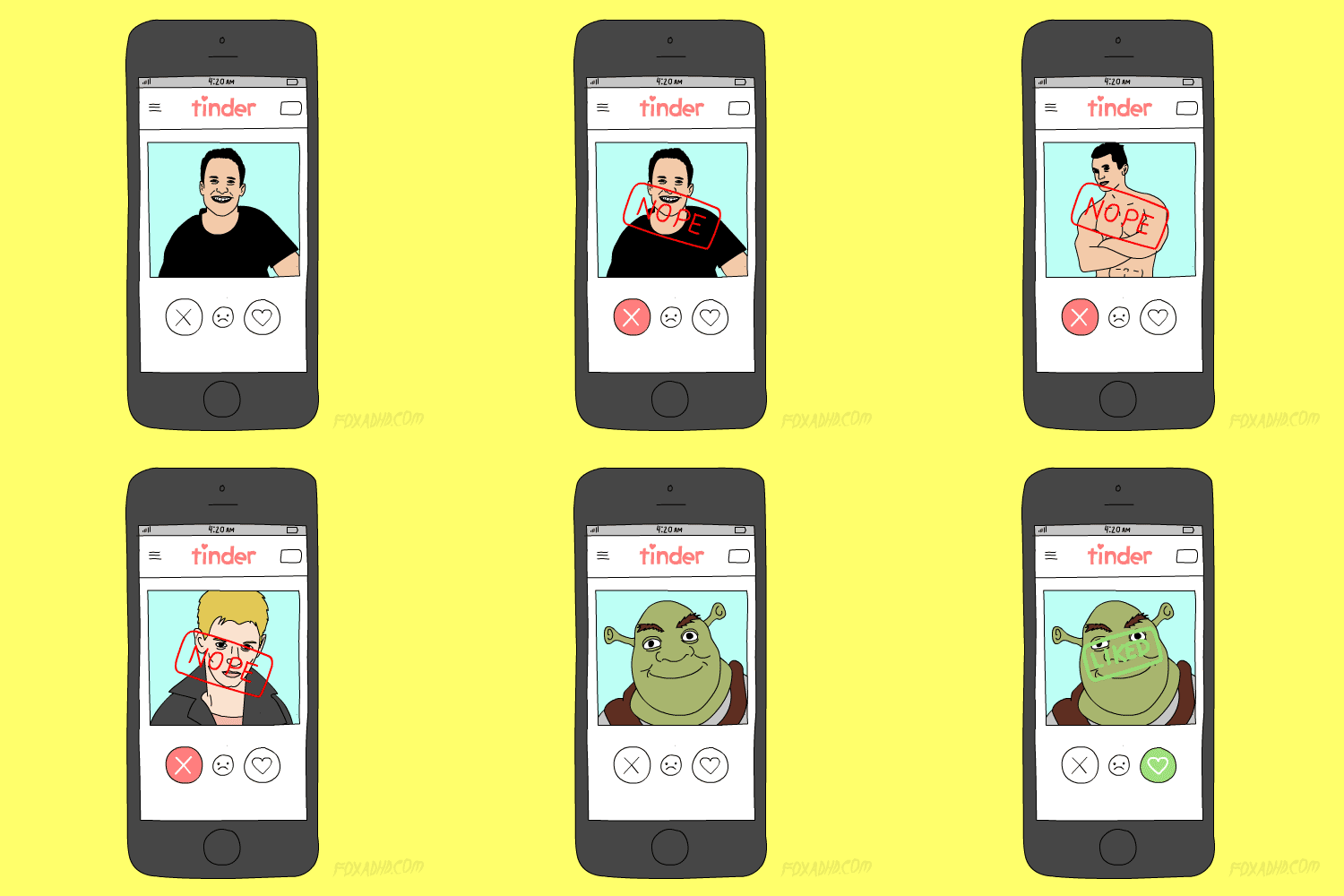
|
| Phones › Tinder - Everything You Have To Know! by Gsmbasics(op): 11:00pm On May 15, 2017 |
Wanting to spice up your love-life with a simple swipe of the screen? Then try out Tinder! Here's everything you should know.
Tinder was introduced in 2012 with one simple purpose: to find you a date. Ever since it's been part of popular culture, written down and ridiculed, celebrated and condemned almost everywhere you will expect.
It's also hit close to 10 m daily users, 26 m matches a day, and more than 1.4 billion swipes a day.
What exactly is Tinder?
Tinder is an app-based dating network that enables you to create a profile, swipe left if you're not keen on someone but right if you are, chat with other people who equally like you back, and the rest depends on you!
There are many other features offered, like the option to Super Like someone's picture, Tinder Plus, group setups, and more.
How do I join?
If you want to sign up for Tinder, you can use your mobile number or your Facebook profile.
If you use your Facebook profile, your Tinder account will draw your pictures from your Facebook profile page. You can always switch your pictures in your profile.
How does Tinder operate?
Tinder is really a ridiculously easy application to navigate.
There are 3 screens on Tinder (just like Snapchat and even Shazam's latest redesign). The 1st screen is your profile where you can modify your pictures, your profile detail, and your settings.
In your settings, you can opt to pay for Tinder Plus, switch your location (Tinder Plus feature exclusively) or the number of kilometers away you're likely to go to get a match, the gender you have an interest in, the age range you have an interest in, the option to hide or perhaps show your profile on Tinder, the option to allow swiping with friends, the option to add in a username, change your notification settings, and the possibility to share your Tinder account,
The 2nd screen is the primary swiping screen in which you can swipe left and right, rewind a profile page if you swiped passed it too quickly (Tinder Plus feature exclusively), cut the line and be the leading profile in the area for Thirty Minutes in other to get more matches (Tinder Plus feature exclusively), and Super Like someone's profile page.
Just make sure whenever you're on this screen not to swipe left and right to get to other screens-- make use of the icons at the top or else you'll just be cycling over profiles. You can also gain access to your groups' section from this screen.
The 3rd screen is the chatting screen, which shows you all the paired conversations you're having with other people. You can tap to begin a conversation, scroll through your conversations below the screen, or perhaps search your matches at the top of the screen.
How can I start off a conversation with anyone?
You can only start a conversation with somebody if you've both equally liked one another's profiles.
If you really wished to get someone's attention, you could easily use the Super Like feature which will notify the person you've Super Liked that you're super curious about them.
What is Tinder Plus?
You can also keep secret your age as well as distance using Tinder Plus, manage who sees you, rewind your previous swipe if you swipe over a profile you like too quickly, and hide ads.
What does it cost?
Tinder is really 100% free to download. however, if you're really searching for romance or want that extra slightly boost, then you can pay for Tinder Plus.
There are 3 price models for Tinder Plus:
12 months for NGN 907.11/ month.
6 months for NGN 1,161/ month.
1 month for NGN 1,977/ month. http://gsmbasics.com.ng/746/tinder-everything-you-have-to-know.html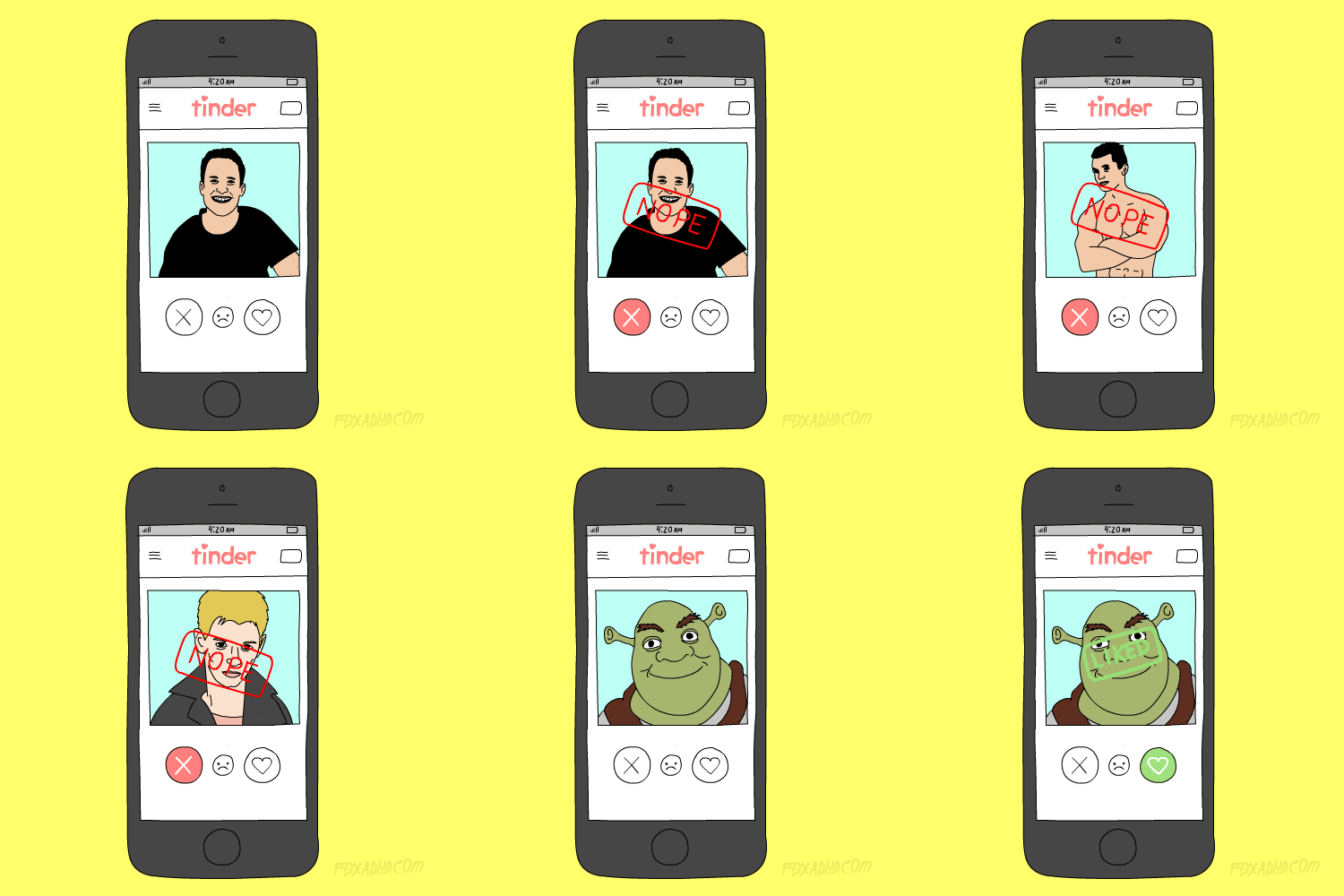
|
| TV/Movies › Re: BBNaija: Bisola's Sister At UNILAG To Share Recharge Cards by Gsmbasics: 10:46pm On Apr 04, 2017*. Modified: 9:51am On Apr 06, 2017 |
ok |
| Celebrities › Re: Debie-Rise Profile: 8 Interesting Facts About The BBNaija Housemate by Gsmbasics: 10:45pm On Apr 04, 2017*. Modified: 10:29am On Apr 07, 2017 |
ok |
| TV/Movies › Re: BBNaija: Marvis Leads Online Polls (Photo) by Gsmbasics: 9:34am On Mar 29, 2017*. Modified: 11:00pm On Apr 04, 2017 |
. |
| Phones › Re: Facebook Brings Mentions As Well As Reactions To Group Chats On Messenger by Gsmbasics(op): 8:27am On Mar 24, 2017 |
youngest85:
Copy copy After checking what you do on Nairaland trust me, I can't start argument with you. and also copy the article and search on google.com and see if you will see it online. thank you
|
| Phones › Facebook Brings Mentions As Well As Reactions To Group Chats On Messenger by Gsmbasics(op): 7:51am On Mar 24, 2017 |
Facebook is helping to make group conversations in Messenger a lot more like ... well, Facebook.
You can now apply reactions during group conversations, and also tag specific users using the '@' symbol.
The reactions work for the same purpose they are on Facebook proper-- they bring you more ways to acknowledge you've read a post and show your feelings towards it as opposed to a generic Like.
In fact, Messenger also features a thumb down reaction, one thing you can't use on Facebook.
Here it's most likely meant to serve more as a 'no' than a 'dislike' button, which will come in handy for, say, making a decision on what hotel you will prefer to stay in with a group of friends.
At the same time, the @mentions will be useful when you choose to let someone find out they're being specifically called upon in a group chat.
That will be even more appreciated (or annoying) with all those large group chitchats where half the members have muted the conversation. A similar feature came in WhatsApp a few months ago.
The improved features are rolled out globally http://gsmbasics.com.ng/724/facebook-brings-mentions-as-well-as-reactions-to-group-chats-on-messenger.html
|
| Business › Re: Naira Appreciate Further To N380 To 1 Dollar by Gsmbasics: 7:19am On Mar 24, 2017 |
Thank God, Pls Let it continue to come down abeg |


