NaijaTechGuy's Posts
Nairaland Forum › NaijaTechGuy's Profile › NaijaTechGuy's Posts
1 2 3 4 5 6 7 8 9 10 (of 40 pages)
 Phones › The Android Mid-range Battle Continues: Nokia 6.1 Plus & Xiaomi Mi A2 Comparison by NaijaTechGuy(op): 4:09am On Aug 28, 2018 Phones › The Android Mid-range Battle Continues: Nokia 6.1 Plus & Xiaomi Mi A2 Comparison by NaijaTechGuy(op): 4:09am On Aug 28, 2018 |
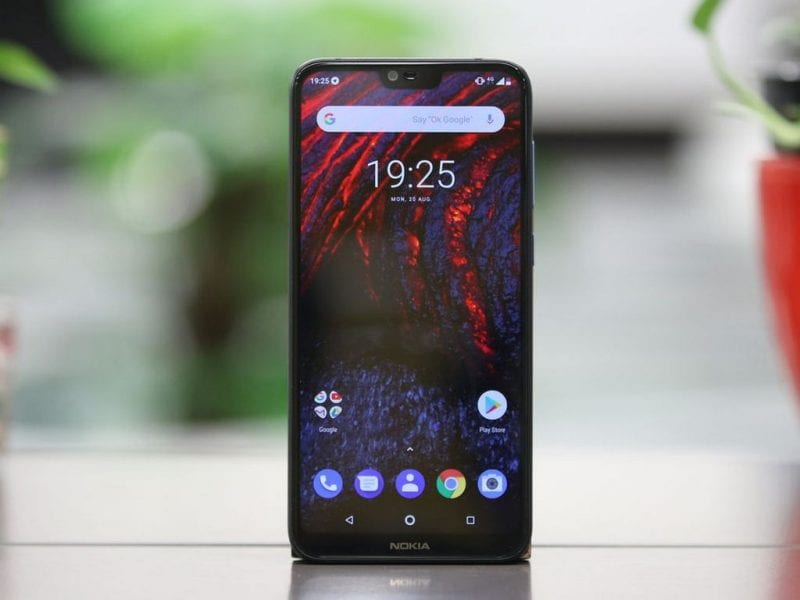
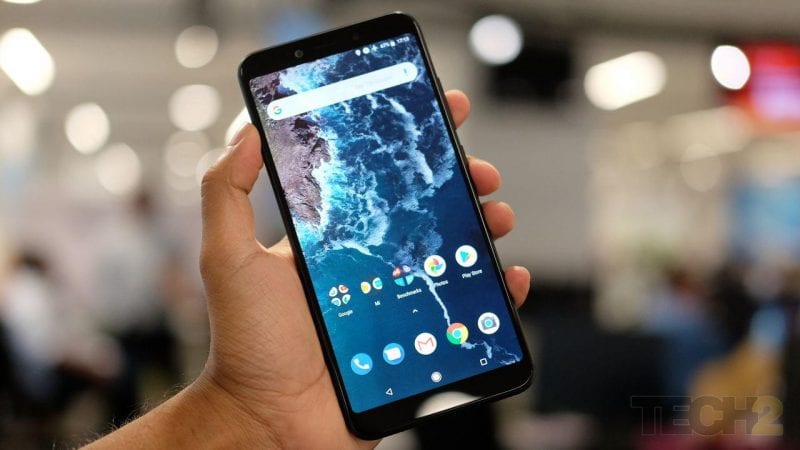
A couple of days ago, Nokia released the Nokia 6.1 smartphone .Unfortunately, its the first smartphone from Nokia to feature a notch display. I'm not a fan of notches, believe me it's an annoying experience trying to watch a movie on your phone and a part of your screen is blocked thanks to the so called notch display. So you can probably guess why Samsung has avoided the notch for do long. [img]https://1.bp..com/-fck758RmD5Q/W4S1N8RFDbI/AAAAAAAANs4/j89VOW5_NoUsYUGvjJ2S7je7By_dH-IKACLcBGAs/s640/nx.png[/img] I could wail about notches throughout this post but I don't want to derail so I'll leave that for another day. https://techviral.net/wp-content/uploads/2018/08/Nokia-6.1-Plus.jpg The Nokia 6.1 Plus is basically a mid-end smartphone that has 4GB RAM/64GB of expandable on-board storage, and costs about N82,000. Also, the smartphone sports a massive 5.8-inch display with a 1080×2280 resolution. A Snapdragon 636 octa-core processor powers the phone. Coming to the camera, you get a 16 Megapixel + 5 Megapixel rear camera setup and a 16 Megapixel front-facing camera for taking selfies. Apart from all of these, the phone also has USB Type C support, and multitasks pretty well. When you take a look at the Xiaomi Mi A2, It sports a slightly larger 5.99-inch display with a 2016×1080 resolution totally knocking out the Nokia 6.1 Plus in that aspect. The processor is also more superior; you get a Snapdragon 660 processor. Just like the Nokia 6.1 Plus It has 4GB of RAM and also 64GB of internal storage but here's the shocker about the 64GB storage - "It can't be expanded". However Xiaomi makes up for the blunder in the camera department. The phone comes w 12+20 Megapixel primary camera and 20 Megapixel of a front-facing camera for selfies. Xiaomi dumped our 3.5mm headphone jack and decided to put a 3,010mAh battery in the Mi A2. Generally, both of the smartphones perform well, and the price tag is almost similar with the Mi A2 costing between N78-N85k. However I'm disappointed with the battery capacity of both smartphones. The 3000 mAh on the Nokia 6.1 plus and the 3010mAh battery on the Xiaomi Mi A2 is totally unacceptable https://techviral.net/wp-content/uploads/2018/08/Mi-A2-display.jpg Xiaomi Mi A2's camera performs well in both daylight and low light condition. However, I feel the Xiaomi Mi A2 looks outdated .Also we don't have expandable storage on the phone and of course our classic 3.5mm headphone jack. So, if you are looking for an all-rounder smartphone, then I recommend the Nokia 6.1 Plus could be the best choice for you However, if you are a photo enthusiast undoubtedly the Mi A2 could be an ideal choice. 1 Like 1 Share |
| Phones › Re: How To Enable Android 9 Pie Gestures On 8.1 Oreo With The TECNO Camon X/X Pro by NaijaTechGuy(m): 6:46pm On Aug 27, 2018 |
henry007:Awesome.. I can't wait for the full Android 9.0 update but the new Nav gestures would take some getting used to.  we've had it since Android Honeycomb. I guess they're preparing users for the Android Pie Update. Let's see if it gets to the Spark 2. I'm Definitely sharing this on my blog we've had it since Android Honeycomb. I guess they're preparing users for the Android Pie Update. Let's see if it gets to the Spark 2. I'm Definitely sharing this on my blog  |
| Phones › Re: How To Make Your Android Phone's Fingerprint Scanner More Accurate by NaijaTechGuy(op): 9:33am On Aug 26, 2018 |
Abiodunspectre:You're welcome |
| Phones › Re: Tecno Pouvoir 2 Is The Worst Phone I Have Ever Used by NaijaTechGuy(m): 9:29am On Aug 26, 2018 |
NurielMagus:. This is pretty biased. Same way you said the Tecno Spark 2 perfoms badly on social media usage and I reviewed the phone and saw something else. Try to review phones without sentiments. 5 Likes |
| Phones › Re: How Google Updates Your Phone Even If You Don't Get Android OS Updates by NaijaTechGuy(op): 9:23am On Aug 26, 2018 |
Abiodunspectre:Nice.. Tecno is improving |
| Phones › Re: How Google Updates Your Phone Even If You Don't Get Android OS Updates by NaijaTechGuy(op): 2:28am On Aug 25, 2018*. Modified: 7:02am On Aug 30, 2018 |
| Phones › How Google Updates Your Phone Even If You Don't Get Android OS Updates by NaijaTechGuy(op): 2:28am On Aug 25, 2018*. Modified: 7:32am On Oct 10, 2018 |
The most annoying thing in the Android ecosystem is the lack of prompt software updates but if you are using a phone from a brand that works closely with Google you would hardly complain about not getting updates, Google Pixel and Nokia smartphone owners can attest to that. Nevertheless while OEM's waste months before sending updates, Google has a way of generally updating a few features on all android smartphones but most people would hardly notice because everything usually happens in the background. [img]https://3.bp..com/-EJQKpHLYuE0/W4CryUvaNFI/AAAAAAAANsU/FWlfOE0pWBY0C3LaBxVT-mDR_TrkVfSkQCLcBGAs/s640/AndroidnewGoogleReuters.jpg[/img] Google has a system in place that keeps many phones relevant - Google Play Services. They can remove certain bugs and even introduce new features just by updating Play Services. Many system apps that were once included as part of the Android operating system are now available in the Play Store, which means they’re maintained and updated this way—just like all the apps you download manually. These two things mean you get more up-to-date phones, even if they’ve stopped getting full version updates from the manufacturer. A good example of these updates is the Find My Device tracking feature - Google added that to nearly all Android devices by using a simple Google Play Services update. Similarly, Google has also added an app-scanning feature that watches for malware, thus making older devices more secure. A couple of things still require full operating system updates. Operating system-level features and support for new hardware standards can’t be rolled out in the background. They require new versions of the core operating system. However, these updates are becoming less and less significant. Google is rolling out as many new features as possible via Play Services updates and app updates. They’re splitting out more and more apps from the Android operating system, making them available in Google Play so every device can update to them. 1 Like |
| Phones › Re: How To Make Your Android Phone's Fingerprint Scanner More Accurate by NaijaTechGuy(op): 8:43am On Aug 21, 2018 |
macino1:When you launch the Google photos app make sure you sign in. Once you do that you'll get a menu that asks you to choose how you want to back up your pictures, you can choose either Wi-Fi or cellular, if you don't want to backup now, just leave it at Wi-Fi, later on you can change it in the settings, if you've already backed up your pictures they'll automatically get synced back to your phone any time you sign in on the photos app.
|
| Phones › Re: How To Make Your Android Phone's Fingerprint Scanner More Accurate by NaijaTechGuy(op): 8:34am On Aug 21, 2018 |
nanceeleecious:Have you tried setting it up previously |
| Phones › Re: How To Make Your Android Phone's Fingerprint Scanner More Accurate by NaijaTechGuy(op): 7:08am On Aug 21, 2018 |
bravesoul247:  |
| Phones › How To Make Your Android Phone's Fingerprint Scanner More Accurate by NaijaTechGuy(op): 1:29am On Aug 15, 2018 |
Fingerprint scanners, those little round things you see on the back of every smartphone these days can be quite annoying once in a while when you try unlocking your phone with them and you get messages like this "Fingerprint Mismatch, Fingerprint Error, Fingerprint Is Dirty, FingerPrint Not Recognized". I know that'll probably leave you staring at you fingers and wonder what's wrong with your fingerprint, most times I'd just use the Face ID to bypass it but if you don't have that I'll walk you through on how to increase the accuracy of your fingerprint scanner. Depending on your Android phone model, you may have to look around a little bit to find the exact name of the fingerprint setting. On Pixel phones, it’s called Pixel Imprint. On Samsung Galaxy devices, it’s just labeled as “Fingerprint Scanner. So just head over to your settings and go to security. Most smartphones would let you put up to 5 fingers. The best way to set this up is in an ambidextrous way, don't go wild and call 4 of your family members and register their fingerprint along with you.(Of course I'm just teasing) or put all the fingers on your one hand as a print there. You should register fingers on both hands. This way, if the hand you usually unlock your phone with is tied up, you can still unlock your phone easily with the other one. Similarly, it’s probably a good idea to register multiple fingers on each hand. I believe we all use our phones in a way that our index finger is the easiest to unlock it (unless you're an alien) so if you are right-handed you can try this a. Right Index Finger b. Right Middle Finger c. Left Index Finger If you are a south-paw just do the exact opposite. Right now we have 2 more finger print slots left. this time get your fingers wet and clean it in a way that it isn't totally dry then register the finger. This will come in handy when you are in the bathroom or coming out of the rest room and your hands are a bit damp. so we have d.Wet Finger So one more finger is remaining ay..now the moment of truth you can register your toe print as the one; anyone of your choice .I know right now you probably think I'm nuts for saying this, you'd be shocked at what you find. e. Any of your toes (It works though, if you don't fancy it try something else )On a side note - The whorls and ridges on our toes and fingers develop uniquely in each person and are not genetically determined. There are a few famous cases in which criminals have been caught by using toe-prints. The first was at a Scottish bakery in 1952 when a safe-cracker was identified by the footprints he left in flour. If you enjoyed this post please don't forget to check my signature  https://www.naijatechguy.com/2018/08/how-to-make-your-android-phones.html 9 Likes 1 Share |
| Phones › Re: How Wireless Charging Works On Android Phones And How To Get It On Your Phone by NaijaTechGuy(op): 10:07am On Aug 11, 2018 |
 segebase: |
| Phones › Re: How Wireless Charging Works On Android Phones And How To Get It On Your Phone by NaijaTechGuy(op): 12:59pm On Aug 10, 2018 |
vitmax:It varies depending on the phone |
| Phones › Re: Top 7 Android Smartphones With The Best Selfie Camera by NaijaTechGuy(op): 12:58pm On Aug 10, 2018 |
fighal:Direct Ads, Sponsored Posts, Affiliate (Jumia), Google Adsense ($200-$400/month), Tech Services. |
| Phones › Re: Top 7 Android Smartphones With The Best Selfie Camera by NaijaTechGuy(op): 12:54pm On Aug 10, 2018 |
StNoni:Oppo F3 plus - 80k Vivo V7 Plus - 86K Oppo F5 - 67k Honor 9i - 73k One Plus 6 -180K Huawei P20 Lite -89k Redmi Note 5 -52k |
| Phones › Re: Top 7 Android Smartphones With The Best Selfie Camera by NaijaTechGuy(op): 12:41pm On Aug 10, 2018 |
Patrick33:Can't afford lmao...I won't say anything about this comment |
| Phones › Re: Top 7 Android Smartphones With The Best Selfie Camera by NaijaTechGuy(op): 12:40pm On Aug 10, 2018 |
Wisemen0147:An iPhone X isn't an android phone  1 Like |
| Phones › Re: Top 7 Android Smartphones With The Best Selfie Camera by NaijaTechGuy(op): 12:39pm On Aug 10, 2018*. Modified: 12:56pm On Aug 10, 2018 |
TheUbermensch:I believe your country is as developed as China  |
| Phones › Re: Top 7 Android Smartphones With The Best Selfie Camera by NaijaTechGuy(op): 12:38pm On Aug 10, 2018 |
boolet:Samsung is in a different class. I would feel awkward adding it to this list because most of their phones have awesome cameras 1 Like |
| Phones › Re: Top 7 Android Smartphones With The Best Selfie Camera by NaijaTechGuy(op): 7:31am On Aug 10, 2018 |
finnestdope:Feel free to add your own suggestions.. I left out Gionee and Sony because they seem to be losing out on the smartphone market lately. Sony does better with their gaming console and making cameras for other companies although they have phones with good cameras. |
| Phones › How Wireless Charging Works On Android Phones And How To Get It On Your Phone by NaijaTechGuy(op): 6:41am On Aug 10, 2018 |
First off when the word "Wireless Charging" comes to your mind I'm sure you had the same thoughts I had at first about it. -"Electric currents flying in the air unseen and possibly may shock someone if there's an issue with the charger". [img]https://3.bp..com/-N21bIguVVNw/W20kA7rbbmI/AAAAAAAANmM/DP3Ac04L3J84f7WmidZ961KgQHtqUPOVQCLcBGAs/s640/ximg_59b9abf1755ef.png.pagespeed.gp%252Bjp%252Bjw%252Bpj%252Bws%252Bjs%252Brj%252Brp%252Brw%252Bri%252Bcp%252Bmd.ic.W9_ouDintj.png[/img] I know that's a pretty dumb theory but don't judge me , your own initial thoughts about it could be worse. Nevertheless, In this post I'll be explaining how wireless charging works and the fun part is that you can get on pretty much any Android device but I'll only tell you how to do that at the end of the post. So how does wireless charging actually work? If you didn't skip physics class you should get a vivid imagination of how it works from this explanation. Wireless chargers use magnetic induction. They use magnetism to transmit energy. First, you place a smartphone on the wireless charger. The current coming from the wall power outlet moves through the wire in the wireless charger, creating a magnetic field. The magnetic field creates a current in the coil inside the device sitting on the wireless charger. This magnetic energy is converted to electrical energy, which is used to charge the battery. Devices must have the appropriate hardware in them to support wireless charging—a device without the necessary coil can’t charge wirelessly. I really prefer the Qi (pronounced Chee) standard of wireless charging as it supports magnetic resonance which means the device can be up to 45mm away from the wireless charger’s surface rather than touching it directly. Although it is not as efficient as magnetic induction, however there are some advantages—for example, you can place a wireless charger under a table surface and you can place a device on the table to charge it. It also allows you to place multiple devices on a single charging pad, and have all of them charge at once. Although I can't really understand why most Android OEMs have been moving away from wireless charging and Samsung just kept it on their high end smartphones so I'm guessing it's to reduce production costs. Here are a couple of devices that support wireless charging Apple iPhone 8, iPhone 8 Plus, and iPhone X Samsung Galaxy Note 8 , Galaxy Note 9 and Galaxy Note 5 Samsung Galaxy S8, S9, S9+,S8+, S8 Active, S7, S7 Edge, S7 Active LG G6 (US and Canada versions only) and LG V30 Motorola Moto Z, Moto Z Play, Moto Z2 Force Now if you aren't using using any of these devices, here is how you can get wireless charging working on your phone. There are a couple of methods to achieve this but the easiest way is by using a stick-on wireless charging adapter soI added a link to purchase the Wireless Charging Adapter on the source of this post. Stick-on adapters offer a more universal solution. If your phone doesn’t have the circular RF induction coil that’s the core of any wireless charging device, just add one on. It’s a flexible solution that needs only a few basic models to cover almost any phone. [img]http://1.bp..com/-IozYNb91EWM/W20j4m9jTZI/AAAAAAAANmI/DVYnFRB8XVoW5oqtwPUrYjAo5kl_LcjOgCLcBGAs/s640/2.jpg[/img] The advantage to stick-on adapters is availability. All you have to do is just place one of these external pads up to your phone’s charging port (USB-C, Apple Lightning, or MicroUSB), stick it on the back, and you’re good to go. They’re also much cheaper than wireless charging cases, and they’re slim enough to fit underneath the plastic of a standard, non-charging phone case. So that's pretty much all you need to know so if you enjoyed this post kindly hit the share button and follow me on social media for more posts like this https://www.naijatechguy.com/2018/08/how-wireless-charging-works-on-android.html 22 Likes 8 Shares |
| Phones › Top 7 Android Smartphones With The Best Selfie Camera by NaijaTechGuy(op): 5:47am On Aug 10, 2018 |
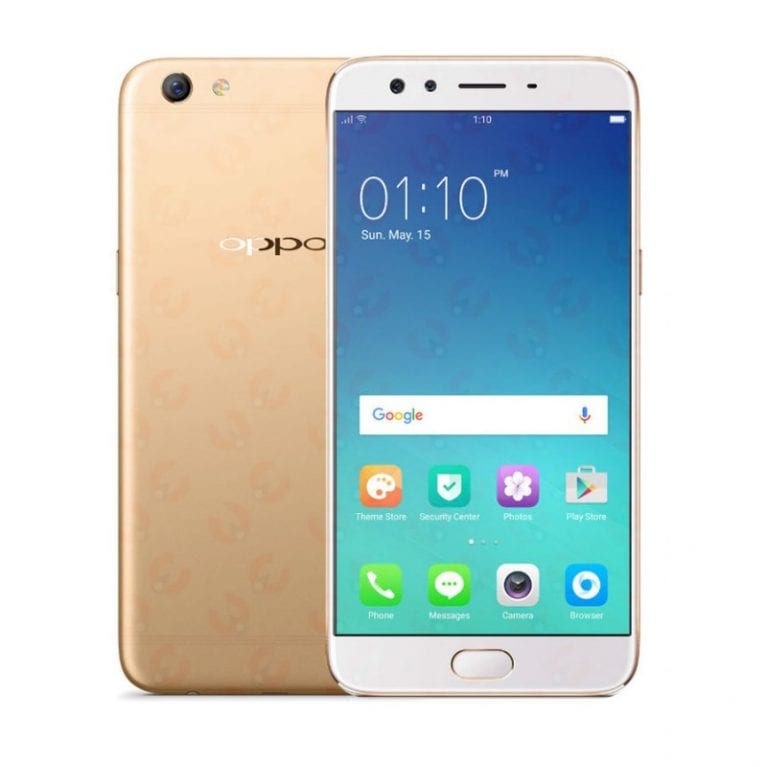
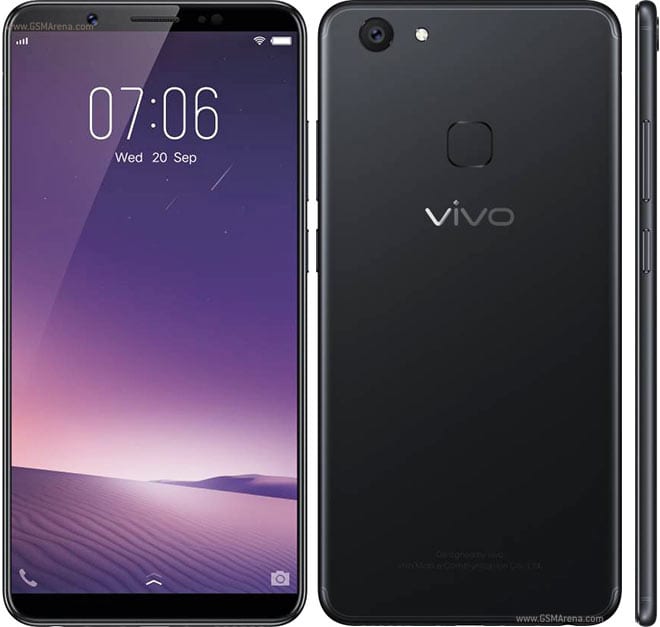
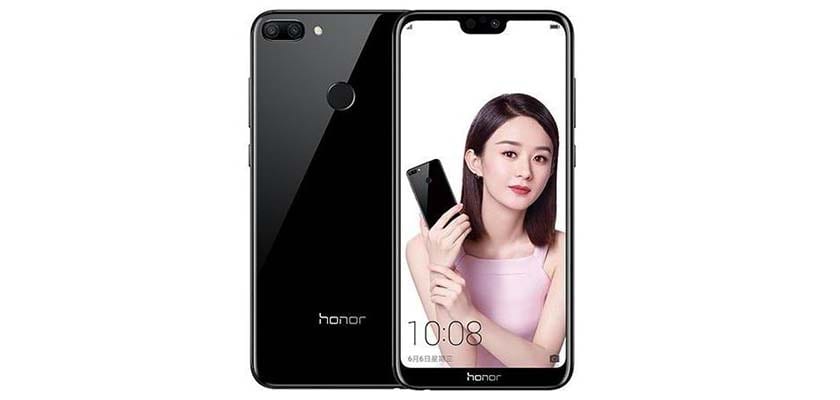
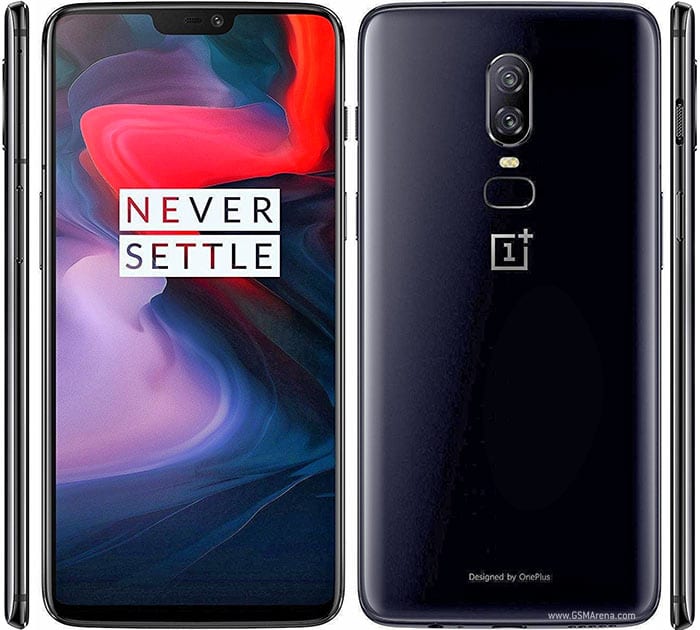
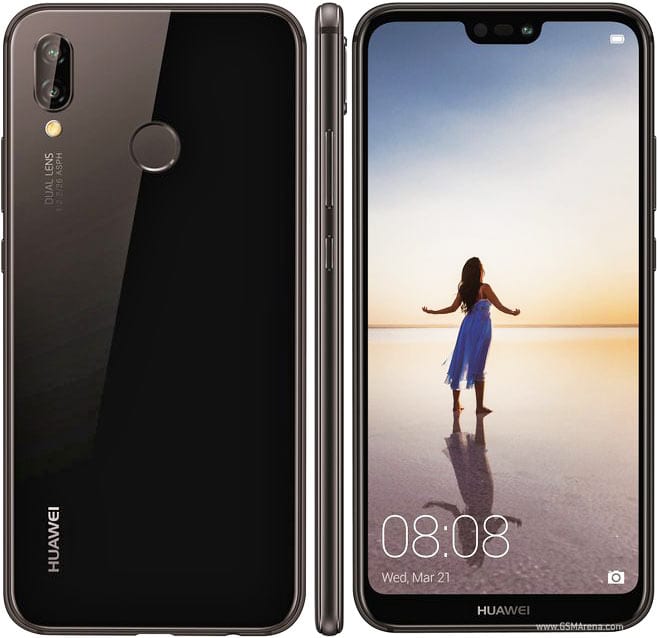
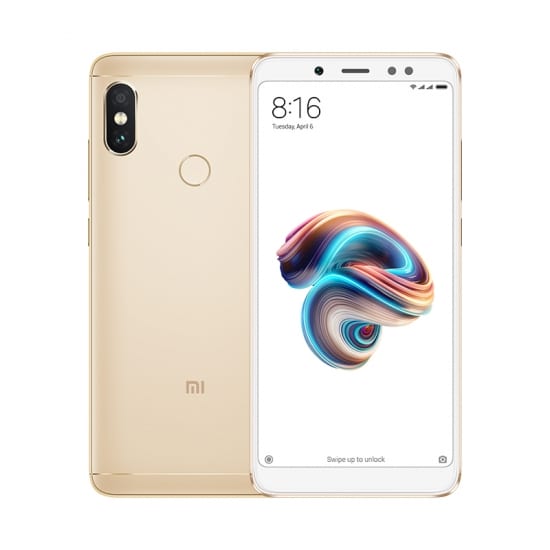
Oppo F3 Plus https://techviral.net/wp-content/uploads/2018/08/Oppo-F3-Plus.jpg The Oppo F3 Plus was launched in March 2017 and it comes with a premium look and still has impressive specifications. The phone sports a 6 inch display The phone packs a 1.95Ghz octa-core processor and it also houses 4GB of RAM. Apart from these, the phone also offers 64GB of internal storage which can be expanded with the help of microSD card. There's a16 Megapixel rear camera and on the front it has a 16 Megapixel + 8 Megapixel shooter. Vivo V7 Plus https://techviral.net/wp-content/uploads/2018/08/Vivo-V7.jpg This phone was launched in September 2017, and it sports with a massive 5.99-inch display. Vivo V7+ is powered by 1.8Ghz octa-core processor, and it also houses 4GB of RAM. There is also 64GB of internal storage which can be expanded with the help of microSD card. Apart from all of these, the phone has a 24 Megapixel front-facing camera and a 16 Megapixel rear camera for taking selfies. Oppo F5 https://techviral.net/wp-content/uploads/2018/08/Oppo-F5.png The Oppo F5 is another selfie-focused smartphone. The smartphone was launched in October 2017, and it comes with a massive 6-inch display. The phone is powered by an octa-core processor, and houses 4GB of RAM. There is a 20 Megapixel front camera and a 16 Megapixel primary camera. Oppo F5 runs on Android Nougat out of the box and its backed up by a 3200mAh non-removable battery. Honor 9i https://techviral.net/wp-content/uploads/2018/08/Honor-9i.jpg When it comes to the selfies, I can’t leave out Huawei. This particular smartphone is heavily loved by photography and selfie lovers, and it arrives with a massive 5.84-inch display. The phone comes with a massive 2.36Ghz octa-core processor, and it also houses 4GB of RAM. There is also 64GB of internal storage which can be expanded with the help of microSD card. There is a 13 Megapixel + 2 Megapixel front-facing camera and a 16 Megapixel + 2 Megapixel primary camera. The phone runs on Android Oreo out of the box and its backed up by a 3000mAh battery. OnePlus 6 https://techviral.net/wp-content/uploads/2018/06/OnePlus-6-4.jpg The OnePlus 6 as a flagship smartphone truly stands out .The phone is powered by a Snapdragon 845 Processor, and it comes with 8GB of RAM. So, the combination of processor along with the RAM makes it perfectly suited for gaming and multitasking. The OnePlus 6 comes with 128GB of internal storage which can’t be expanded. Talking about the camera, OnePlus 6 features a 20 Megapixel + 16 Megapixel Dual Primary camera and 16 Megapixel front-facing camera. The camera takes awesome photos, and it’s one of the best camera phones out there in the marketplace. it runs on Android 8.1 Oreo and is backed up by a 3300mAh non-removable battery.7 Huawei P20 Lite https://techviral.net/wp-content/uploads/2018/06/Huawei-P20-Lite.jpg The Huawei P20 Lite is another good smartphone, The smartphone is known for its camera quality, and it carries an impressive camera on the front. The phone arrives with a massive 5.84-inch display. It has 4GB of RAM and an octa-core processor. Talking about the camera, the smartphone features a 16 Megapixel + 2 Megapixel primary camera and a 24 Megapixel of a front-facing camera for taking selfies. Redmi Note 5 Pro https://techviral.net/wp-content/uploads/2018/06/Redmi-Note-5-Pro.jpg The Redmi Note 5 Pro from Xiaomi was launched a few months ago. The unique thing about the Redmi Note 5 Pro is its camera quality. The company has really made some good improvement in its front camera to take perfect portrait photos. The phone has a dual rear camera module with a 12 Megapixel + 5 Megapixel primary camera and a 20 Megapixel of a front-facing camera.. https://www.naijatechguy.com/2018/08/check-out-top-7-android-smartphones_9.html 4 Likes 1 Share |
| Phones › Re: Top 8 Things You Should Do Immediately You Get A New Android Smartphone by NaijaTechGuy(op): 3:08pm On Aug 09, 2018 |
omocalabar:Gionee? |
| Phones › Re: Top 8 Things You Should Do Immediately You Get A New Android Smartphone by NaijaTechGuy(op): 9:48am On Aug 09, 2018 |
fruqy:Well said bruv |
| Phones › Re: Top 8 Things You Should Do Immediately You Get A New Android Smartphone by NaijaTechGuy(op): 9:47am On Aug 09, 2018 |
olasco18:It's possibly a Malware, backup your files and flash the phone on a computer. |
| Phones › Re: Top 8 Things You Should Do Immediately You Get A New Android Smartphone by NaijaTechGuy(op): 9:45am On Aug 09, 2018 |
omocalabar:I don't really know each phone's build is different. Which phone is that |
| Phones › Re: Top 8 Things You Should Do Immediately You Get A New Android Smartphone by NaijaTechGuy(op): 8:49am On Aug 09, 2018 |
CHESTER48:Hehehe I just learnt something new.. Thanks for this |
| Phones › Re: Top 8 Things You Should Do Immediately You Get A New Android Smartphone by NaijaTechGuy(op): 8:48am On Aug 09, 2018 |
CHESTER48:Sure.. You've made some valid points |
| Phones › Re: Top 8 Things You Should Do Immediately You Get A New Android Smartphone by NaijaTechGuy(op): 8:47am On Aug 09, 2018 |
olasco18:If it happens constantly, you need to update your phone or do a factory reset, if that doesn't work try installing a custom rom. |


 .. only devices I'll give a nod to is OnePlus and Huawei..