Askifa1's Posts
Nairaland Forum › Askifa1's Profile › Askifa1's Posts
 Investment › Ibadan, Taxify Is Coming To Town! by askifa1(op): 7:11pm On Oct 03, 2018 Investment › Ibadan, Taxify Is Coming To Town! by askifa1(op): 7:11pm On Oct 03, 2018 |
https://www.askifa.ng/wp-content/uploads/2018/10/DokcLrNX0AA2WfJ.jpg-large.jpg When it comes to ride-hailing in Nigeria, Taxify has proven to be a success since it launched in Lagos and Abuja. Now, the web-based app which allows people to request a ride or a private driver from their phones using the Taxify app has decided to expand its services to Ibadan. While making the announcement, “Uche from Taxify”, stated that this move is to provide employment opportunities for the city’s teeming youth while also providing affordable transportation for the people. In his words; Our vision for the Nigerian market has always been to build the best way to move within all bigger cities whilst also providing a way for people to make money and the exciting thing about the city of Ibadan is how attractive it is for the same reasons – the city boasts a three-million plus strong population many of whom are young, vibrant people who simply need the right platform with which to make money for themselves on a flexible schedule. The planned move will happen in the coming weeks, so if you’re in Ibadan, get ready because Taxify is coming to town. SOURCE >>> https://www.askifa.ng/ibadan-taxify-is-coming-to-town/ |
| TV/Movies › Dstv To Shut Down Its Mobile TV Service by askifa1(op): 7:00pm On Oct 02, 2018 |
https://www.askifa.ng/wp-content/uploads/2018/10/DStv-logo-2010-e1498207002956.jpg Nigeria’s number one cable TV, DStv has announced that it will shut down its mobile TV service after the 31st of October, 2018. The DStv mobile service has been existing since 2010 and it used DVB-H technology – a technology that allows users to access DStv on their mobile devices, laptops or tablets through a drifta mobile decoder. While making this announcement, the company said; Over the last few years, technology has evolved as broadband access continues to grow. Therefore, it is not feasible to continue to maintain a separate-land based, dedicated network for this service alone, when an even better service can be offered to our customers on DStv Now app via the internet and wi-fi. The service was N1,260 per month. DStv Premium customers received one mobile subscription for free, with additional subscriptions charged at N1,260 per month each but as a result of this move, users will not be charged their subscription fee from 1 September 2018. Decoder insurance on mobile devices will also be canceled. SOURCE >>> https://www.askifa.ng/dstv-to-shut-down-its-mobile-tv-service/ |
| Phones › Infinix Note 5 Stylus Unboxing, Review And Giveaway - The X-pen Wins It! (video) by askifa1(op): 10:31am On Sep 28, 2018 |
The Infinix Note 5 Stylus is a Mad Machine for only N70,000! Watch the Review Below! https://www.youtube.com/watch?v=A4OxhjpJ-qs&t=12s 1 Like |
| Phones › 3 Tips To Manage Your Airtel, MTN And 9mobile Data Usage On Your Android Phone by askifa1(op): 5:25pm On Sep 25, 2018 |
https://www.askifa.ng/wp-content/uploads/2018/09/data-usage.jpg Data usage is how much data your device uploads or downloads using mobile data There are various ways to ensure that your data is minimally used. To make sure that you’re not using too much data on your data plan, you can check and change your data usage. The following tips will help you manage your data usage on your android smartphone. Tip 1; Check your data usage and set data usage limit -Go to setting and click on the ‘data usage’ option, check which of your apps do consume more data -Click on each of the apps and personalize the data usage (personalize in the sense that, you should set a limit to the data consumption, this way the app automatically stops running on data once it reaches the limit) https://i.ytimg.com/vi/5qYwm_y0ZoQ/maxresdefault.jpg -You can also set a general limit for all apps, by timing the date or amount of data to consume within a certain period of time. -You can as well restrict background data, which means all apps stop running on data once you opt out of them. Tip 2; Change Network Mode -Go to your settings, click on the option ‘More networks’ -Check for the option ‘Mobile networks’ and click, after which you will see various other options, click on the option ‘Network modes’ -Now (for those that have varieties of modes) you will find different options which include, ‘ GSM only'(for most android phone which is usually 2G in most cases), ‘WCDMA or 3G'(for those who have 3G compatible phones), others include LTE or4G https://thecellguide.com/how-to-fix-no-service-on-a-samsung-galaxy-s6/resources/gs6modewcdma.jpg? -Note that the higher the network the more data consumed, so it is advisable to browse with the lowest, especially when the network is favourable for all mode. Tip 3; General Tips -Turn off mobile data when not in use -Turn off wireless hotspot to avoid invasion, or better still encrypt with password -Turn of your ‘Auto-sync’ (When auto-sync is on, your Google apps automatically refresh data, and your device gets notifications about updates.You can use less data by turning off auto-sync). https://i.ytimg.com/vi/66pwUHtnMeY/maxresdefault.jpg -Turn off data roaming(When you’re in an area not covered by your carrier’s network, data roaming lets your device use other carriers’ networks. Some carriers charge extra for data roaming. You can save data and data roaming fees by turning off data roaming.) https://www.technobezz.com/files/uploads/2016/02/2.-Galaxy-S6-Edge-www.youtube.com_.jpg SOURCE >>> https://www.askifa.ng/how-to-minimize-data-usage-on-your-android-phone/ |
| Science/Technology › Top 5 Tech Founders In Nigeria (video) by askifa1(op): 12:19am On Sep 25, 2018 |
| Science/Technology › How To Read DELETED Whatsapp Messages On Android by askifa1(op): 6:45pm On Sep 19, 2018 |
While Whatsapp is a pretty robust messaging platform, there are definitely some quality of life features that we’ve been missing One hotly anticipated feature of Whatsapp that has now arrived is the ability to delete messages, but it’s difficult to recover them once that happens. Here’s how to recover deleted WhatsApp photos, messages, and other information if you regret your decision, although the following tips may not be applicable to iOS, it's definitely going to work fine on your android smartphone. ‘Notisave’ is a software app for Android phones and it does this job perfectly. How do you get to use the app? Dowload the app from your play store and install https://mukitalk.com/wp-content/uploads/2018/06/Whats1-593x1024.jpg Turn on Notisave access Once you install the notisave app, go to your phone setting and check for notification access, ensure that you turn on the notisafe app. [img]https://2.bp..com/-W2jWeTWBbW0/W4UoGg_p7lI/AAAAAAAACDM/wAEcyxNHyrQZje7-1rEBSGO9nw8m9MyHACLcBGAs/s1600/xcv.jpg[/img] Allow access to the notification Open the notisave app and go to settings, allow access to notifications option, this way it will automatically save all messages even beyond WhatsApp regardless of whether it was deleted or not. [img]https://1.bp..com/-l5vHdt7TmK0/W4Um6XxBzoI/AAAAAAAACDA/2emxxcJnbwMQyDjoR_jRaRwwDbhtdCheACEwYBhgL/s1600/Scresdf3.jpg[/img] SOURCE >>> https://www.askifa.ng/how-to-read-deleted-whatsapp-messages-on-android/ |
| Phones › How To Locate Your Stolen Or Lost Android Smartphone by askifa1(op): 6:14pm On Sep 14, 2018 |
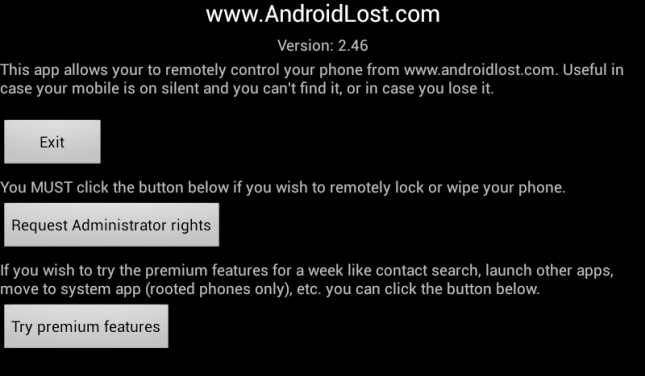
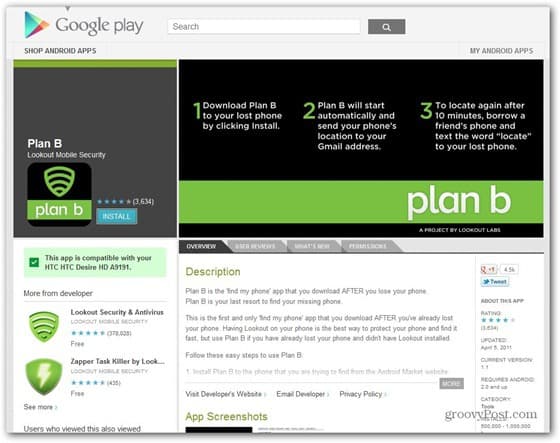
Did you misplace your Android smartphone or perhaps it got stolen and you wouldn’t mind going to any extent to get it back, but you don’t have a remote anti-theft or active GPS feature to help you find your phone Do not stress yourself further, with this article; there is more chance of locating your lost smartphone with this few tips. With this article, we will teach you how to use two remotely installed and activated via the Android market website and can give you a second chance of locating your lost phone. Retroactively Remote-Control Your Device With ‘Lost Android’ Lost Android is a remote-control app for Android devices that you can use for a variety of remote functions (including playing a siren and locating your device on Google Maps) via text (SMS) commands or the AndroidLost website. To get started with Lost Android, you’ll need a computer (or perhaps another smartphone or tablet) that you can use to access the Internet and check email. Lost Android is still in total perfection yet with frequent update, but it already offers a bunch of neat remote features including SMS and call-log retrieval, plus features for sending text messages from your phone, taking and receiving photos from the camera, displaying messages on the device, and custom text-to-speech announcements that you can use to broadcast messages from your lost or stolen device. How to use the app First, in your Internet browser, open the Lost Android page in the Android Market, click Install, and sign in with the same Google account you use on your missing Android device. [img]http://3.bp..com/-HH4wsaqTZfg/U-565QgkO-I/AAAAAAAAAJ8/FOwmgLfH74A/s1600/install-androidlost.png[/img] Within seconds, the AndroidLost app should automatically install itself on your device. Note that before you can start issuing remote commands, the Lost Android app needs to authenticate your device with Google’s servers, which it should do automatically. https://cdn57.androidauthority.net/wp-content/uploads/2013/06/Android-Lost-app.png To check if the app has registered your device, go to the Lost Android website and sign in with the same Google account that you use on your device. From there, click the Controls or Settings pages; if the pages appear with remote-control options for your missing device, you’re good to go. If not, you need to keep checking by logging out and back in every 5 minutes or so. In our testing, the app remotely installed on two different Android smartphones but took a surprisingly long time to validate the phones with Google. https://androidadvices.com/wp-content/uploads/2012/05/Android-Lost1.png However, sending “androidlost register” SMS messages to both phones forced a successful registration in seconds. Once the app successfully verifies your device registration with Google, you’ll be able to access the Controls page for your missing device on the AndroidLost website, where you can remotely locate or lock down your lost smartphone. Go to Plan B From Lookout Lookout offers a full-featured security app for Android devices that have antivirus protection, data backup, and antitheft and remote-location features, but taking full advantage of Lookout requires you to install and set it up on your device before you lose it. However, Plan B is the company’s nifty app that you can install after you’ve lost your phone. It doesn’t offer remote siren or locking features like Lost Android app, but Plan B does provide an estimated location via an updated Google Map that can help you find your missing device. First, visit the Plan B Android Market page and click Install; then sign in with the same Google account you use on your missing device. From there you can deal with the rest yourself. https://www.groovypost.com/wp-content/uploads/2012/11/plan-b-google-play-store.jpg Plan B The Plan B app will email you regularly with maps and location data for your missing Android device. Messages will arrive from the Plan B app as often as every 2 minutes with the current location of your device, including GPS coordinates, accuracy in meters, and a Google Map showing the estimated location. If Plan B doesn’t automatically start or you want more location updates after the first 10 minutes, you can send an SMS message with the word “locate” to your device from someone else’s phone, and Plan B will automatically make your device reply via text message with its current location info. SOURCE >>> https://www.askifa.ng/how-to-locate-your-lost-android-smartphone/ |
| Phones › How To Bypass Password Or Pattern Lock On Your Android Smartphone by askifa1(op): 6:59pm On Sep 13, 2018 |
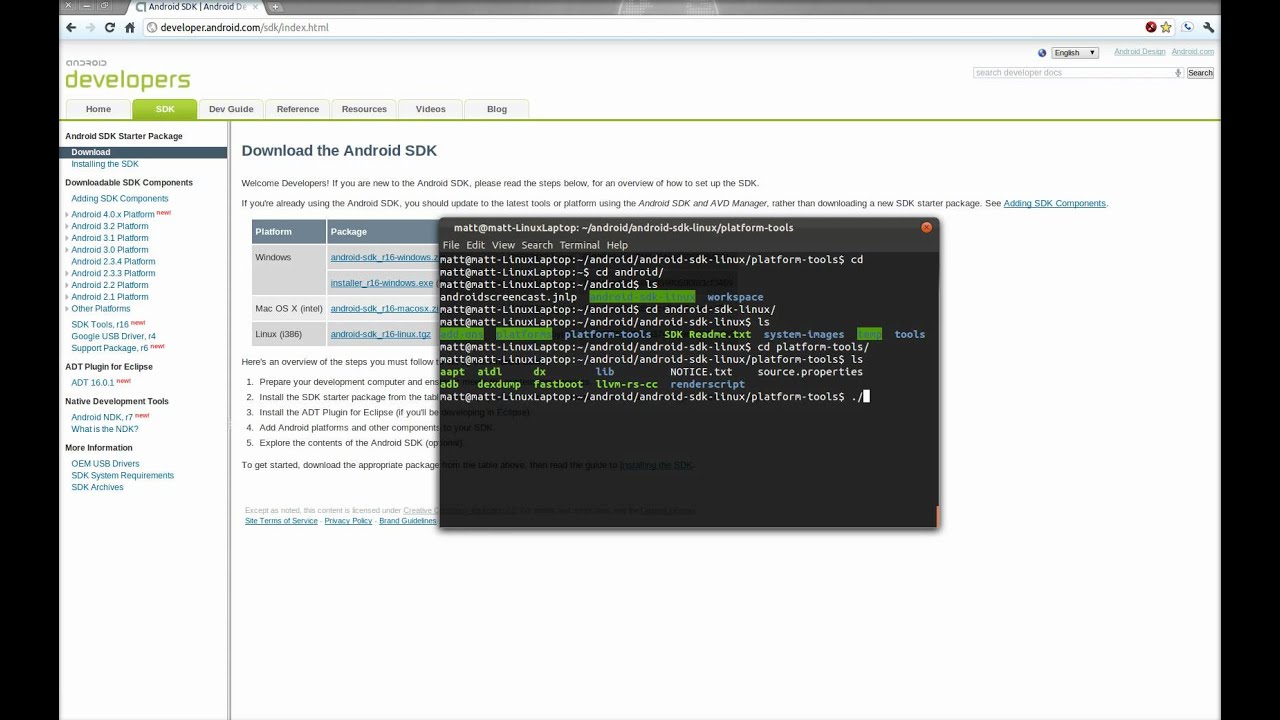
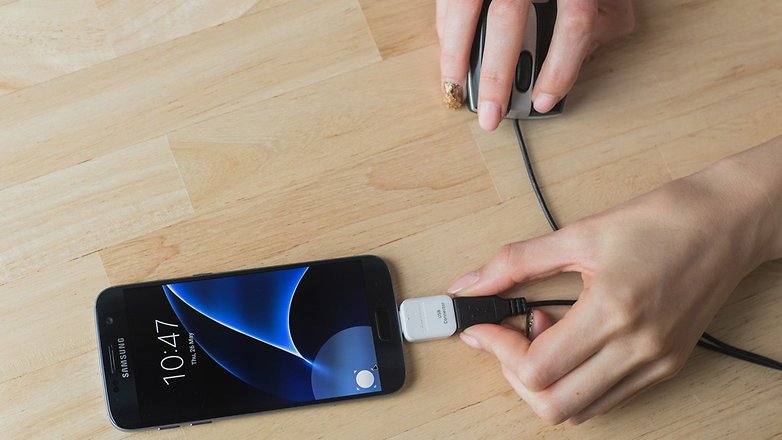
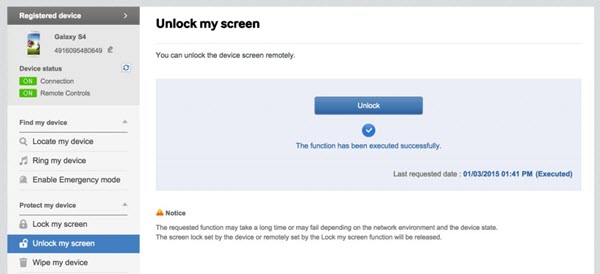
You don’t necessarily have to be a hacker before you can bypass your Android lock screen https://thehacktoday.com/wp-content/uploads/2017/12/Android-Pattern-Lockscreen-Bypass-Crack-or-Unlock-PIN-or-Password-From-ADB.png However, it is another form of hacking through a lock system, which means the tips can be used for both legal and illegal purpose. The lock screen bypass can be applicable for various situations like lost phone, broken screen, malfunctioning touch system among others, but only one will be explained below. Situation: Broke Phone with Smashed Screen If you were trapped in this situation, you would freak out to get your Android phone unlocked. It would be a bit of problem for you, but if you have enabled the USB debugging option on your phone, it would be much easier to unlock screen. Luckily, creative solutions are also listed below to solve this awkward situation without turning the mode on. Method 1: Using Android Debug Bridge Be aware that USB Debugging option on your phone should already be turned on when you try this. https://i.ytimg.com/vi/5pAN52P58nc/maxresdefault.jpg Download Android SDK package on your PC. Open the Command Prompt (Ctrl+ R > type CMD > Enter) on your PC and change the directory to where the ADB file is located. Enter the following command– “cd C:/android/platform-tools” into Command Prompt. Connect Android phone to your PC via USB cable and enter the following command– “adb device”. When your phone is detected, you’ll see some numbers in the Command Prompt window. Type the following two commands. You’ll need to type in the second command– “shell input keyevent 66” immediately after the first one– “adb shell input text 1234”. Then replace 1234 in the first command with your actual password. Method 2: Using USB OTG Cable This method succeeds in working without turning debugging mode on, but only works with the devices supporting USB OTG. [img]https://fscl01.fonpit.de/userfiles/6727621/image/2016/usb-otg/AndroidPIT-usb-on-the-go-8580-w782.jpg[/img] Plug in an OTG cable (it’s available on Amazon or elsewhere) into the micro USB port on your device. Insert a USB mouse into the other part of the cable. If your device is compatible with USB OTG, with the mouse accessible to your Android device, you’ll see a mouse pointer under the broken screen. Please left click and draw the Pattern, or enter the password by clicking on the digits to unlock screen. Method 3: Using Find My Mobile Tool This tool is only for Samsung mobile phone in the case that you have formerly registered Samsung account on your phone. https://www.gihosoft.com/wp-content/uploads/2016/08/find-my-mobile-unlock.jpg General Trick to Unlock Android Phone Free: You can call your locked cell phone from another one and accept the call, then hit the back button during the call which will give you access to your phone. You should go to the security settings and replace the original password or pattern (If you forgot it, try out different combinations until you get it right) with a new one. This way is probably not able to unlock any Android phones, but you can give it a shot on the condition that parts of the touch functionality still work on your phone. In conclusion, to unlock a cell phone is not an easy stuff, precaution is better than cure. SOURCE >>> https://www.askifa.ng/how-to-bypass-password-or-patern-on-your-android-smartphone/ 1 Like |
| Phones › Apple New Iphone Releases, Iphone XS, XS Max And XR: Specs And Features (video) by askifa1(op): 1:55pm On Sep 13, 2018 |
| Phones › See Why Nigerians Won't Buy Chinko Phones (infinix, Itel And Tecno) Again! by askifa1(op): 2:29pm On Sep 11, 2018 |
So, imagine you go to a big mobile shop just two months ago bought a device, which you begin to feel fly about only for your new flagship to be mistaken for another brand, because that brand had made a release that clones your device and then it becomes a case of your flagship either being sold at a cheaper rate or under another brand’s name or with a little upgrade by this new brand, which still sells it lesser than you originally got your device. Well, this is not new. This year the global mobile market has grown to experience more on the evolution of mobile cloning either in terms of hardware or software components in terms of new flagships. Interestingly, this year when Apple’s $1000 mobile monster, the iPhone X was released, the reception of the device broke the tech space everyone spoke about the device and its notch screen technology, which was its major selling point. However, as the year went on and mobile brands began to unveil their new high-end flagships it became clearer than most brands hitched their designs and patents on the iPhone and this brought about a new mobile trend. A disruptive technological design for mobile devices. Every mobile manufacturer goes in a wilder bid to gain and engage its target audience with the Notch screen technology, which first got wide respect on the iPhone X. Recently, Chinese brand Oppo released its F9 flagship and in all honesty, I must say that like the literary patient dog Oppo waited, cloned the notch device and made it way better than Apple had designed its device. The best of mobile cloning has not been reached as American mobile brand Motorola also joined the cloning race with the release of its P 30, which appears more like a fusion of ideas from two top mobile brands. P30 came as a fusion of Huawei’s P20 and Apple’s iPhone X. For these brands, buyers might not begin to throw tantrums as they have done with respect to TECNO Mobile, itel and Infinix Mobility Limited, because most of the time the number of releases by this brand is not in a rolling spill as the three Chinese brand’s mentioned. In my own opinion, the number of flagships by these three brands is quite outrageous and it leaves the average tech reviewer with the economic question and comparison of the place for preference over, the in your face tactics, which has been employed by these three brands over the years. Well, more Nigerians are beginning to think like me, they have begun to express their repressed emotion at these mobile brand manufacturers and their seemly hard threshold on the Nigerian mobile market. For me I think, the recycling of ideas in terms of design and update by these brands is not a new thing to do as most mobile brands do it on a global scale, but I totally think it is a slap on the intelligence of the everyday Nigerian who works hard to earn money only to serve a device similar to his or her previous device re-cased and renamed. Here are some reactions by Nigerians on the trend in the country, which leaves the economy as some sort of mobile dunghill from the tons of mobile shipments that flood the market by these three brands. https://www.askifa.ng/wp-content/uploads/2018/09/WhatsApp-Image-2018-09-10-at-9.32.25-AM.jpeg Infinix has been up on the Stylus pen for its Note series, but I do not understand why the brand did not do a quick follow-up on its Note 5 flagship until Samsung’s Note 9 hit the market selling its Stylus pen as one of the major features of the brand’s new flagship. Well, I would wait for getting a hold on the Infinix Note 5 to see what the device feels like and if it could be as close or is extremely close to the output of the Note 9, which does a lot and more on the device. SOURCE >>> https://www.askifa.ng/nigerians-seem-to-be-tired-of-tecno-mobile-itel-and-infinix-mobility-limited/ 1 Like
|
| Travel › World's First Digital Art Museum (video) by askifa1(op): 1:58pm On Sep 05, 2018 |
| Phones › 7 Ways To Prevent Your Smartphone From Being Hacked by askifa1(op): 3:24pm On Sep 04, 2018 |
As smartphones have become a part of our everyday life, so have they also become prime targets for hackers attempting to access our private information. With all the reports about malware attacks and data breaches, no one can blame you for wanting to protect your smartphone from these hackers who don’t need physical access to your phone to steal your personal information or infect the device with malware. They simply either infiltrate your device with innocent-looking apps or via unsecured Wi-Fi networks. Nonetheless, you can keep hackers from getting the upper hand by taking steps to secure your smartphone. Although nothing is foolproof, a little bit of know-how would improve your chances of hack-proofing your smartphone. Below are 7 ways to help prevent your smartphone from being hacked: Stay Updated When it comes to protecting smartphones from hackers, the number one step is always to install software updates as soon as they become available. Yes, updating can be a very tedious and disturbing process; these updates patch vulnerable holes and make your phone more secure. Vet Apps before Installing When you install a smartphone app, various permissions like the ability to read files, access your camera or listen in to your microphone may have to be granted. Though these requests have genuine uses, they can also be potentially open to exploitation; especially for Android users because Google’s app-vetting process isn’t as strict as Apple’s so, it is advisable to think before approving the request. Make It Hard For Intruders to Get In If a thief gets hold of your smartphone, they can cause all sorts of trouble. For a start, your email app probably contains a lot of personal information like your bank account details so; it is wise to use complex combinations of letters, numbers, and symbols. For example, you can use uppercase letters in the middle of your password or an unusual symbol to further strengthen your password. Remember, the more complex you make the password, the more secure it is. Beware Of Unsecured Wi-Fi We all know that unsecured connections don’t have lock icons near their listings and that there could be high levels of risks involved in using them. Right? This sort of attack demands specialist software along with great skills but it isn’t a danger that cannot be prevented. Simply ignore when in doubt about a wireless network or better still don’t connect – stick with your smartphone’s mobile internet connection or install a virtual private network (VPN) which directs your traffic through encrypted connections. Even when using a VPN, never attempt to access your bank account or vital records on an unsecured connection. Don’t Open Suspicious Emails By any means, opening a mail you’re not sure of can give the sender a backdoor into your personal information. Thus, it is smart to delete the message immediately if you don’t recognize the sender and if you do recognize them, hover over their name to make sure the email is legit. Don’t Share Too Much Personal Info on Social Media It’s okay to use your real name for networking but leave it that way. Never provide your address, phone number, mother’s maiden name, the first day you had sex, etc, on your profile. Hackers can use any of this information to hack and steal your personal information. Avoid Auto-Login Though it appears convenient, it simply makes hacking as easy as opening your browser. Henceforth, you should take your time to enter your usernames and passwords especially on sites that you use for banking and other sensitive business to prevent being hacked. What do you think of these tips or do you know of any other that isn’t on the list? Let us know in the comment box. SOURCE: https://www.askifa.ng/prevent-smartphone-hacked/
|
| Jobs/Vacancies › VIDEO - 7 Most Demand Tech Skills In Nigeria Right Now! by askifa1(op): 2:39pm On Sep 04, 2018 |
These Are The 7 Most Demand Tech Skills in Nigeria Right Now! https://www.youtube.com/watch?v=rqXIuZyxqok |
| Phones › VIDEO - 5 Great Smartphones You Can Buy For Less Than N50,000 by askifa1(op): 7:02pm On Sep 03, 2018*. Modified: 2:12pm On Sep 04, 2018 |
| Phones › How To Prevent Your Smartphone From Overheating by askifa1(op): 5:00pm On Sep 03, 2018 |
As smartphones increasingly add processing power and large batteries with fast-charging technology, overheating has become one of the major problem smartphone users’ face every day. Though in most cases overheating is usually attributed to a hardware issue, there are other commonly neglected activities that make our phones get much hotter than expected. When these smartphones overheat, users can experience some major problems like draining your battery, melting your Central Processing Unit (CPU) and battery or even causing your phone to forcefully shutdown. However, there are many tips available for preventing and limiting this heating effect. Below are six interesting tips that would help you fix this. Remove the Case Almost all smartphones come with a phone case and these cases usually cover the phone’s vent hence making the phone overheat. So by removing the phone cover when charging or using heavy apps, it goes a long way in keeping the phone cool. Place the Phone on a Hard Surface Just like your laptop and other similar electronic devices, placing them on a soft surface like a bed, rug or sofa while charging makes them soak up heat thereby causing overheating but when placed on a smooth hard surface like a table, air freely goes in and out without any restrictions. Avoid Over Charging Although smartphones now come with electrical charging circuits that prevent the device from overcharging when fully charged, the older versions do not have this feature. So, it is advisable to avoid overcharging or overnight charging in order to prevent overheating of such smartphones because it can lead to an explosion. Avoid Direct Sunlight to Your Phone Users can also prevent smartphones especially the ones with plastic back covers from heating up by simply avoiding direct sunlight. When exposed to direct sunlight, your smartphone attracts light and heat from the sun and retains it thus allowing it to get hotter the longer it remains in the sun. Turn Off Unused Apps on Your Phone Allowing apps you’re not using to run in the background do not only run down battery life but also increase the heat on the device. Therefore, it is wise to always turn off unused apps because it does not only save battery life but also increases the speed at which the device works, which in turn decreases heat. Avoid Using Third-Party Chargers and Batteries Some third-party chargers and batteries could be responsible for heating up smartphones. Therefore, it is advisable to purchase these accessories from a reliable outlet in order to avoid overheating which could result in an explosion. What do you think of these tips? You can share your views in the comment box. SOURCE: https://www.askifa.ng/prevent-smartphone-overheating/
|
| Phones › Review & Unboxing Of Leagoo S8 Smartphone A Cheap Copy Of Samsung S8 (video) by askifa1(op): 2:32pm On Aug 29, 2018 |
https://www.youtube.com/watch?v=ySdI4KO1vzg&index=6&list=PLu0MN61uckEBPvpZw8vfQcSRjeVFzp3li Leagoo S8 Specifications - 5.7-inch, IPS LCD, 1440 x 720 pixels (282ppi) - Android 7.0 (Nougat) - Octa - core MediaTek MT6750T CPU with 3GB RAM - 32GB built-in storage Dual 13MP + 2MP rear camera and 13MP + 2MP front camera - 4G LTE - Fingerprint sensor (rear) - 3,050 mAh non-removable Li-Po battery - Leagoo S8V |
| Crime › Watch How The Rate Of Sex Trafficking Is Increasing Daily In Nigeria (video) by askifa1(op): 8:16pm On Aug 28, 2018 |
| Events › Highlights Of The Tecno Spark 2 Light Up Your Dreams Party (video) by askifa1(op): 6:27pm On Aug 27, 2018 |
| Phones › 5 Amazing Affordable Smartphones You Can Buy Below N20,000 by askifa1(op): 4:22pm On Aug 27, 2018 |
https://www.youtube.com/watch?v=BW8g8GX8lJQ Are modern smartphones not just special? They are carrying around a mini-supercomputer in your pocket in contrast to the conventional cellular phones. The smartphone technology as a whole has come of age and as each year rolls by, it is getting better and more importantly offering great value for money. It is quite understandable that one cannot take the eyes away from the headline-grabbing high-end flagships, but spending every kobo for an optimum smartphone experience these days are no longer needed when you can find yourself a well-priced smartphone with state-of-the-art features offering what the big-hitters would. You can now get a quality smartphone for as low as N20, 000 which is perfect for light users and can perform your daily average tasks with ease. For those on a budget or if you are thinking of getting a cheap second phone, below are 5 smartphones you can find around under N20,000; Lenovo A1000 https://www.askifa.ng/wp-content/uploads/2018/03/lenovo_1k.jpg Cost: N19, 800 The Lenovo A1000 is just 4-inches tall but it is quite a beauty. Running on Android 5.0 Lollipop and powered by a 2000mAh battery, this smartphone performs its daily tasks without any glitch. Key features include; Display: 4-Inch OS: Android 5.0 Lollipop Processor: 1GHz Quad Core Storage: 8GB ROM + 1GB RAM Camera: 5MP + VGA Battery: 2000mAh TECNO W1 https://www.askifa.ng/wp-content/uploads/2018/03/tecno-w1-featured.jpg Cost: N18, 300 Looking for a budget-friendly smartphone with all the features that you’ve only ever dreamed of, the W1 is one of your best shot. Featuring the new Android Nougat 7.0, this device is powered by a quad-core processor and 1800mAh battery. Users are guaranteed to enjoy perfect selfies with the front camera along with a LED flash while the 8GB memory provides more than enough space to store unforgettable moments. Key Features Display: 4-Inch Storage: 1GB RAM, 8GB ROM (expandable via microSD, up to 32GB) Processor: 1.3GHz Quad-Core Operating System: Android 7.0 Nougat Camera: 2MP Rear Camera with Flash, Front Camera with Flash Battery: 1800mAh TECNO W2 https://www.askifa.ng/wp-content/uploads/2018/03/tecno-w3-1.png Cost: N19, 900 The TECNO W2 is a device that would win your heart over instantly. It is affordable and flaunts a portable design. It runs on Android 6.0 Marshmallow, powered by a 2500mAh battery and a modest 4.5-inch display along with a 2MP rear camera. Key features include; Display: 4.5-Inch Operating System: Android 6.0 Marshmallow Processor: 1.3GHz Quad-Core Storage: 8GB ROM + 1GB RAM Camera: 2MP + 0.3MP VGA Battery: 2500mAh Itel A11 https://www.askifa.ng/wp-content/uploads/2018/03/itel-a11.jpg Cost: N15, 250 Launched in 2017, the device is one of the most affordable in Nigeria. It features a 512MB RAM, an expandable 8GB internal memory slot, android 6.0 Marshmallow, 2MP rear camera and a 1500mAh battery capacity. Key features include; Display: 4.0-Inch Processor: Quad-core 1.3 GHz Storage: 8GB ROM + 512MB RAM Camera: 2MP + 0.3MP VGA Operating System: Android 6.0 Marshmallow Battery: 1500mAh TECNO Y2 https://www.askifa.ng/wp-content/uploads/2018/03/tecno_y2.jpg Cost: N15, 450 The simple and fashion design of TECNO Y2 gives users a comfortable feel while holding and shows the beauty of simplicity. Its dual camera is always at your fingertips and the large battery capacity enables users to fully enjoy increased user time and standby time. It runs on the Android 4.4 KitKat and features a 4.0-inch touchscreen, a microSD slot expandable up to 32GB and 8GB internal memory. Key features include; Display: 4-inch Processor: 1.3GHz dual-core Processor Camera: 2MP + 0.3MP VGA Battery: 2800mAh Storage: RAM 512MB, ROM 8GB Operating System: Android 4.4 KitKat So guys, with little cash as low as N20, 000, you can confidently move away from the big-hitters and still own either of the above-listed smartphones which are strong, elegant and affordable. SOURCE >>> https://www.askifa.ng/5-amazing-affordable-smartphones-you-can-buy-below-n20000/ |
| Computers › 4 SIMPLE Tips That Will Help Keep Your Laptop Or Computer Healthy by askifa1(op): 8:30pm On Aug 17, 2018 |
For some people, using a computer for a significant number of years is a concern If you are reading this, this article is most relevant for you as it entails four simple ways to make sure your computer system remains healthy for as long as you use it. Back it up One easy way to remember your backup system — which is to say, remember to actually use it — is to remember that World Backup Day comes just before April Fool’s Day, and that’s no mistake. A lot of us are moving into the cloud these days, keeping our information and media online and accessing or streaming it at-will. But if your needs are different — if you have lots of data or media you want to keep to yourself, protect, or otherwise maintain access to regardless of equipment failure. you really should listen to your IT guy and back that stuff up (You also should have a backup system for all your important files you keep in the cloud.) While external hard drives have become easy to come by, there are plenty of services that provide storage, free or for a price, that can sync your data easily and seamlessly, so that you never have to worry about another crash or disaster. Powering UPS Electrical outlet seem like a pretty simple proposition, why, because You plug your stuff into them, and they work. (Even when you travel to other countries, with a little help.) But what we’re not seeing our computers deal with is the little blips and interruptions coming out over the grid, all the time. only a few people take time to study the light indication especially when you are good to go with constant electricity. Your average computer sold in the U.S. is meant to work off 120-volt AC power, oscillating at 60 Hz, but often that’s not exactly what it’s getting. Even if you never see the effect of those slip-ups and surges, the spikes and sags and tiny little brown-outs, the millisecond bumps in oscillation, your computer is feeling them irrespectively. The Institute for Electrical and Electronic Engineers tells us the typical AC outlet in North America gets a surge more than 600v (that’s five times what your computer wants, and twice as much as what’s dangerous to the equipment) about 13 times daily, and one more than 3000v (10 times the recommended maximum) about three times a week. Keeping it cool Most of us understand that there is the need for computers to stay cool at all time, however, this knowledge may be limited to just the theoretical aspect of it. But in the actual sense, the convenience of a lapto and the reliability of a desktop make it easy to forget to keep this idea in play. The desktop lives in its own special place, wherever that may be, and we go to it when we need to do something. It’s easy to forget all the environmental issues that could be going on in there.Just so that you are aware, there is a need to ensure that there’s plenty of airflow around all sides of the computer, especially the back on a desktop and often the bottom and sides for a laptop. in other words, the system must be exposed to airflow. Common sense prevention And then, of course, comes the lecture. You’ve been through all the nooks and crannies, you’ve blown out our fans and backed up our hard drives, you’ve cleaned up your registries and defragged, and even set timers for all this stuff in case it turns out to be fun or memorable than I’ve made it seem. (Imagine your computer’s upkeep utilities as a digital Mary Poppins, cleaning up the whole place with an electronic snap of her fingers) But none of that is going to help you if you walk right into the same old digital traps. Hygiene and preventive care are fine for mistakes, but that’s only assuming you don’t go looking for trouble. What this simply means is that obey every simple instructions as directed by your computer. learn not to be negligent. SOURCE >>> https://www.askifa.ng/four-simple-tips-that-will-help-keep-your-computer-healthy/ |
| Science/Technology › Eight Tech Solutions That Never Existed A Decade Ago by askifa1(op): 8:04pm On Aug 17, 2018*. Modified: 8:23pm On Aug 17, 2018 |
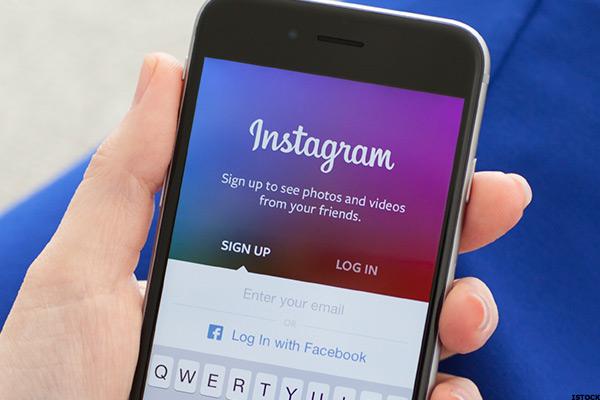
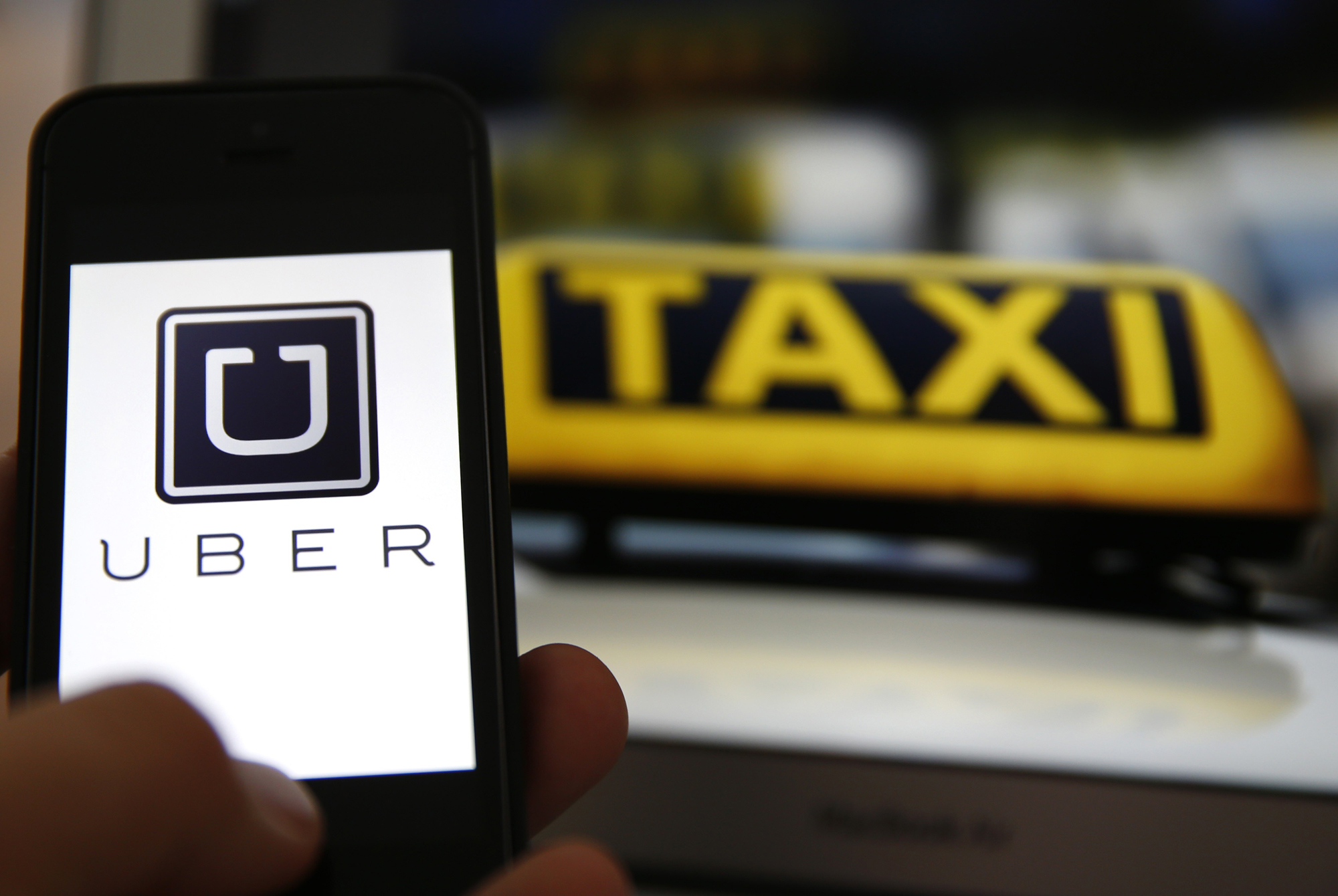
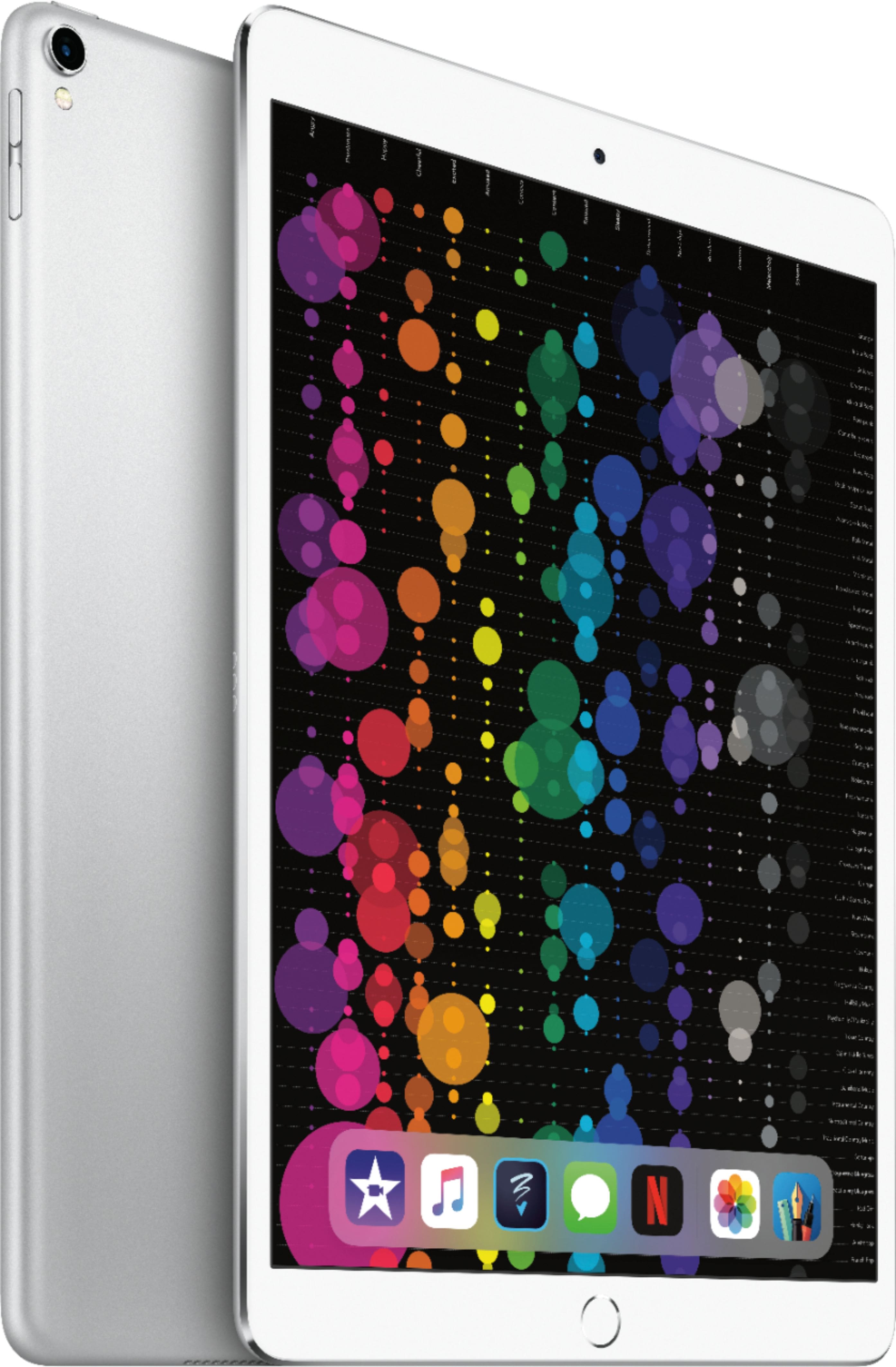
innovation is an inevitable role of technology, aside from the fact that it happens so rapidly, it usually leaves the world to a fascinated state at its every stage. just so that you get to know about something that has come into existence almost unnoticeable, here is a list of tech that was never in existence over a decade ago. https://s.thestreet.com/files/tsc/v2008/photos/contrib/uploads/instagram2_600x400.jpg Nothing typifies the technological strides of the past decade quite like the photo-sharing app Instagram, though some might argue that selfie-loving Instagrammers are a stride back on the evolutionary scale. Introduced in 2010 for Apple, and two years later for Android, Instagram (IG for those in the know) has hundreds of millions of monthly users who share some 95 million photos (and videos) a day. Since 2010, IGers have uploaded more than 40 Billion pictures so far since its beginning. Bitcoin https://i2.cdn.turner.com/money/dam/assets/171130162456-quest-bitcoin-780x439.jpg The Cryptocurrency. Was anything even called a cryptocurrency in 2008? — However, the internet money currency made its debut a little less than a decade ago, and the sort-of electronic cash has slowly made its way into the hearts and virtual wallets of enough people, evidently, that by the end of 2017 more than $24 Billion dollars’ worth of Bitcoin was out there. We’re not sure what good it is if, just for a for-instance, McDonald’s doesn’t take it. But word on the crypto street is that Joe at Uber as well as other commercial outlets might be willing to accept it sooner than later. Uber https://nationaldailyng.com/wp-content/uploads/2017/08/Uber-Taxi.jpg Sure, 10 years ago, it was easy enough to find a ride to, say, the airport. It was called getting a taxi. But in 2008, you couldn’t hail a cab with a few taps on your smartphone. And, back then, it wasn’t just some Joe waiting at the curb and ushering you into his Accord. It was a cabby who probably had an attitude. You had to pay cash, too, and leave a tip. Uber, with its slick app and an interconnected fleet of Joe-owned cars, put the brakes on all that non-impoverish attitude. (Well, the tips are back) right now other startup companies such as Taxify are trying hard to replicate the app. Tesla (Electric Auto car) https://gas2.org/wp-content/uploads/2017/02/Tesla-Model-3.png Elon Musk probably was probably not the first to ever think of making an Auto-mobile move on electricity. However, he dreamt of building impossibly cool and fast cars 40 years ago as a boy in South Africa. But it wasn’t until 2008 that he launched the Tesla Roadster, an all-electric vehicle that has forever changed the car industry. The Roadster was followed by other futuristic-looking Teslas, and now every car maker on a grateful Earth is racing toward an all-electric future. The company is a leader in autonomous driving tech, too. Hold onto your seats in the next decade. The iPad (Tablet) https://pisces.bbystatic.com/image2/BestBuy_US/images/products/9080/9080057cv11d.jpg The iPhone, the first true techno-gadget crush for millions of Americans, as well as around the world, is way old. It was introduced all the way back in 2007. But it was just in the last decade (2010) that Apple shook up the doo-dad world when it gave us the iPhone on steroids: the iPad. It’s a tablet computer that put the power of a desktop machine right onto the living room couch (and in the car). It wasn’t the first tablet among many other, but it made the biggest impact. Sales have fallen some, victim of ever-smarter smartphones. But the iPad lives. Apple sold 10.3 million of them in the third quarter of 2017 alone and of course still very much available for sales in the tech market. however, before a decade ago, this simplified gadget is likely to make no sense at all. Spotify https://dancingastronaut.com/wp-content/uploads/2017/08/Screen-Shot-2017-08-02-at-3.34.49-PM.png Another newcomer that owes its life to the internet, like many of tech companies is Spotify. The Music App is the music streaming choice of some 140 million users a month, who build and swap playlists from a library containing some 30 million songs (the Obama White House was famous for its playlists). The company launched in late 2008, Spotify is free, if you don’t mind a few ads here and there. Or, if you want to ditch the ads, it’s $9.99 a month. You can download tracks, too, to listen to offline. It’s basically a gigantic jukebox, for you old folks, that you listen to on your smartphone. Spotify among many other music App never existed a decade ago and its left a significant impact in the tech world already. Virtual Reality https://www.gotouchvr.com/wp-content/uploads/2017/12/header-1.jpg Oculus VR is the earliest originator of VR, it began in a garage in Irvine, California in June 2012. Then-19-year-old Palmer Luckey launched the company on Kickstarter, raising nearly $2.5 million for his virtual reality headset. After raising an additional $16 million in funding, Luckey however, sold Oculus to Facebook in 2014 for $2 Billion. In recent times there are over tens of companies that produce VR headset which never existed a decade ago. Android OS https://image.slidesharecdn.com/androidos-121109041811-phpapp02/95/what-is-android-os-in-ppt-1-638.jpg?cb=1352434865 When Google founder Sergey Brin and engineering director Steve Horowitz debuted Google’s Android operating system in November 2007, they put to bed the rumors that Google was launching a “G Phone” (although nine years later, Google did just that with the launch of the pixel). “I’d like to introduce you to the Android platform,” Horowitz said. “This is a platform we hope will enable people to create thousands of G Phones.” These days, there are 2 billion active devices running Android software, which was never a thing about a decade ago. SOURCE >>> https://www.askifa.ng/eight-mind-blowing-tech-that-never-existed-a-decade-ago/ |
| Celebrities › 30 Tech Questions With Popular Nigerian Comedian Omobaba (video) by askifa1(op): 7:40pm On Aug 17, 2018 |
| Nairaland General › 4 Things To Consider When Buying A Laptop by askifa1(op): 2:32pm On Aug 15, 2018 |
https://www.askifa.ng/wp-content/uploads/2018/08/TIP-TO-KNOW-BEFORE-CHOOSING-A-LAPTOP.jpg There are so many choices of computers these days, thus making it really hard to figure out which ones are the better ones. However, if not carefully pick, you can end up picking the wrong choice that wouldn’t suit your work purpose, Follow these tips to find the right laptop for you. Screen size and weight Laptop screens typically range in size from 9- to 17-inch (about 23- to 43-centimeter) displays. The bigger the display screen, the heavier your laptop will be. Balance the amount of portability you need against performance to find the right size for you. Larger screens will be harder to travel with and have a shorter life but will support better graphics and more power. Smaller screens will be just the opposite. https://www.askifa.ng/wp-content/uploads/2018/08/Monitor-sizes.jpg CPU The Computer processing unit (CPU) is your computer’s brain. The two main CPU providers are Intel and AMD. Intel corners the market in terms of advanced technology, but AMD offers competitive models at lower prices. Dual-core CPUs are more powerful with better support for gaming and graphics, while single-core CPUs are much more cost-effective for people who simply use their computer for basic office and web-browsing functions such as analysis. https://www.askifa.ng/wp-content/uploads/2018/08/cpu.jpg RAM Business travelers and home users should look for between 2 GB and 4 GB of RAM. Gamers, graphic artists and other people who work with high-definition videos will benefit from 4 GB to 8 GB of RAM. The average student looking for a cost-effective machine for doing homework, e-mailing and web browsing can settle for 1 GB of RAM. https://www.askifa.ng/wp-content/uploads/2018/08/RAM.jpg Use an online laptop finder Many shopping sites have tools and search engines to help you choose the right laptop. Microsoft has an innovative program called PC Scout, which walks beginners through the process of choosing a computer, and then presents some choices at the end Online shopping sites often have advanced search features to help you search for laptops with the exact specifications you want. SOURCE >>> https://www.askifa.ng/4-things-to-consider-when-buying-a-laptop/ |
| Nairaland General › Tecno Spark 2 Light Up Your Dream Party (photos) by askifa1(op): 8:38pm On Aug 10, 2018 |
Tecno Spark 2 light up your dream party happening now at Muri okunola park, Victoria Island, Lagos www.Askifa.ng
|
| Science/Technology › 7 Ways To Speed Up Your Android Phone by askifa1(op): 9:55am On Aug 10, 2018 |
https://www.askifa.ng/wp-content/uploads/2018/03/speed-up-android-1.png Like computers, smartphones become slower over time when not properly maintained hence making every missed swipe or extra moment waiting for an app to load feel like an eternity. If you’ve had your Android device for a while, then you’ve probably started to notice some delay in performance that wasn’t there before. This is usually due to an increasing number of applications, processes, and files stored on the device. However, if your Android device is running slowly and you can’t determine why the tips below will help you speed it up. Clear the Cache Usually, cached data for apps help them to load more quickly but over time, it can build up and take up quite a lot of space which eventually starts hurting more than it should help. Clearing the cached data helps in making the device perform smoother as it removes old data which usually makes it slow and eventually crashes the device. This method is helpful in the case of big apps like Facebook and Instagram which store tons of images and other data on your device. To clear the cache on your device, head into Settings > Storage>Clear cached data and then tap OK. Uninstall or Disable Unused Apps Most Android devices typically have a number of apps pre-installed by the phone manufacturer that are completely unused. Over time, you add more apps that are likely unused hence taking up precious space and slowing down the device. To uninstall such apps, navigate to settings, click on apps, find the app you wish to uninstall and tap uninstall. Close Unused Apps Keeping several apps open makes it easy to multitask but closing open apps improve the device’s speed. Just pull up the running apps list that shows the apps that are running, how much memory they are using and close the ones that aren’t needed to be opened. Don’t Overload the Home Screen Filling your device’s home screen with live wallpapers and tons of widgets sounds nice but under the hood, they put extra load on the hardware and affect the device’s performance. Thus, it is advisable to keep your home screen as clean as possible because it will make your device perform faster. Disable Widgets As with apps, widgets that aren’t needed should be disabled. Though widgets provide animations and special effect to make the device look great, they can also slow down the device. To disable a widget, navigate to the widget you wish to remove, long press on the widget and drag the widget to remove and release. Use Cloud Storage System The new storage fashion is uploading files to the cloud. This not only makes data saved accessible across all devices but also frees up the internal storage on the device. Bear in mind that internal storage plays an important role in the performance of the device, it advisable not to overload it so it doesn’t slow down your Android device. Update Your Device’s Software Do you keep swiping aside that notification to update your software? It only wants the best for you. Most times, software updates are not always about new features, they also contain bug-fixes and performance enhancements that help to improve the device’s speed. Do you have any tips you use to speed up your phone or you have an app you use to optimize the speed of your android phone? Let us know in the comment box. SOURCE >>> https://www.askifa.ng/speed-android-phone/ |
| Car Talk › How To Know When Your Car Tyres Are Expired by askifa1(op): 9:44am On Aug 10, 2018 |
https://www.askifa.ng/wp-content/uploads/2018/03/car-tyres.jpg Just like other parts of a car, its tires are also important. They help to transmit the load of the car to the ground and technically help in the movement of the car so their importance cannot be overemphasized. Tires are made of rubber and as time passes, the quality of rubber depreciates whether used or not. Car tires after prolonged usage become worn-out especially long after they have expired and just like everything else manufactured, car tires also have an expiration date. It sounds alarming that most Nigerian car owners don’t know that tires expire and that a good looking tyre may have expired while a worn out tire is still valid or that it is even possible to purchase a brand new tire still in its wrapping but it has expired. Surprising right? Just imagine having a flat tyre or losing a tyre to wear and tear as you drive. Could be catastrophic right? Expired car tires have frequently caused fatal road accidents leading to loss of lives and properties according to the Federal Road Safety Corps (FRSC). So the big question remains, how can one tell if one’s tires have attained their expiry dates? Car tires usually have a four year validity period from their date of manufacture though some safety groups in some countries recommend six years. However, considering the country’s irregular rough driving topography along with the climate, it makes a whole lot of sense to agree with the FRSC officials that recommended four years. After the tires validity expires, they risk getting blown out while in use most especially during hot weathers. To find out if the car tyres are expired, simply look on the body of the tire for a four-digit code. This code may have an asterisk before it e.g. *2014. Though some tires do not have asterisks before the code, the code is usually standalone with no alphabet before it. The first two digits of the code stand for the week it was manufactured and the last two digits stand for the year it was manufactured also. For example, let’s assume you found “*2014” on the tyre, it simply means the tire was manufactured on the 20th week in 2014 therefore, the expiry date is on the 20th week of 2018 i.e. four years from the date of manufacture. So for safety purposes in regard to this information, it is important for us to regularly check the expiration dates of our car tyres including the spares too so that when you find out they are expired you can get a new one as soon as possible. Want to share your opinion? Let’s know in the comment box. SOURCE >>> https://www.askifa.ng/know-car-tyres-expired/ |
| Business › Is Piggybank.ng Going Out Of Business by askifa1(op): 5:58pm On Aug 09, 2018 |
https://www.askifa.ng/wp-content/uploads/2018/08/PiggybankNG_Product_1-1170x589.jpg Piggybank.ng has proven to Nigerians that Fintech can be taken to a totally different level and that has been the practice of the Tech Startup. It was introduced to me by a friend few months ago and I have taken it upon myself to be some sort of brand ambassador for the brand, because I have learnt that B2B works in business and that most Nigerians like me would only invest their money in some App or interface except a friend or close associate have enough words to pull them in. https://www.askifa.ng/wp-content/uploads/2018/08/Piggy.ng_.jpg Now, Piggbank.ng has kept my money safe for me, it has also made Emergency spending easier for me because I am sure I have some money hidden from my careless withdrawal and then it Safelock is super-amazing it just lets me know I can carry my money everywhere I go. Well, if you are reading this now, then it is because I and a couple of friends have been having issues with the App since yesterday evening. You may or may not have noticed it, but the App has been timed out for hours now, rather than getting logged in to my profile the Application has been sending me "503 Error!" message, which I am not very clear about. https://www.askifa.ng/wp-content/uploads/2018/08/WhatsApp-Image-2018-08-09-at-2.14.42-AM.jpeg I also proceeded to use their website and I also experienced a barred access to my profile too. The sad thing is no official statement has been made by the Start-up’s Managerial team to it users most of which are young willing Nigerians like me, who just want to manage how to spread out money. In my opinion, if it was a system update, it is only right that piggybank.ng sends an official message to its users, before cutting them off their savings and if it was a downtime it is still important that users are kept in the loop of things as this is no way good for both parties. For me, a repetition of such downtime makes it easier for people with trust issues to capitalize on this factor, blocking out all opinions to listen to the Piggybank.ng gospel when loyalists like me begin to make marketing campaign for the brand. SOURCE >>> https://www.askifa.ng/is-piggybank-ng-going-out-of-business/ 1 Like |
| Nairaland General › 5 Reasons Why You Need To Have The New Android Pie by askifa1(op): 5:58pm On Aug 08, 2018 |
https://www.askifa.ng/wp-content/uploads/2018/08/adroid-pie-front-preview.jpg Google on Monday announced the official release of the Android P, now officially Android Pie for users of its Pixel phones. Android Pie is the latest version of Android and it is packed with new features, from extended battery life to new gesture navigation. There are plenty of new features in Android Pie, some of which you may think makes the latest flavor so attractive. Here are six reasons you’ll want a piece of Pie. Fresh look and notifications https://www.askifa.ng/wp-content/uploads/2018/08/androidp.jpg With Android Pie, Google is using rounded corners everywhere it can. A swipe down to view the notification tray and quick settings give you a good idea of where Android is heading aesthetically. There’s also a lot more color in the Settings menu. As for notifications, Android knows great ways of handling notifications when compared with iOS. With Android Pie, it widens that gap by adding more features in its notifications shade. Messaging apps, in particular, will suggest smart replies and show more information in each notification. Official dark mode https://www.askifa.ng/wp-content/uploads/2018/08/dark-theme-android-p-1.jpg Google now features an official dark mode in the new Android pie version that allows you to choose any of the three options which include automatic mode ( that works with the wallpaper display), light mode, and a dark mode. This option can be changed in the settings, an official dark mode is something Android (and for that matter, iOS) users have been asking for years. Thanks, Google. Lock down mode for extra security https://www.askifa.ng/wp-content/uploads/2018/08/android-p-lockdown-mode.jpg Google is doing much to improve the overall security of your information in Android Pie as it features an extra option other than the powert and restart button, but most of that is done under the hood. There is a new feature, though, that locks down your device with the push of a button. When enabled, it lets you disable the fingerprint sensor or trusted voice unlock (leaving the mobile to only backup unlock methods such as a PIN or pattern). Go to Settings > Security and Location > Lock Screen Preferences and toggle the Show lockdown option. After you toggle that on, you can now just press the power button, then tap Lockdown. Gesture Navigation https://www.askifa.ng/wp-content/uploads/2018/08/google-io-2018-android-p-7493.jpg With Android Pie, you now have the option to do away with Android’s traditional three-button navigation consisting of the home, recent apps tray and return button, now it goes with gestures instead. A single home button actually looks more like a pill, is your thumb’s home base. Tap on the button to go home, swipe right to go back, swipe left to switch between recent apps, or swipe up to view recent apps or your app drawer. Rotate only when you want https://www.askifa.ng/wp-content/uploads/2018/08/android-p-rotation.jpg Instead of just locking down vertical or portrait mode on your phone, Android Pie will display a button to force the screen rotation if it detects your phone has changed orientation. this is a more advanced feature than the old one that tilt automatically usually not necessarily required at some point. When you turn the screen to landscape, tap the icon that appears at the bottom to change the orientation. Now when you turn it back to portrait it will stay in landscape unless you tap on the same button again to rotate back. SOURCE >>> https://www.askifa.ng/five-reasons-why-you-need-to-have-the-new-android-pie/ |
| Phones › 3 Hidden Iphone Features You Never Knew Existed! by askifa1(op): 6:03pm On Aug 07, 2018 |
Ten years ago the iPhone was released earmarking the beginning of a revolution that would see smartphones redefine many of the most fundamental parts of our lives. Still, simple as the iOS seems, you can find tons of advanced features hidden below its polished surface and elite nature. Within the iPhone lies hidden features that you may not have realised existed – until now. Well, I am going to tell you about three hidden features that are really and truly hidden. As in, you could look through your iPhone from now until the end of time and you wouldn’t find any of these features unless you know what you’re looking for. There is no indication that these functions exist in iOS, and I am certain that most users don’t know about them. In fact, I could place a bet that even the savviest iPhone owners never knew about these functions. So grab a seat, a cup of coffee and enjoy. There’s a Spirit Level Tool within the Compass Certainly, you have not realized that iOS has an extra built-in app hidden within the compass. If you launch the compass, swipe left and you’ll find a spirit level tool. A spirit level is an instrument designed to indicate whether a surface is horizontal or vertical. It is commonly known as plum and used on site by construction workers. Though the iPhone may not be as precise as the tool itself, but it is very useful. You can either use the spirit level with your phone laid out flat or with it balanced on its side in either portrait or landscape mode. By tapping the screen, the difference between the two surfaces is indicated by how much the two angles vary. Backspace Function in the Calculator App https://www.askifa.ng/wp-content/uploads/2018/02/apple-calculator-landscape-300x137.jpg If you use the iOS Calculator app a lot, you know the frustration that comes with mistyping a digit and then having to start the calculation all over again. This hidden backspace function means you won’t have to go back to your old ways to use the C or AC buttons every time you make a mistake. To use, swipe to the left or the right at the top of the screen where the digits are displayed. The action deletes the last number entered. The Keyboard doubles as a Trackpad Did you know the iPhone keyboard can double as a trackpad? Using this feature, you can move the cursor perfectly and jump to bits of text, all without tapping on the screen. To use it, you need an iPhone with 3D Touch capabilities such as iPhone 6S, 6S Plus, 7, 8, 8 Plus and X. On the iPhone, firmly press and hold anywhere on the keyboard to activate the trackpad and simply drag your finger around to move the cursor through the text. On an iPad, simply drag down on the keyboard with two fingers to activate its trackpad. I hope you found these features useful. Discovered any iPhone hidden feature yourself? Let us know in the comment box. https://www.youtube.com/watch?v=KrUAcHsJNCA SOURCE >>> https://www.askifa.ng/three-hidden-features-never-knew-existed-iphone/ |
| Nairaland General › Check Out 4 Ways Social Media Is Stealing From You! by askifa1(op): 5:17pm On Jul 30, 2018*. Modified: 4:43pm On Jul 31, 2018 |
https://www.askifa.ng/wp-content/uploads/2018/07/Social-1170x780.jpg Ever wondered why your data is never enough? Or let me say why you think you do not ever have enough data to cover all your activities on the internet? Well, the answer is simple you have just been robbed, I mean you have been scammed to your face and you still smile to the bank as you pay your internet provider his dues. With the increase in mobile distribution and penetration in Nigeria, mobile usage has exceeded just making long calls and texting to more intimate mediums of communication. Fifteen to Ten years ago in Nigeria, the advent of Cyber Cafe where the most Premium style to use the internet, as most people and home could not afford to own Desktop Computer. https://www.askifa.ng/wp-content/uploads/2018/07/meme.jpg Now, fast-forward the time, Laptops came in handy and they also began to help bridge the gap gradually and then the evolution of Smartphone did not just bridge the gap, but faced-out an entire market. Why then would I go to a Cafe, when I can do all of these things on my phone? This is not to say that Cyber-Cafes have been totally taken out of business, but the income rate has totally reduced when compared to the past. https://www.askifa.ng/wp-content/uploads/2018/07/maxresdefault.jpg The importance of the internet cannot be overemphasized in this time of the Nigerian Dream development anymore. Cafes, Malls, Hubs and all have begun to give free access to WiFi to customers because those who established these ventures know that Nigerians like the rest of the entire planet have become the people of the web in one global village connected by electromagnetic waves. Now, give or take the internet gives and takes from you just what you want it to give. It is sad that we become the Peter that is robbed to pay ourselves as Paul. I know it makes no sense that a man would sell-out his right only to be the one to buy it again. Here 3 ways in which Social Media has helped us rob and then buy ourselves. Data Breach https://www.askifa.ng/wp-content/uploads/2018/07/mark-zuckerberg-1.jpg Mark Zuckerberg is losing shares and stock badly at the moment because the society is fighting back. People are leaving Facebook. People are angry about the data breach scandal that rocked the company. Zuckerberg certainly has tendered an apology to the public, but that has made the full view cut and now it is getting more complicated than you can think about. https://www.askifa.ng/wp-content/uploads/2018/07/Zuckerberg.png A company had to close down business because no one was going to do business with its firm anymore. High Data Consumption I am sure I am not the only one who has this experience, if you are with them you should show some solidarity. There was a time when all you needed to stay alive on the web was a bonus 10MB mobile data or cheaper data plan, but that is not the came anymore. https://www.askifa.ng/wp-content/uploads/2018/07/Chris-Rock.jpg Certainly, 10 MB cannot load the first page of your device when you are connected to the internet. These days nothing annoys you like the beep message of a used-up data. Well, it now looks so normal that when you get such messages you just rub it in and then process to buy another data bundle without asking why your 2 GB is not enough for you to browse for a week without fear. Maybe you think of it as the fact that your Apps get obsolete in no time and you have to update them without rethinking. You just have to be on the trend train filling every vacuum in. The idea is for to pay for that service that engages you without thinking of the fact that it robs you of financial providence and your time, which is literally your greatest asset. Pseudo-Relationships Now, this is one of the most obvious realities of Social Media, we get to build a network, which is good for the new trend of Social Media and digital marketing and all, but how does this really work anymore when the person beside you does not get the Hi they deserve, but a lot of fake people with fake pictures and names on your timeline get the best of you. https://www.askifa.ng/wp-content/uploads/2018/07/Psuedo-relationship.jpg Social Media sometimes bring people together in a web of communication, which is faster and effective but it has brought about the death of our everyday communication and strong social media might become a new field of study in times to come, because of its strength built around pseudo-realities and relationships. Marketing Social Media has brought about a new trend of trade. Yes, we all did Business Studies in Secondary, we learnt typewriting and shorthand like they were going to define our lives. We also learnt that a market is a place, where buyers and sellers meet to exchange goods and services for a price. Well, visual Social Media has taken marketing to an entirely different level. The everyday Landlord of a shop just got robbed, because most young Nigerians have begun the internet trading and in this case, I am not talking e-commerce. https://www.askifa.ng/wp-content/uploads/2018/07/Marketing.jpg I am talking about that one man or woman who all he or she does is to snap an item upload it on Instagram or Facebook or Snapchat, who waits for you to like and comment your interest in their commodity while delivery is made to your doorstep. As against the traditional definition of a Market Social Media just robbed you the opportunity to see your dealer face-to-face, it has put you in a position of making a bid for a commodity based on visual likeness or based on trust, which has to be very strong. Then you cannot take away the fake that the rate of scamming is also strong, so it leaves you a position of making a choice to believe what you get even before you get it. Certainly, you cannot discard the reality that social media like every other thing goes south with ideas and realities. Yet it has helped users hold realities in place. SOURCE: https://www.askifa.ng/social-media-robs-you-as-peter-and-still-pays-you-as-paul/ |
| Phones › 3 Reasons Why You Should Buy A Tecno Smartphone by askifa1(op): 5:39pm On Jul 26, 2018 |
https://www.maxbhi.com/images/thumbnails/1000/1000/detailed/967/lcd-screen-for-tecno-phantom-z-mini-maxbhi-1-7-1.jpg TECNO Mobile devices are undoubtedly one of the most brilliant in the market. The smartphone conglomerate has done a lot in the past decade to become one of the most sort after smartphone brands in the world and Africa. What a year it has been for the smartphone brand. From launching the CAMON CM to releasing a CAMON X and X Pro, the smartphone industry will soon experience another best as TECNO gears up for another Phantom flagship launch- although, not confirmed, it is not too early to anticipate the next TECNO Phantom. First launched in 2015, the TECNO Phantom is one of TECNO’s most successful smartphone series and it continues to lead the field with a number of innovations. Series under TECNO like the CAMON, L-Series, Spark etc are also leading in the space which they operate. If you need a reason to get a TECNO smartphone, let me share some with you. IT’S AN AWARD WINNER https://www.phonecorridor.com/wp-content/uploads/Tecno-Camon-X-Pro-design.png TECNO’s over ten years in the market has been an award-laden one and most of its smartphone offerings are generally regarded as the best for its category. It is also important to note that in 2015, the TECNO brand exposed their international ambition when they carted away the International Quality Crown Award, Gold Category in London and in the same year, they also impressed in local markets, having been recognized as the Most Consumer-centric smartphone brand in Nigeria at the Nigeria Mobile Economy Summit and Expo (NIMES). These are only some of the awards the mobile giant has carted away in recent years. IT’S THE BEST ‘VALUE FOR MONEY’ SMARTPHONE https://www.femmehub.com/wp-content/uploads/2017/08/tecno-spark-top.jpg Despite releasing amazing smartphones with top-of-the-line technological advancement, TECNO Mobile’s smartphones, still come at a price that guarantees the best value. For instance, the new TECNO CAMON X Pro, which currently flaunts the best smartphone camera specifications, is sold for about $200 (N70,000), while other smartphone brands with lesser camera qualities to the CAMON X, are sold at ridiculous prices, which leave a huge dent on your pocket after purchase. GLOBAL PARTNERSHIPS ARE 100% https://mobitrends.co.ke/wp-content/uploads/2017/07/Tecno-Camon-CX-Manchester-City-Edition.jpg Like they say, ‘birds of the same feather flock together’. TECNO Mobile is one of the biggest mobile brands in the world and its partnership with other global brands, seems to solidify that fact. These include partnerships with blue-chip companies such as Google, Facebook, Qualcomm, Twitter, Instagram, Sony, Dolby, MediaTek and telecommunication operators like MTN, Safaricom, Airtel, Etisalat and most recently the English Premier League 2017/2018 Champions, Manchester City Football Club. All these brands have one thing in common, they are all winners and TECNO Mobile, with its proven track record for over a decade has proven beyond reasonable doubt, that it is a brand to respect. SOURCE: https://www.askifa.ng/need-reasons-for-getting-a-tecno-smartphone-ill-give-you-three/ |
| Nairaland General › What You Should Know About The Longest Lunar Eclipse Of The Century by askifa1(op): 5:19pm On Jul 26, 2018 |
The world is about to experience its longest eclipse, totally different from the conventional Solar eclipse, the earth would be experiencing a Lunar eclipse tomorrow. Lunar eclipse or Blood moon as it may be called would happen tomorrow, but this would be the longest Lunar Eclipse experienced this century. https://www.askifa.ng/wp-content/uploads/2018/07/Blood-Moon-2018-File-Photo.jpg The total time of the “blood moon” eclipse of July 27 will last 1 hour and 43 minutes, during which the moon will turn a spectacular red colour, from start to finish of the eclipse. The entire celestial event will last nearly 4 hours. According to Lunar scientist Noah Petro, of NASA’s Goddard Space Flight Center in Greenbelt, Maryland, the moon would not be visible v in North America, except for viewers who intend to use webcasts. However, observers in Africa, the Middle East, southern Asia and the Indian Ocean region will get to see the eclipse better. July’s total lunar eclipse occurs on the same day the planet Mars reaches its opposition when it will shine at its best in the night sky. This month, Mars will be at its closest to Earth since 2003. SOURCE: https://www.askifa.ng/what-you-should-know-about-the-longest-lunar-eclipse-of-the-century/ |