Bigrovar's Posts
Nairaland Forum › Bigrovar's Profile › Bigrovar's Posts
1 2 3 4 5 6 7 8 ... 35 36 37 38 39 40 41 42 43 (of 61 pages)
 Computers › Re: Ubuntu Linux by bigrovar(m): 9:50am On Jan 28, 2009 Computers › Re: Ubuntu Linux by bigrovar(m): 9:50am On Jan 28, 2009 |
flyuche:am happy it worked for you , you see the advantage of a live cd , give you the opportunity to look before you leap. so you know what works and what doesnt , now before you try anything , i want you to run the following commands and post the output of each here sudo lshw short for "list hardware" what it does is show list of all the hardware of your machine , wireless webcam and all second run this lsusbshort for list usb what it does it list all usb peripherals attached to your computer. (some webcams are actually usb ) now i want you to test if wireless works for you. or run this sudo lshw | grep Networkwhich would display what type of network card your are using , also i would like you to post a picture of your starcoms card , so i know which type it is , some cards have been proven to work , some have not been tested , about the dualbooting , i wrote a guide in my blog but it is based on feisty and hence old and probably outdated , try this guide instead , http://apcmag.com/how_to_dualboot_vista_with_linux_vista_installed_first.htm its very comprehensive and easy to follow , study the guide (that was what i did) preferably have a spare computer beside you, or print the guide , its actually not hard to follow , about the scanner , u can use the life cd again , plug in your scanner and try this tool called Xane imager scanner , its under Application/Graphic/Xane imager scanner on the top menu panel , it should detect your scanner automatically , if not post the model so we can do some research on how to soil it to work (some hardware makers dont release their drivers for linux , or even give specification to the linux devs on how to create a driver for linux , to get this things to work the community has to reverse engineer the hardware by creating their own driver to work with it , which works most times but other times can be shakky) edit to run the above commands you use Terminal , its under /Applications/Accessories/Terminal |
| Computers › Re: love-vendor YOUR XP ..to Mac OSX by bigrovar(op): 9:01am On Jan 28, 2009 |
UNLEASHED:yeah i know this post is old and all but i must have missed it, so i couldnt resist the urge to reply , if you have taken your time to read carefully you would see that their infact two guides one states http://bigbrovar./2007/08/01/love-vendor-your-xp/ just that love-vendor your xp , make your XP look good not by making it look like ubuntu or OSX or vista , just install some simple freeware that would bring out the beauty of XP. the second one is quite different and its states 'Install OSX Without Installing OSX' and all you have to install is a package , u dont need to install Yahoo Widgets or any other tool just that one package , http://bigbrovar./2007/08/05/88/ |
| Computers › Re: Ubuntu Linux by bigrovar(m): 9:30am On Jan 26, 2009 |
although i did some research and no body with that type of laptop seem to have the problem you are having with the ubuntu freezing up and stuff , which make me think that it could be a case of a badly burnt ISO image. in any case to be sure try what esquire said when you insert the ubuntu CD and it boot before you choose whether to install or test you need to add some parameters to your boot options , so press F6 https://farm4.static.flickr.com/3437/3227473547_cf1b9f9206_o_d.png at this stage press F6 then would see something like this https://farm4.static.flickr.com/3368/3227473549_80fb218e1b_o_d.png now put noapic nolapicafter quiet slpash-- just has i have done in the above screen shot , once that is done you can then processed to choose to install/run as live cd , tell me how it goes , am always on yahoo btw and my ID is bigbrovar |
| Computers › Re: Ubuntu Linux by bigrovar(m): 11:09pm On Jan 25, 2009 |
[quote author=flyuche link=topic=11508.msg3384062#msg3384062 date=1232919781][/quote]name of system e.g hp dv2345 |
| Computers › Re: Ubuntu Linux by bigrovar(m): 6:00pm On Jan 25, 2009 |
esquire:i felt that way too but i wanted him to post the specs first the name and model of the laptop would do (if its a laptop) @Bigbrovari find intrepid too bleeding edge for me so am on hardy heron , intrepid broke some things on my laptop, the main ibex applications like network manager 0.7 was installed on hardy using backported PPA. |
| Computers › Re: Ubuntu Linux by bigrovar(m): 12:19pm On Jan 25, 2009 |
the best way i can help you is hat you give me the detail specs of your system including the name , some systems have bios that have been tweaked so that nothing except windows boots on them. i have had experiences like that especially some compaq, and samsung systems. |
| Computers › Re: Ubuntu Linux by bigrovar(m): 6:57am On Jan 25, 2009 |
flyuche:what you are doing is not even the recommended install, and i NEVER recommend it for anybody, although a lot of people have tried it and say it works fine even with that why for the love of me would some one try to install ubuntu inside WINDOWS! , lots of things could go wrong the least being Ubuntu's fault , if you want ubuntu partition your hard disk and install it there , if you want to try , run it as a live cd , all this wubi installation inside windows is BS in my opinion. i started ubuntu with feisty right here on Nairaland https://www.nairaland.com/nigeria/topic-11508.384.html and this https://www.nairaland.com/nigeria/topic-11508.416.html that was feisty 7.04 even then the installation was smooth after following the guide online , my advise for any body trying to install ubuntu is that first do your research to see if it mets your needs especially the hardware needs of your computer, that was what i did , i didnt just jump into it , i did my research very well infact for over a month , i also studied the dualbooting guide till it stock to my head , even with that i still hard problems ( i was a windows guy and was expecting linux to be and act like windows) but it took some times (less than 3 months) before i got accustomed to Linux. 6 month later i removed windows from my system to gain more space (it hasnt come back since), so forget about what we say here and the fancy screenshot we display. ask your self why do you want linux , its cool and all but its also not for everybody. one thing is you have to forget everything about windows. and be ready to learn from the start. all the best in the choices you make. cheers |
| Computers › Re: Ubuntu Linux by bigrovar(m): 7:07am On Jan 24, 2009 |
I installed (full) the OS directly from the CD. And after installation it did not loadjust want to be clear on this , you installed ubuntu on an external hard drive and when you tried booting it it would not load. right? if yes , then it most be a mistake you made during installation. you see installation on external drives is not quite as straight forward as dualbooting on the same drive. when you install on an external drive, there is this tool which is responsible for boot you OS called grub. its a boot loader (every OS as one) now when you install ubuntu or any *nix you have to point where you want the OS (in this case ubuntu) to install the boot loader. by default it would install it on the first hard drive (in this case could be your internal hard drive) in which case if you installed the OS on an external hard drive the boot loader would be installed on the internal hard drive, this would give you problem. the best thing should have been after telling the system to install on the external harddrive. when you get to stage 7 of the install which is the final stage, choose click on the advance boot at the bottom right corner of the system. where you would see other optiions. among which asks you hwere you want to install grub. i you have only one external hard drive connected to the system (and the system has just one hard drive) then choose sdb ( just as windows sees drives as drive c drive d etc linux too has a way for naming drives. sda (sata drive a i.e the first hard drive , if its an ide drive then you would see hda) the second drive would be sdb or hdb etc if the first drive more than one partition you would see sda1 sda2 depending on the amount of partition it has. so my friend, my thinking is that grub was installed in the wrong place. perhaps am wrong and you could explain more. installing on a external hard drive is something that is left for people who have experience on this things. and when I attempted to remove it from the drive I was unable to locate the drive in My Computer in Win XP. when I attempted to remove it from the drive I was unable to locate the drive in My Computer in Win XP.no surprises there because windows by default doesnt see ext3 filesystems. ubuntu and other linuxs use ext3 filesystem as default. windows only see fat32 and ntfs drives. your best best if to load a live cd session then plug in the drive , then go to system/administration/partion editor , this is a partitioning tool , now select your external drive which would be sdb and you can now format it as fat32 , (be very carefull when using gparted so you dont format you systems hard drive.) |
| Computers › Re: Calling Systems Administrators - Our Own Thread? by bigrovar(m): 4:15pm On Jan 23, 2009 |
A good sysadmin should also learn how to make projections , u should be able to have a plan for the next 2,3,5, 10 years always be ahead so that new technologies dont catch u unawares , always learn and keep an open mind, some say if it arent broken dont fix it, still its never a bad idea to try something new perhaps in a test enirons, my attitude is to go for open source technologies something that wont lock my organisation down, with licenses and restriction. most times i also search for free tools that can get the job done than proprietary expensive once. which just give u a GUI and automate everything so that when the system break down , u have no idea how to fix it. i prefer setting things by hand , editing config files, i prefer this to point and clicking my way out of problem especially in the backend side of things. also you must be a good teacher, and most also listen to non techie people you work wit, understand their needs and try to create solution that would make their job easier. most times it your job to get them what they lack which most things they are unaware of, |
| Computers › Re: Calling Systems Administrators - Our Own Thread? by bigrovar(m): 2:48pm On Jan 23, 2009 |
dje:checked it out before , its a cool product but it only runs on a windows server, i have a tool (infact two) that does the same thing on Nix, and there run perfectly. but thanks anyway. I know you can do system administration with scripting like msdos batch files, unix shell scripts, linux ssh, and i also know that you can do system administration better if you are a programmer (i hope nobody argues with me on that) - though i am aware that there are lots of softwares available for system admin (made by programmers).it sure helps a sysadmin if he knows programing , but its by no means a requirement, as long as u can troubleshoot and always project into the future and stay current on recent technologies , then you wont have a problem. i dont know about windows but in Linux knowing a bit of python or C would make your life easier . |
| Computers › Re: Calling Systems Administrators - Our Own Thread? by bigrovar(m): 12:02pm On Jan 23, 2009 |
temilaw25:you sure can say that again. its just a win win situation.another cool thing if i most add is having a central Anti vrius on the network, so that this would reduce the extra load that installing a local anti virus on each computers would cost. AV are some of the biggest resource hugs on windows pcs but installing a network based AV would go a long way to help. Setting up AD in windows 2003 environment can be quite straight forward, and i don't think getting your hands dirty on windows environment would be much of a problem to you with your background in Linux.yeah i think so to although i most admit my knowledge of windows nowadays is very rusty (i used windows on any of my PCs for over a year and half and i really need to brush up my skills) It wouldn't be a bad idea for us to develop a step by step guide on different topics using this forum. I am particularly interested in learning linux. I would appreciate any more contributions from you as regards a quick to getting into Linux CLI.sure wouldnt , but you know documentation is a witch , and the best way to start linux is to get to use it. that way you learn and have fun at the same time. u might not believe it but i started my linux lessons here on Naira land some 2 years ago. it started our of curiosity. |
| Computers › Re: Calling Systems Administrators - Our Own Thread? by bigrovar(m): 11:02am On Jan 23, 2009 |
qtx:hmm i didnt go for any training for my system admin stuff , IT training schools are crap IMHO do be a good sysamdin all u need is passion and the will to learn. u have got to love trouble shooting and learn more about how to make computers work better. looking for innovative ways to get things done better. because in sysadmin land, its more of what you know and can do than what cert you have. however its always good to have a cert from a recognized school so that at least you can be listened to. and for that i would say NIIT yeah they suck. but all u need is their cert which many enterpise people respect. but forget it about learning or gaining any knowledge from them. its best to have a background knowledge before making the jumb. |
| Computers › Re: Calling Systems Administrators - Our Own Thread? by bigrovar(m): 5:48am On Jan 23, 2009 |
Windows system administration could be done with tools that feature a GUI (particularly Microsoft Management Consoles, MMC), or using command line (CLI) as well, especially if one has the Windows Support Tools installed. There are also scripting tools (Windows Scripting Host, and more recently, Power Shell) for automating most administrative tasks. So, we use a mix of GUI and Command-line based tools.hmmm here system administration is done mainly via a CLI Console. ( in the linux world its considered a mortal sin to install gui on a server) on a serious note i find that running a pure cli server helps the server with speed and makes it much more secured. the biggest resource huge of a computer is gui. and with that stripped out. the server is slim and does just what we need it to do. 2 tools i find my self using and which i cant do without are screen and ssh. this help me log in remotely into the server from anywhere and continue (ssh) and continue any session i was running on the server from the last time (screen) which would be detached and re-attached to my current location. Yes, you can set up a central update server in a Windows environment, for the specific purpose of getting network clients updated with the latest patches/updates from Microsoft. The service which actually does this is called the Microsoft Windows Server Update Services (WSUS), which is now in version 3.0. Installing this server component on a Windows 2003 R2 server or Windows 2008 Server allows you to manage and distribute updates to your network clients. A simple scenario would be having one server (in a small-sized business, for example) connected to the Internet, and receiving the updates from Microsoft. You as the administrator can then control the deployment of these updates using WSUS. Of course your clients can use automatic windows updates and deploy directly from Microsoft, but in a corporate environment, you might want to make this process uniform and more organised, which WSUS does. Also, you can receive updates earlier (with version 3, you configure a server to synchronise automatically more frequently, as frequently as once every hour. Better control also means you can get report from individual client machines, and keep track of updates installed there. WSUS allows you manage updates to clients running Windows Server 2003, Windows Server 2008, Windows Vista, Microsoft Windows XP SP2 and Windows 2000 SP4.hmm interesting , i will do more research but thanks for the head start. on linux i have a central update repository which does it. its called apt-cacher and we use it to cache any software installed via apt-get (a package management tool used in debian linux) and stores it locally in the apt-caher should anysystem on the network need same package. it would be downloaded from the apt-cacher instead. the process works smoothly and as saved us lots of bandwidth. but the WSUS solution is also good stuff for a windows environment i most say. Setting up a Windows active directory implementation on your network can be a straightforward business or a bit more complicated, depending on variables such as your network size, site requirements, etc. The actual process of setting up your first domain controller (I assume you will be doing this on at least a Windows 2000 SP4 box, but better still a Windows 2003 R2 box) itself is not a difficult process, and is something I will only be too glad to share what I know with you. Once you have the basic requirements - your box has an NTFS partition, is configured with a network card which is properly configured with IP details, a DNS Server (you can actually install this on the box itself during the active directory installation procedure, and the domain name you want to use - you should be good to go.hmm interesting i will try it out. Not sure I understand what you mean regarding the web applications you spoke about.mostly content management systems (like drupal which we use in developing the school's website), Enterprise management systems (like egroupware and alfresco which are really good groupware solutions for enterprise, right now am setting up a file repository for staffs to share documents in a public folder. using opendocman or knowledgetree), i also have a couple of inventory softwares which runs on LAMP and can be used to taking automatic inventory of all the computers we have on our network their configuration -to the last details and every software we run on them. and also a help desk which is used by staffs to report bugs,ask questions, and propose or request for new features for the IT infrastructure, not forgetting a local IM chat server powered by jabber/XMPP which we use for local chating,file transfer, and voip within the network. plus a local forum that powered by simple machines (the same forum engine used here in Nairaland) yep these are some of the web applications that we have running on our web servers. You are using Linuxyep am I right in assuming the apps run on apache?sure The Windows environment can support web apps with IIS - you get version 6 with Windows Server 2003, a much safe and stable version than the IIS that was much-maligned in the past.hmmm beside apache also runs on windows And I hope others join us in discussing the exciting life of being a Sys Admin!dont bet on that happening , we stand a better chance on getting poeple to participate if this were a windows vs Linux thingie or if this were about soiling ISP to get free internet  |
| Computers › Re: Calling Systems Administrators - Our Own Thread? by bigrovar(m): 8:47pm On Jan 22, 2009 |
@xanadu hmm interesting our admins experiences are quite different which is cool because i sure hope to learn one or to things from you about administering windows. because we use just Linux here but we hope to setup a windows lab soon as when we get the licensing issue sorted. is you administration environment like ? GUI or CLI , all our servers are just cli which makes administration more fun, although i have VMWare server installed on my personal desktop/server , i use it purely for test purposes. Visualization is indeed the future as hardware visualization gains more ground and am personally looking into the technology and how we can take advantage of it here. one thing i would like to learn from you is how it would be possible to setup a central update server for windows. and also on how to setup an active directory server and domain controller in a windows environment. i also use couple of web applications hosted on our LAMP stack mostly CMS running within our local network. |
| Computers › Re: We Need An Assistant Moderator Here by bigrovar(m): 12:40pm On Jan 22, 2009 |
Seun:i used it a couple of times and the annoy post (at list recently is still there ) post BRAND NEW 2008 HP LAPTOPS FOR N20,000on this thread https://www.nairaland.com/nigeria/topic-11508.768.html |
| Computers › Re: We Need An Assistant Moderator Here by bigrovar(m): 12:35pm On Jan 22, 2009 |
my yahoo chat ID is: k_frill (just send a message even if my status shows i'm offline, i could be on invisible mode)does the Report to moderator link seen at the bottom right corner of every post work, i think it would be better if your email was intergrated to it so that any report logged using it would be forwarded to you. |
| Computers › Re: Calling Systems Administrators - Our Own Thread? by bigrovar(m): 7:10am On Jan 22, 2009 |
nice one . am a system administrator for a university here in Nigeria. i administer over 140 computers (yeah i know its not much) provide support for visiting faculties and research fellows. we run Linux on all our system (plan on setting up a windows lab but licensing issues) most of my job involves the use to LDAP (active directory) NFS (Network File Systems) and Systemimager (for creating OS clones) i also use ssh and cluster ssh which allows me to remotely administer all our nodes. am not a programmer although i do enough scripting to help me get by. in all i love my job and each day brings new challenges. i however have doubt about this thread surviving we just dont have many gurus in NL anymore. and i have seen many intellectual discussions like this go to the dogs. although i hope that this proves to be an exception. because if it does it would be a great way to share ideas and improve more on our kung -fu skills in the art of system administration. |
| Computers › Re: We Need An Assistant Moderator Here by bigrovar(m): 6:29am On Jan 22, 2009 |
I wish i could help but am currently tired down to alot of projects right now. The Job of a Moderator and same for assistant Mod. is a job that everybody should strive to do. i strongly believe that we don't need a position to function, even if you are not chosen you still have a role to play. first off we should all be careful not to post spam and if we see one we should report it asap. also we should always follow basic forum etiquette. no use to swear or fowl language, or harassing user for their post (no matter how strongly you disagree with it) no posting of advert in the computer section. we all own a duty to make this place a clean and healthy place to discuss and help and share ideas. right now the computer section is a mess and we own it to one another to clean it up. |
| Computers › Re: Ubuntu Linux by bigrovar(m): 3:03pm On Jan 19, 2009 |
esquire:mint 6 kde version would be the bomb , the mint devs are waiting for the official stable release of kde4.2 which should be coming out by the ending of this month. i cant wait for that to happen so i can default to kde full time . btw people use to say that KDE takes after windows look which is not true save for the taskbar. every other thing is unique , but the coming of kde4 has raised the bar hence i wasn't too surprised when i saw elements of it's look integrated into windows 7. when a billion dollar company like MS start ripping off the sweat and blood of a project powered mostly by volunteers then u know that FOSS is really doing something right , |
| Computers › Re: Ubuntu Linux by bigrovar(m): 12:30pm On Jan 18, 2009 |
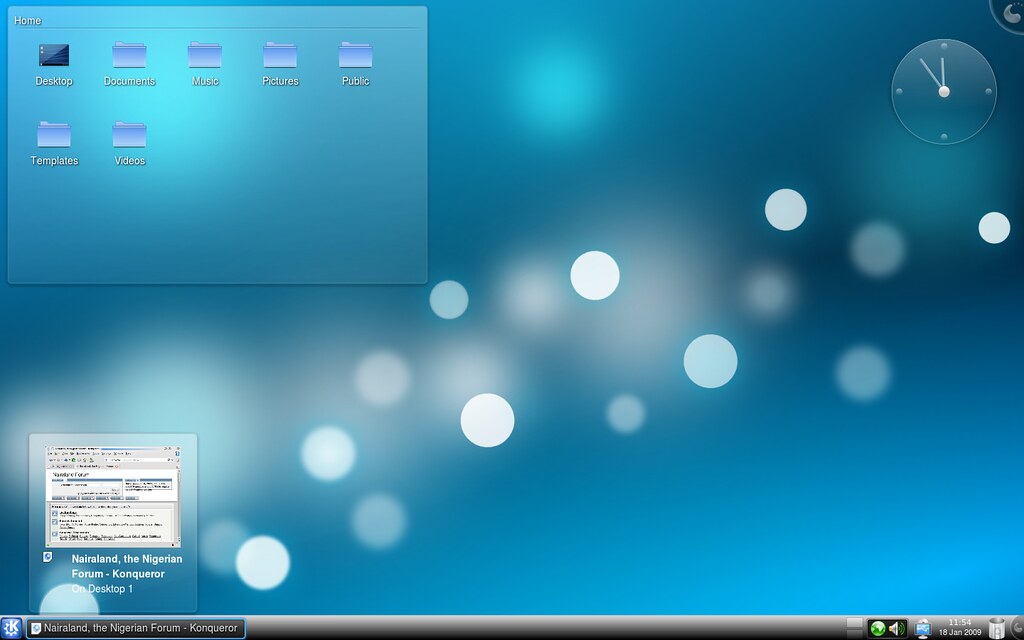
Thought i should share some KDE4 Screenshots , this is just a tip , and the roadmap to gnome 3 is also looking good. https://farm4.static.flickr.com/3124/3205467271_4b9daeb90c_b_d.jpg https://farm4.static.flickr.com/3429/3205467269_7384cd29b5_b_d.jpg |
| Computers › Share Your Internet Connection Wirelessly On Ubuntu by bigrovar(op): 2:53pm On Jan 17, 2009 |
i wrote a guide on how u can share your internet connection from ubuntu and i thought i should share using the new network manager that comes with intrepid ibex (which as greatly improved network connectivity on linux putting it on per with what exist in OSX.) http:///87xs5o , hope this helps somebody for more guides and knowledge about linux join the ubuntunigeria mailinglist @ http://groups.google.com/group/ubuntunigeria happy hacking |
| Computers › Re: Windows 7 Beta: Now Available by bigrovar(m): 3:51pm On Jan 14, 2009 |
Do your friends, the 'enterprise users' not know that you can easily turn off the Aero interface and pretty much run in Basic mode? There are bound to be a few people who prefer the look of Windows 2000 to even XP. what bearing does that have in a review?Have you worked in an Enterprise environment before , like a bank or somewhere similar , how many banks do you know that uses Vista. its not because enterprise people hate the cool Aero interface , its more of what is running under the hood. compatibility and stability, i.e what am used to. sure i know a company that still uses windows 98 , again my point was that windows 7 doesnt do anything new from vista, from an interface point of view, beside i don't qualify my post as a review , i was just stating what i experienced using windows 7. a review would have been much more detailed. (btw i didn't notice any change in UAC with windows 7, i was among the few who wasn't really bothered by it)Did it ever occur to you that all the reviews you read for Vista were on machines that met the recommended requirements given out by Microsoft? Have you EVER seen a vista review that the test machine's hardware was not specified? Vista got a bad rep mainly because people kept running them on older hardware (many people here on Nairaland just went out to Otigba and tried to pop Vista on 800Mhz machines with no GPU and 256 - 512 Mb RAM).the issue of system requirement too was a major point of controversy. even MS people were confused on what requirement is needed to make a system vista capable.i remembered before the release of vista , lots of OEMS tagged their systems vista capable. so who do you blame on this one , the poor innocent guy who installed vista on a 350mb ram system because it was tagged vista capable (from experience not me sha) infact MS got sued on the issue (for misleading people on vista capable thingie) http://www.thetechherald.com/article.php/200817/793/Microsoft-fails-in-Vista-Capable-court-appeal Also people strangely kept expecting universal compatibility with all their old software and pushed the blame to Microsoft. Not all companies had updated drivers out and this added to the compatibility issuesupon the release of vista there was no clear cut standard of what the minimum requirement for vista is , sure we knew it would run on a 3gb computer with the latest and greatest hardware, but what was the minimum. i remembered my first vista laptop was 1gb ram core 2 duo , and vista eat up about 700mb of that. just to run, the result was a machine that was slow as hell when doing any task outside of watching the screensaver run, Reviews done on systems that met Windows recommended specs, and with reviewers that understood that driver and 3rd party software support were responsibilities of the respective companies were almost always positive. Naturally, issues with the OS itself were pointed out. Show me any professional review of the Vista OS that did not criticize the intrusive nature of the UAC.like i said earlier i take online reviews with a pinch of self , in fact a bucket full of salts if i must say , until recent it was wierd to see people have systems with 3gb or 4gb or ram , i mean systems for home users. even that is not a guarantee for speed. run xp on a 3gb system and see it blaze , not so for vista , again i know my what i mean by speed, vista is by no means slow on a 3gb dual processor , neither can you call it fast either. The acer ferrari furore involved only about two dozen bloggers. Unless the hundreds of commentators on Engadget, gizmodo et al have all been bribed, i'd say their overwhelming judgement tilts in favour of Windowsyou mean 24 bloggers , dude 24 influential bloggers can make a big impact on perception especially if they are well chosen.beside what is unethical is unethical, and gifting people high end laptop to review ur product compromises the on their integrity to be unbiased it's always good to have a personal opinion, yes, but i'm not foolish enough to use my negative impressions about Linux as a basis for a faintly damning review. If my iPhone hangs up often, i'll go online to see if it's a common problem before i start writing reviews talking about a problem.neither am i , my option is based on my experience and nothing more, calling it a damning review is the subjective qualification you choose to apply to it, its first an opinion , whether is damning on not is a matter of personal interpretation. 99.9% of netbooks sold come installed with Windows Xp Home edition, which runs pretty well on a 1.6 Ghz machine. When i install Windows 7, a more advanced version of the former OS and i get the same speed levels and response time as the XP (with all the Aero eye candy enabled), then i'm damn well certain to call it pretty fast. well i cant comment on that , since it was your test, although i don't think i will be running windows 7 on a netbook very soon. perhaps it is optimized to take better advantage of ssd then xp was. perhaps it just better optimize to work better on hardware , could be, If your dell m1330 runs Vista or Xp, install 7 and compare the response time.no it doesn't run neither , and wont be in a long time, however am ready to bet my money on it that non of the above OS can give me the speed i get on that machine, . One of the chief complaints about Vista is that it’s a “heavy” operating system that eats up too many system resources. However, in his presentation at PDC, Windows and Windows Live SVP Steve Sinofsky said that WIndows 7 consumes less than half of his Lenovo S10 netbook’s 1GB of RAM. It turns out he was right on the money as the performance monitor showed only 485MB of the RAM was in use with no applications — except the standard Eee PC driver set — were running.like i said i take this reviews with a pinch of salt, p990 is the worst product ever to be made, yet it had glowing reveiws from almost every tech site, also i haven't seen a review of the dell m1330 that point to the nvidia problem that is turning the machine to an expensive metal weight faster than shoes can be thrown at Bush. (thank God i got the Intel version) http://mindre.net/post/Windows-7---All-Tasks-and-Memory-usage.aspx. nice , and i believe you, also believe me when i say i got 800mb ram on idle usage. from windows 7. So i do not know how you obtained your idle RAM usage of 800 Mbtaskmanager ? . You seem to be in the minority here. dude i am a minority and my window 7 "review" have nothing to do with it. When your experience is inconsistent with what most other people are getting, common sense dictates you take another look at the benchmarks and your test machine again.common sense to me is , get on with my life , i wont be using windows 7 and i know what i saw , beside i don't have the time or the resources to do so, in fact i used windows 7 during the hols not because i wanted to but because i had no choice, i just thought to share my experience and my thought about it when i saw this thread , if i was really interested in doing a review of windows 7 i would use my blog. As a system administrator i wonder how come you have no access to older hardware to test out the veracity of Microsoft's claims. am longer in lagos and i have no windows 7 cd/iso with me , As you said, it's your opinion. But you're reviewing a publicly available beta, which most people have tested with extremely favourably results, even for a beta. The overwhelming majority of people accept that it's a solid return to form by Microsoft. Except for yourself, that is.what can i say , to each is own and i stick to what i saw , and nobody has to believe me, like i said earlier i used windows 7 not because i wanted to review it, i had no computer to use, and just tot to see if there were any improvements, i was disappointed but i brushed it off and went on with my life, till i saw the thread and decided to post my experience. have a healthy respect for your IT skills and intellect, and Gamine speaks highly of you [/quote][quote]This is a scientific test done with several established benchmarks for real world performance. the specifications of the machine are published in the article.the real shame is you expecting me to dispel what i experience everyday in my line of work, with people's general usage of computers for some benchmark run in some forum by some guy who uses his computer generally for gaming, dude i provide IT support, and i deal with this issues , latest person is the librarian her shinny vista with 3gb ram is just there when it comes to speed. (plus other annoyance) its my work to install what work best for my clients (and what would make them disturb me less) in my line of work the more xp i install the less problem i get , That Tex is my benchmark |
| Computers › Re: Ubuntu Linux by bigrovar(m): 11:18am On Jan 14, 2009 |
esquire:Esquire good to see that you are enjoying linux mint , i just setup an an ubuntu nigeria google group , we would be incomplete without you, please join us asap http://groups.google.com/group/ubuntunigeria |
| Computers › Re: Join Our Ubuntu Group by bigrovar(op): 11:10am On Jan 14, 2009 |
bump! |
| Computers › Re: Ubuntu Linux by bigrovar(m): 11:44pm On Jan 11, 2009 |
did you try installing it on windows using wubi installer? or did you try a dualboot |
| Computers › Join Our Ubuntu Group by bigrovar(op): 11:43pm On Jan 11, 2009 |
of recent i have been getting calls from people very much interested in Free and Open source software. some wants to more about linux and Foss others wants cd media containing foss packages. The problem as always been that as it stands most of the linux i have has friends who could help dont usually come to this path. so there is usually a big gap and space in communication. hence i decided to form a google group that would allow anyone interested in linux or knowledge of linux can easily join and from there ask question or make request which would be mailed to all members. this way it would be easy to always keep in touch and share our knowledge with one another, it would also be a nice way to help one another. if you are interested in joining the group, here our website http://groups.google.com/group/ubuntunigeria hope to make it a place where gurus and noobies can all interact and learn from each other. the group would also have a mailinglist and soon we would be making our irc channel open to the public. cheers |
| Computers › Re: Windows 7 Beta: Now Available by bigrovar(m): 8:23pm On Jan 10, 2009 |
dude the windows 7 i tried was the real thing, (although its the alpha version that was released to develops) not the forthcoming release , i would know a transformation pack job if i see one, it had some under the hood stuffs like the power shell and the improved network stack WMP12 and IE8, even the transitioning effect was different from vista , even MS admit the Windows 7 is more of an evolutionary OS than a Revolutionary one , so dont expect the kind of revolutionary change the was between XP and vista, the changes for widnows 7 are more of polishing the os and fixing some of vista nagging problems and adding improved touch screen support |
| Computers › Re: Windows 7 Beta: Now Available by bigrovar(m): 6:52am On Jan 09, 2009 |
i tried it on a friends laptop once and all i can say is , not impressed. its more of a polished vista than anything else. the only notable difference i were mostly appearance. a new task menu which sucks IMHO. also the memory footprint is is larger then vista. on idle mode the system uses 800mb of ram. meaning Microsoft hasnt learned much on how to make a light OS that uses little resources. one area of improvement i noticed is the networking. its easier now to share your internet connection wirelessly which i think is a step in the right direction. other than that i don't see any reason why i would want to run windows 7 if i already run a vista. and if you are one of the people still running XP because of your displeasure with the vista way. then hold tight because if u hated vista. you would sure hate windows 7. although what i tested was the pre-beta release. i hope that enough improvements are pumped into the final release to make it worth the upgrade. |
| Computers › Re: Sony To Launch Vaio P-series, World Lightest 8-inch Laptop by bigrovar(m): 6:36am On Jan 09, 2009 |
Sony Corp likes to fools them selves in this desperate time of economy depression. why would anyone want to get a computer which is essentially a netbook for $900 when you can get a better deal for like $250 $400 and there would offer even better performance. why would any one in their right mind want to run Vista on top an Intel Atom processor something that was designed for and intended low computing and low-power applications. Vista is a beast and would not run well on an Atom processor of infact any processor designed for low-powered applications. HP tried it with the mininote 2133 when it shipped vista on it with a low powered VIA processor. the outcome was a failure. The advantage that subnotebooks have over traditional notebook are the small size which allows for the user to be truly mobile with their computing. especially web-based. netbooks are built for speed. the boot up time are usually 10 secs. to achieve this most use SSD and a light operating system like xp or something linux based. the other reason people use netbook are their price. i saw one in parknshop for 45k and am sure you can get them for less in the uk or us. why would i pay $900 for a tiny computer when i can get a full laptop for much less. and if i wanted a small notebook there is always the dell min9 or the hp mini1000 heck the Acer Aspire One cost $250. sony really needs a wake up call and start making computers that matters to the average guy.
|
| Computers › 10 Predictions For Linux And Open Source In 2009 by bigrovar(op): 5:22am On Jan 09, 2009 |
2009 is here. And for people like me, that means it’s time to put together not a “year in review” but a “year in preview.” I don’t like to look back; I like to look ahead. So I offer you this list of what I see in the year to come for the Linux operating system and open source software. Note: This article is also available as a PDF download. #1: Android I think 2009 is going to see the Android mobile operating system finally showing Apple and the iPhone that there is, indeed, another game in town. So far, we really only have the T-Mobile G1. But waiting in the wings are the Motorola Android phone, the Asus Eee Phone, the OpenMoko GTA02, and an LG Android phone. These are all rumored to be arriving some time in 2009. When they do hit the shelves, things are going to be interesting for the iPhone. Think about it — an iPhone-like piece of hardware with open source software that anyone can develop for. No more App Store headaches. No more wondering if anyone might ever develop that killer app you need (or waiting for Apple to approve that killer app you need). Add to that the fact that the operating system itself is open, which means when problems arise they will be fixed. Oh, and need I say “copy/paste”? I didn’t think so. 2009 will bring an end to the idea that the iPhone is the only smart phone to own. #2: GNOME vs. KDE I think 2009 will finally see GNOME rise above KDE as the better Linux desktop. For a long time, GNOME has been suffocated by the presence of KDE 3.x and with good reason — KDE 3.x was an outstanding desktop. KDE 3.x had everything a good Linux desktop should have: user friendliness, stability, flexibility, eye candy. GNOME was trying too hard to be a bad copy of OS X. With the advent of KDE 4 the tables have turned. This is not just a situation where KDE 4.x is so bad that GNOME, as bad as it is, is better. GNOME 2.24 is good, really good. GNOME has gone a little ways to restoring its roots and allowing a bit more flexibility with the desktop. But more important, GNOME 2.24 has finally found some solid footing. GNOME is now as stable as KDE 3.x ever was. And now that KDE has obviously decided to go down a much less popular route with KDE 4, it is going to have a hard year. More and more people and distributions will drop KDE in favor of GNOME. I realize there is no going back for KDE, but going forward better bring much more promise than this Linux desktop has shown thus far. #3: Preinstalled This has come and this has gone, I know. But HP is now promising to get into the “preinstalling Linux game” and that bodes well for the open source operating system. Add to this the ever-rising tide of netbook sales, and preinstalled Linux sales will begin to show improvement and continue to improve throughout the year. This will not be a flash-in-the pan like we saw with Wal-mart selling desktops preinstalled to unaware consumers. This time around, people will continue to purchase netbooks with a Linux operating system perfectly matched for the purpose. And look out Microsoft — Canonical (the founders/supporters of Ubuntu) is collaborating with AMD on a version of Ubuntu perfectly matched with the ARM processor (the processor common in netbooks.) #4: Brtfs Brtfs is the new copy on write file system that is focused on fault tolerance, repair, and administration. This file system offers Linux something that other file systems lack: the ability to scale to the level of larger enterprises. Version 1 of this file system should arrive in 2009, which could mean that by the end of the year, distributions could be shipping with a large-scale, enterprise-ready kernel. This is big news for Linux because it will finally have the tools to overcome the biggest hurdle for enterprise adoption. #5: OpenGL for the masses This has been a long time coming. In 2008, NVidia released a version of OpenGL 3.0 driver for FLOSS OpenGL. But Mesa didn’t. Mesa, however, is back and working on a 3.0-compatible release. I am confident that other chip makers will follow suit. This will bring OpenGL to the Linux community in both proprietary and free sources. Along with this, I can see far easier installations of such 3D desktops as Compiz-Fusion. Can you imagine Compiz-Fusion out of the box? On top of that, Linux will have a much easier time working with the newest video technology. Add to this the new drive to move video subsystems to the kernel level using GEM (Graphics Execution Manager) and KMS (Kernel Mode Setting). #6: The cloud I am going to preface this with a big “if.” IF cloud computing does finally gain any solid ground, Linux will lead the way. Be it on the server end or the client end, Linux already has the tools it needs to create solid cloud environments. (It has for a long time.) Linux has always been ahead of Microsoft in this respect. And if the cloud actually develops into the storm the media has been predicting, Linux will reap many benefits. I, for one, am a little hesitant to say that the cloud has arrived. Amazon already has a Linux cloud out of beta. #7: OpenOffice 3 2009 will see far more deployments, taking a chunk out of the Microsoft Office pie. OpenOffice 3 offers a host of new features that are just right for enterprise adoption. But that is not the real kicker. With the economy as it is, companies are doing everything they can to cut costs. One area of quick and painless cost cutting is office suites. And when the typical end user starts to see how little difference there is between Microsoft Office and OpenOffice, the fire will spread rapidly. One of the issues keeping OpenOffice from the top of the charts is visibility. When people know there is a free alternative to Microsoft Office they will use it. #8: Enlightenment This one is a bit niche-y, but I have to address it. I believe that 2009 will see the developers of the Enlightenment desktop finally endorse E17 as stable. If you have followed the Enlightenment window manager (my favorite, by the way), you know that E16 has been the default forever and E17 has been the unstable development branch forever. 2009 will see E17 be listed as stable. However, I hope that E16 goes nowhere. The E16 version of Enlightenment is one of the best holdovers from Linux’ romantic period. I can still say, “This desktop I am using now is the same as it was when I was using back in the day.” So even when E17 becomes stable in 2009, I hope E16 is always around. #9: Ubuntu I see two things happening with Ubuntu. The first is that Ubuntu server will finally be adopted as a viable solution for enterprise server needs. The second is that Ubuntu 9.04 (Jaunty Jackalope) will find its way to the desktop and become the de facto standard of the user-friendly level of Linux operating systems. Ubuntu already has a strong hold on entry-level user installs. With 9.04, Ubuntu will probably deliver the best benchmarking of any desktop Linux ever, as well as the best hardware support. With the possible adoption of EXA acceleration, ATI video cards will see vastly improved support, and wireless/Bluetooth will include a powering-down feature. Ubuntu 9.04 will give Linux a much-needed push onto the desktop in 2009. #10: Firefox This one is quickly becoming a no-brainer. Firefox will, in 2009, finally usurp Internet Explorer as King of Browsers. It’s been a long time coming, but the problems Internet Explorer has faced in 2008 will show Firefox reaping the benefits. And I think this time around, it will go well beyond Firefox seeing a jump in usage. Firefox will take the lion’s share of the user base away from Microsoft. Because of this, the ‘net will become a safer place and fewer bugs will be reported. But by the end of the year, Google will release a mass-appeal-ready version of Chrome, which will chip into both Firefox’ and Internet Explorer’s pies. The browser wars will be renewed. Bright future I think the trends in 2009 are sure to bring a smile to the faces of the Linux and open source communities. What do you think? Is 2009 going to finally be the year of Linux? If so, why? from , http://blogs.techrepublic.com.com/10things/?p=474 i agree with most of the predictions except that of KDE4 . in the beginning it created a lot of anxiety but KDE 4.2 is really looking good. and from what i have seen from it. it bwould grab momentum from gnome. kde comes with a lot of technologies and innovations never seen on a computer desktop.plasma,plasmoid and the new sound engine are all looking good. so by the end of the year kde and not gnome would be the most have desktop environment to have. also i dont see much progress being made on the Enlightenment desktop. i dont think the are much development work going into the desktop environment. so far no major linux distro offers it as defualt. and the momentum around it seem to have died down. although i still think enlightenment is a nice desktop environment the concept is very cool , but like i said i dont see much changes going into it this year. |
| Computers › Re: Ubuntu Nigeria by bigrovar(m): 10:55am On Jan 07, 2009 |
There have been some development , for some times now it seems the project has been abandoned. although many of its members has been busy. we still find time to work and make the use of free and open source software easy and and available to Nigerians. you can read more about the latest development here www.ubuntunigeria. in case you dont know. ubuntu Nigeria is a Linux user group. that encourage the use of free and open source software . to make Nigerians aware of the alternative choice out there. we also help with guides and by giving out free cds and applications. |
| Computers › Re: Sony Makes The Best Laptops by bigrovar(m): 8:45am On Dec 31, 2008 |
one laptop maker that people seem to give lot of praise is sony. its the only hardware maker that relies on pure hype. i have used 3 sonys laptops and there all crap. sure there look cool , but that is where it ends sony makes crapware. most of their parts dont last their cdroms and keyboards , their touchpad sucks and their webcam is the worst i have every seen in a laptop , acer make better hardware than sony. |


1 2 3 4 5 6 7 8 ... 35 36 37 38 39 40 41 42 43 (of 61 pages)