Cutezt's Posts
Nairaland Forum › Cutezt's Profile › Cutezt's Posts
1 2 3 4 5 6 7 8 ... 50 51 52 53 54 55 56 57 58 (of 95 pages)
 Phones › A Critical Analysis Of The 9mobile New Tariff Plans by Cutezt(op): 9:45pm On Jul 23, 2017 Phones › A Critical Analysis Of The 9mobile New Tariff Plans by Cutezt(op): 9:45pm On Jul 23, 2017 |
This article will examine and disclose to you 9Mobile call tariff plans and their migration codes as a manual to guide you in picking the best plan. Etisalat has experienced a noteworthy rebranding and they are currently called 9Mobile Nigeria, in the event that you are a subscriber of Etisalat, it is currently vital that you know the least expensive 9Mobile call tariff plans and migration codes for each plan. https://www.sunnewsonline.com/wp-content/uploads/2017/07/9mobile-300x300.jpg There are seven distinct sorts of 9Mobile tariff plans, they are: 9Mobile moretalk 9Mobile morecliq 9Mobile moreflex 9Mobile morelife 9Mobile moreflex advancement 9Mobile talkzone 9Mobile cliqlite Incase you are lost and you don't right now know the current tariff plan you are on, just dial *200*1*6# to check. Since you've known your current call tariff how about we proceed with the examination to choose the least expensive call plan. 9Mobile Call Tariff Plans and Advantages: 9mobile moretalk Benefits of 9Mobile moretalk and migration Code When you recharge N200 you get free N300 for seven days to call five 9mobile numbers on your You and Me list. You get N100 for seven days when you recharge N100. Free 10MB data week by week when you make a weekly recharge of N100 least. Call receiver can enable you to make calls and pay on your behalf when you don't have airtime. Default call rate is 40k/sec yet it drops to 25k/sec on all networks when you use more than N25 daily. To subscribe, just dial 200 and select 1 or, then again use the USSD code *244*2#. 9Mobile morecliq Free midnight calls from 12:30am to 4:30am. Call rate from morecliq to morecliq subscribers drops to 15k/sec when you use more than N25 every day. 20k/sec to ordinary 9mobile lines and 30k/ sec to different networks. Free 15MB data week by week when you make a recharge of N200 least. Default call rate is 20k/sec to 9Mobile networks, for different networks is 40k/sec. To subscribe, just dial the USSD code *244*1#. 9Mobile moreflex You get more than 300% reward when you purchase flex of 4000, 10,000 and 20,000. When you purchase bundles of 300, 500 and 1000 you get more than 300% reward. When you purchase flex of 2000 and 5000 bundles, you get 150%. You get a third bundle free when you purchase the same flex bundle of 2000 and 5000 sequentially. General rate is 40k/sec and N4 on each SMS. This may vary on various bundles. When you make a recharge of N5000 or more in a month, you enjoy free incoming calls while roaming on selected networks in 6 nations. UK (vodafone), US (T-mobile), South Africa (vodacom), UAE (9mobile), Netherlands (KPN) also, Saudi Arabia (mobily). Service is valid for 30 days. See more details and codes for all moreflex package plans below: https://howtotechnaija.com/wp-content/uploads/2017/07/9mobilemoreflex.jpg?x44376 To check your balance, dial *232# . To quit of all moreflex package dial *344*0# . 9Mobile morelife Calls to all networks is charged at 15k/sec in addition to a daily opening charge of N5. Calls to 7 global nations (UK, USA, China, Canada, India, Germany and Malaysia) are likewise charged at 15k/sec. SMS is charged at N4 each. When you make a recharge of N5000 or more in a month, you enjoy free incoming calls while roaming on selected networks in 14 nations. USA (T-mobile), Uk (Vodafone), UAE (Etisalat), South Africa (Vodacom), Spain (Vodafone), Ghana (Vodafone), Kenya (Safaricom), France (Orange), Saudi Arabia (Mobily), Morocco (IAM), Netherlands (T-mobile), Germany (T-mobile), Turkey (Turkcell), and Egypt (Vodafone).). Service is valid for 30 days. To subscribe, send 1 to 620 or use the USSD code *620*1#. To check your balance, dial *232# . To affirm the bundle dial *244*3# . 9Mobile moreflex evolution You get more than 300% reward when you purchase moreflex evolution of 500, 1000, 5000 and 10,000 voice plans. When you purchase moreflex evolution 2000 voice+ you get more than 300% reward. When you purchase flex evolution 10,000 data+ you get up to free 7GB data. When you make a recharge of N5000 or more in a month, you free free incoming calls while roaming on chosen networks in 14 nations. USA (T-mobile), Uk (Vodafone), UAE (Etisalat), South Africa (Vodacom), Spain (Vodafone), Ghana (Vodafone), Kenya (Safaricom), France (Orange), Saudi Arabia (Mobily), Morocco (IAM), Netherlands (T-mobile), Germany (T-mobile), Turkey (Turkcell), and Egypt (Vodafone). Service is valid for 30 days. See more information and codes for all moreflex evolution package plans: https://howtotechnaija.com/wp-content/uploads/2017/07/9mobile-moreflex-evolution.jpg?x44376 To subscribe dial *320#. To check your balance, dial *232# . To quit all moreflex package dial *300*0# . 9Mobile talkzone You get up to 80% off on calls to other 9mobile numbers as low as 12k/sec. Make calls for as low as 12k/sec to all networks in the vicinity of 12:30 and 4:30am To subscribe, basically dial the USSD code *244*8#. 9Mobile cliqlite You additionally get 250% reward on each recharge on the off chance that you are another cliqlite subscriber. You can use the reward to call all networks. To subscribe, dial 200 and select the choice 5 . For existing subscribers, dial *244*10# https://howtotechnaija.com/wp-content/uploads/2017/07/9mobilecliqlite.jpg?x44376 Last Thoughts: Cheapest 9Mobile Call tariff plan We've analyzed the vast majority of these plans and the 9mobile morecliq is by all accounts the best for us. What are your musings? Drop comments underneath. http://tutsmap..com/2017/07/a-critical-analysis-of-new-9mobile.html 1 Like 4 Shares |
| Phones › 4 Extremely Useful Android Apps You Can't Find On The Playstore by Cutezt(op): 7:46pm On Jul 23, 2017 |
We as a whole know that apps like Facebook, WhatsApp, Instagram, Snapchat and a great deal more are the best downloaded apps in the Google Play Store, however this doesn't imply that they are the best apps available. There are a ton of Android apps that are most certainly not available in the Google Play store. Apparently, there are more than 1 million Android apps on Google Play store. Some of them are great, others, well not really. Because of their temperament or resistance with certain Google terms , there are many other apps who haven't made into the Google app store, and some are worth researching. What's more, accordingly, a large portion of us don't know these apps exist. These apps are anything but difficult to install, so long as you most likely are aware where to download them. Keep in mind that by and large you won't be cautioned when they are updated, so it's a smart thought to check out the download source every once in a while to guarantee you're continually running the most recent version. Additionally to install these APKs on your Android smartphone/tablet, be beyond any doubt to enable] Install from Unknown Sources from Settings. https://teacherpress.ocps.net/georgiafotieo/wp-content/blogs.dir/623/files/android_2014/Grisales_Android.jpg Best and Useful Android Apps that are not available on Google Play: 1. TubeMate: TubeMate is a YouTube downloader app which is not permitted on the Play Store because of Google terms. You can download YouTube videos in different formats and resolutions. It likewise supports downloading video from other sites, for example, Facebook, Vimeo, and DailyMotion, and so forth. You can likewise download them as an audio file. You are encouraged to download the APK from trusted sites, as there are a great deal of fakes, contaminated TubeMate APKs on the Internet. 2. Lucky Patcher: Lucky Patcher is an app that gives you genuine control over the authorizations you assign to different apps installed on your android gadget. To start with, you need to root your phone before installing the app and before you can begin changing app authorizations, backing up and restoring apps, erasing excess advertising and notwithstanding removing app purchases for premium apps, Expel ads from apps and games. The app can Identify the apps with an ad on your gadget. It can without much of a stretch expel the ads. Evacuate license verification of paid apps. So you don't have to purchase anything from play store. Lucky patcher can evacuate in- app purchases. Adjust app authorization. The app can be used to remove any app permissions. It's ideal to make a full backup of your apps and data before using this app as it can prompt loss of data. It can additionally expel Google Ads from the app. 3. WiFi Kill: WifiKill APK is basically a wifi network controller app. It can cripple the internet connection of different gadgets connected to a particular wifi network. It is an exceptionally useful tool for wifi internet users, which you can use to cut other individuals off from a typical wifi network and enjoy all the megabytes and faster speed to yourself. You can see the rundown of gadgets in the wifi network that you are using. WifiKill can show the data usage rate (download, upload) of all gadgets. You can screen the network movement of any gadget using the wifi,Names of the gadgets associated with the network are shown. Above all, you can remove the net connection of any gadget which is associated with a similar wifi network as yours. It takes a shot at tablets as well. Scan for gadgets on the network by name or IP address. Produce a fake Macintosh address on your Android. 4. AdSkip: Adskip is a free ad blocker that permits you to block irritating ads and sites known to spread malware. Adskip uses filters that you choose to stop all undesirable components, for example, video ads, pop up ads, web ads and numerous other Internet ads. Furthermore, what it does as opposed to crippling the app (which slaughters the ads income for individuals like us). It just quiets the video ads. Thus, the ads play simply like that and you just won't hear anything. http://tutsmap..com/2017/07/4-extremely-useful-android-apps-you.html Lalasticlala seun mynd44 Dominique 28 Likes 8 Shares |
| Phones › Re: 5 Common Windows Pc Problems And Possible Solutions by Cutezt(op): 8:17pm On Jul 22, 2017 |
internationalman:LOL, these are actually very easy steps, anyways, just take it to the technician |
| Phones › Re: 5 Common Windows Pc Problems And Possible Solutions by Cutezt(op): 6:49pm On Jul 22, 2017 |
internationalman:Download driver easy to update drivers, graphic cards can be updated online Read about updating graphics card here http://www.pcworld.com/article/225823/how_to_upgrade_your_graphics_card.html How to disable background process is through your pc task manager Disable startup programs with the steps in my original article |
| Phones › Re: 5 Common Windows Pc Problems And Possible Solutions by Cutezt(op): 6:23pm On Jul 22, 2017 |
internationalman:Try the following solutions Try updating video and graphic drivers Try disabling background processes. Try to play a low res video. If it works, it's a problem with buffering. Try using VLC player instead of windows media player It might be a codec issue Try upgrading your video card |
| Phones › 15 Little Known Facts About Android by Cutezt(op): 5:14pm On Jul 22, 2017 |
1. The Android operating system was created by Android Inc., in 2004 supported by Google. Afterward Google got it in 2005 at a cost of $50 million. 2. Android operating system, was originally created as a platform for digital cameras. However, the producers later changed their concentration to smart phones as they saw its potential. 3. Google launched Android operating system in November 5, 2007, which is a Linux based programming system. 4. HTC Dream or T_Mobile G1 is the first ever smartphone to run on the Android operating system, this mobile phone was released in the year 2008. 5. Google's Android operating system, has attained over a billion activations on gadgets like smartphones and tablets. 6. Except Android 1.0 and 1.1, the various Android versions are named after sweet treats like Jelly Bean, Ice Cream Sandwich, Honeycomb etc. 7. Android operating system has been discharged in a great deal of versions, where each discharge has been following an alphabetical order. The names are Android Astro (1.0), Bender (1.1), Cupcake (1.5), Donut (1.6), Eclair (2.0), Froyo (2.2.x), Gingerbread (2.3.x), Honeycomb (3.0), Icecream Sandwich (4.0.x), Jelly Bean (4.x), KitKat (4.4), Lollipop (5.0–5.1.1), Marshmallow (6.0–6.0.1), Nougat (7.0–7.1.2), and the yet to be released Android 0 8. Do you realize that Android is open source? Since Google is a member of Open Handset Cooperation (OHA), it has given users or intrigued individuals the option to adjust the source code of the OS. This has enabled manufacturers to add more features to the OS. 9. Human with a robot appearance is the symbol of the word Android. It alludes to a male robot. Gynoid is the female looking robot. 10. Android got its name from Andy Rubin who is the co-maker of Android, it was the name given to him at Apple before joining Google, for his fixation and love for robots. 11. There is an Android running gadget in space!! NASA furnished Floating space robots with Nexus S handsets. These gadgets keep running on Android Gingerbread. 12. The greater part of the general population thinks that the name of Android's logo is Android, however its not true. The real name of Android Mascot is Bugdroid, however this is not official, Google group call it by this name. 13. One of the best parts of being an Android user is its apps, its app store "Google play" has more than 48 billion app installs, of which most of them are free. 14. Presently Android is used to power gadgets like Google Glass, Watches et cetera. 15. For the launch of its most recent version, it took a legitimate brand name. http://tutsmap..com/2017/07/15-little-known-facts-about-android.html https://www.tivix.com/uploads/images/Android-logo.height-312.png Lalasticlala seun mynd44 Dominique |
| Phones › Re: 5 Common Windows Pc Problems And Possible Solutions by Cutezt(op): 4:45pm On Jul 22, 2017 |
internationalman:I bet it is large video files, If videos on your computer skips, I am almost sure it's a hardware issue (can be a driver of the hardware too). I think your pc is a low budget/capacity pc, Did this happen since you purchased the computer or recently? |
| Phones › 5 Common Windows Pc Problems And Possible Solutions by Cutezt(op): 2:37pm On Jul 22, 2017 |
Most business now use PCs more than other gadgets . The vast majority of these entrepreneurs or individual users make use of Microsoft Windows on their PC. The most recent Windows so far is Windows 10. Windows 10 has ended up being a superior upgrade over Windows 7 and 8.1, most users experience a lot of issues. In the event that you are an experienced user, you can effectively settle some of these issues. https://www.nextleveltricks.com/wp-content/uploads/2017/07/Windows-10-Problems-and-Possible-Solutions-Fixes-min.png In any case, on the off chance that you don't have talented learning on how to settle some of these issues, you've to contract an expert to fix your PC. This article will help you see how you can solve basic Windows 10 problems whether flaw feature issues or flat out bugs. Here are the most irritating issues and how to solve them: 1. Accelerate a slow PC Despite the fact that Windows 10 is the quickest Windows right presently, it is as yet defenseless against the basic issues that slow down PCs e.g. filling a hard drive with garbage documents also, various background applications that waste the memory of the PC. To keep your PC clean and improved, you can speed it up by doing the following: a.) Reducing start up programs while booting your windows, many projects will begin despite the fact that they are not required at the time. Since this diminishes the speed of your Personal Computer, you have to expel the startup programs you needn't bother with. To accomplish this, look 'system configuration' on the windows search field and open the application. At that point, tap on the services' tab with the goal that you can 'hide all Microsoft services' that you needn't bother with. You will have the capacity to free up some memory to help the speed of your PC. b.) Uninstall the softwares you don't use. Uninstalling programs you never again use will accelerate your PC because you will free up space. You can just select the applications you don't require on your control panel and after that uninstall at that point by clicking 'uninstall/change' button. c.) find garbage files and erase them. This is the third technique to help up your hard drive. Garbage files are generally small files that develop on your system amid operation. You simply need to search for "Disc cleanup" on your windows search field and after that open the app. At that point select the files you need to be erased, more often on disk C and afterward "clean system files" . On the other hand, you can simply use "CleanMyPC" app to evacuate throws out, clean registries, and settling applications which have not been installed appropriately. This is accomplished with only a solitary snap once you've installed the app on your PC! 2. Printer Trouble: Most Windows 10 users gripe about printer trouble because the drivers don't correspond . It is however simple to settle a printer problem because you will simply need to evacuate and reinstall printer drivers. To appropriately and effectively do this, get to your control panel and at that point select 'gadgets and printers' as it were. At that point, right click on your printer and uninstall them. After you are done, install appropriate drivers depending on the model of your printer. You will need to install these drivers from the printer manufacturer's site to get bona fide drivers. On the off chance that the site does not have Windows 10 drivers, Windows 7 or 8.1 are likewise perfect and can likewise do. https://images.scdn8.secure.raxcdn.com/wp-content/uploads/2017/05/img_590b005837716.jpg 3. Opening files using the wrong apps: Windows 10 is set to open any of its files using its default apps. Be that as it may, since the best apps are definitely not just from Windows, most users like customizing. On the off chance that you need Windows to open specific documents using your favored app, you should set it physically. For the files opening using the wrong app, right click on them, tap on 'Open with' and after that pick your favored app and select 'Always use this app' and at that point click 0k. Each time you double click on the file , it will be opened using just the chosen app. 4. Expelling Pop-up ads in Microsoft Edge Browser: Microsoft Edge Browser is the new windows default browser and it's quick and user-accommodating. Nonetheless, it has irritating pop-ups ads which not just get in the way while perusing, additionally can divert or even cause issues e.g. downloading junk files and malicious documents when clicked. On the off chance that you need to evacuate these pop-ads, you need to open the browser and tap on the three dots found at the upper right corner of the app. Select "settings" and afterward look down to tap on 'View advanced settings'. Here, you should ensure that 'block pop-ups' is turned on. 5. Windows Freezing : Updating drivers ought to dependably be your go-to alternative when something turns out badly with your PC or system. Regardless of whether you update the gadget drivers physically, using Windows Update, or you use a put stock in outsider app , it's basic that you have the most recent right gadget drivers for your operating system constantly. https://images.scdn8.secure.raxcdn.com/wp-content/uploads/2017/03/img_58d9fd6396e5b.png In case you're a PC tenderfoot and have no clue how to update your gadget drivers, we prescribe using Driver Easy. It's a tool that identifies, downloads and , (on the off chance that you go Pro) installs any driver updates your PC needs. To update your drivers with Driver Easy, simply click the Scan Now button, at that point when it records the drivers you have to update, click Update . The redress drivers will be downloaded, and you can install them – either physically through Windows or all automatically with Driver Easy Pro. http://tutsmap..com/2017/07/5-common-windows-10-problems-and.html Lalasticlala mynd44 Dominique seun |
| Phones › Re: 26 Facts You Never Knew About Twitter by Cutezt(op): 6:57pm On Jul 21, 2017 |
Lalasticlala |
| Phones › 26 Facts You Never Knew About Twitter by Cutezt(op): 5:52pm On Jul 21, 2017 |
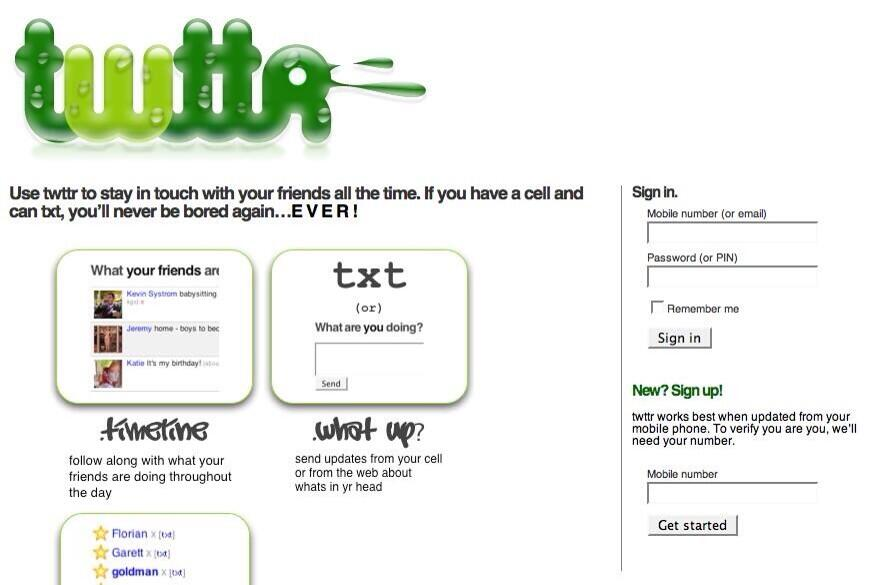
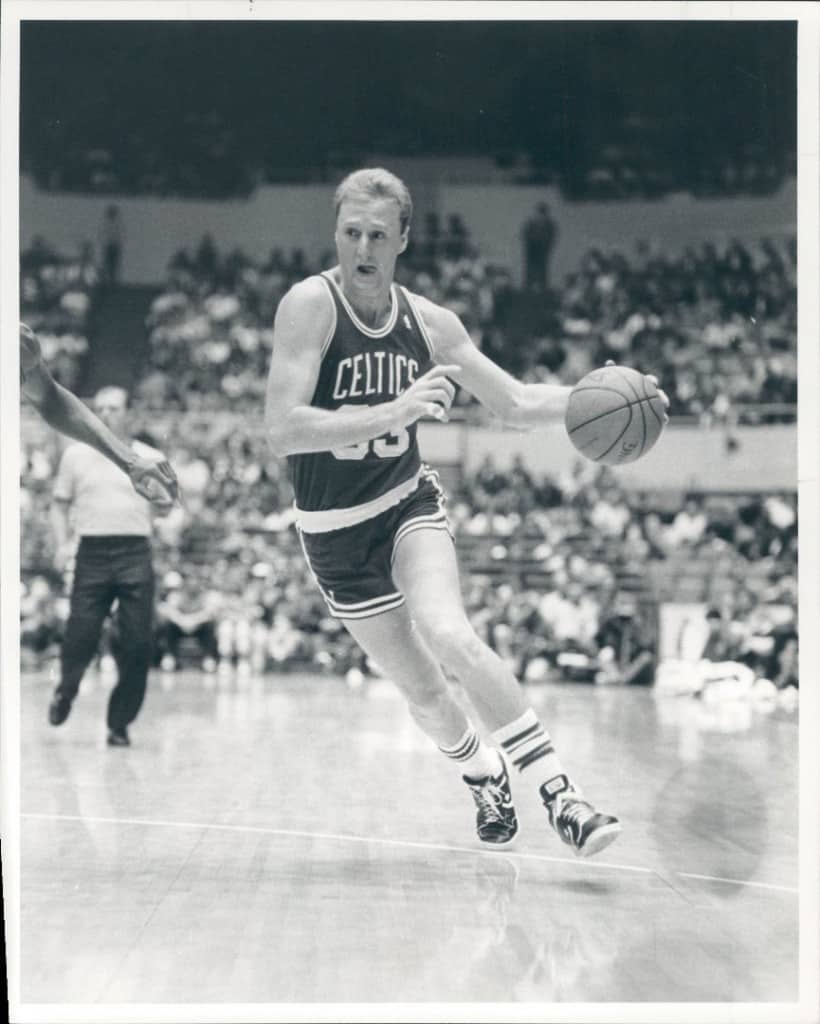
1. This was Twitter's first ever homepage. The site opened to the public on July 15, 2006. https://sc.cnbcfm.com/applications/cnbc.com/resources/files/2014/03/20/Unknown_0.png The first person to send a tweet was Co-founder Dorset, beating Biz Stone by a minute—on March 21, 2006, at 4:50 p.m. The tweet now has more than 50,000 retweets. 2. Twitter was founded on a play ground. Founding team member Dom Sagolla says the group went on the highest point of a slide at a play ground in South Park, a little neighborhood in San Francisco, and Jack Dorsey talked about a "thought so simple that you don't even think it—you simply write." This little motivation has transformed into a multibillion-dollar organization. 3.The user with the highest base of followership is American singer Katy Perry with over 101 million followers, Lady Gaga, Justin Bieber and Katy Perry have more Twitter followers than the entire populations of Germany, Turkey, South Africa, Canada, Argentina and Egypt combined. 4.@ArabicBest is in the lead for the account following the most users;the profile shows it follows 2.4 million accounts. 5.@Yougakduan_00, a girl from Japan holds the record for the highest number of tweets with an astonishing 36,402,262 tweets before Twitter suspended her account, likely because of the excessive tweeting. 6.The bird on Twitter logo actually has a name https://www.lolwot.com/wp-content/uploads/2015/04/20-facts-you-didnt-know-about-twitter-2.jpg Yes, you read it right, the popular iconic bird y see in Twitter's logo shown in TV commercials, print ads and practically every website is named Larry, —was named after Boston Celtics legend Larry Bird. 7.Twitter was almost called Twitch. Before finalizing on the name, the team looked at the Oxford English Dictionary. "We found the word Twitter," Dorsey says. "And Twitter means a short inconsequential burst of information , chirps from birds. And we were like, that describes exactly what we're doing here." 8.The domain name twitter.com was already taken as at 2006 when the company was starting up, they had to buy it from the owner, the page was empty before it was bought. 9.Ending a tweet with an empty hashtag is called a hangtag, and it's Twitter's version of the mic drop, the team at Medium declared recently. 10.Dorsey was reportedly brokenhearted when Instagram was sold to Facebook for $1 billion in cash and stock in April 2012. 11.Twitter Co founder Dorsey has not posted on his instagram account ever since Facebook purchased the company in 2012 12.It took Three years, two months and one day in between from the first tweet to the 1 billionth tweet. 13. You can find your first ever tweet at First-Tweets.com 14.The service sees more than 500 million tweets a day now. 15.Twitter (288 million) has 1 billion fewer monthly active users than Facebook (1.39 billion) has. 16.Twitter's fourth co-founder Noah Glass was kicked out of the company, according to the book "Hatching Twitter: A True Story of Money, Power, Friendship, and Betrayal," by Nick Bilton of The New York Times . Glass is said to have made almost no money from Twitter's IPO, Glass has only tweeted five times over the last five years. His bio reads, "I started this." 17.Twitter was thinking about creating a feature called "worship" in the early days. "If you worshipped someone, you would get every single one of their messages," 18.Facebook tried buying Twitter—twice, according to Bilton. Each time, Twitter pushed the "dislike" button. 19.Why are posts limited to 140 characters? Twitter was born as an SMS phone service designed to fit its character limit. 20. Twitter didn't actually start the use of the Hashtag https://www.rd.com/wp-content/uploads/sites/2/2014/09/never-knew-twitter-hasthags-sl.jpg Use of the hashtag (#) to sort content goes back to 1988 and users communicating on Internet Relay Chat Clients (IRC), which resembled old- school chatrooms. It wasn't until 2007 that The hashtag was created by a Twitter user. In August 2007, @ChrisMessina tweeted, "how do you feel about using #(pound) for groups. As in #barcamp [msg]?" He is now referred to as "The Hashtag Godfather." 21.The most retweeted tweet ever came from Ellen DeGeneres in March 2014. The star-studded selfie tweet at the Oscars produced 3.4 million retweets. 22.Mark Zuckerberg (@finkd)—also not verified— has 330,000 followers but has only tweeted 19 times and just once since March 2009. 23.Police in Granada have their Twitter handles written on their uniforms . 24.Facebook is on Twitter; Twitter is on Facebook. Twitter has 15.3 million Facebook fans, while Facebook has 13.9 million Twitter followers. 25.Account @everyword tweeted out every word in the English dictionary. 26.Twitter won't allow you to follow more than 2,000 people unless you have 2,000 followers. http://tutsmap..com/2017/07/26-facts-you-never-knew-about-twitter.html 33 Likes 6 Shares |
| Celebrities › Re: Odunlade Adekola & Ebube Nwagbo Dancing In Ogun Atat GloMegaMusicTour by Cutezt(m): 10:50am On Jul 20, 2017 |
Odunlade - baby do you feel the Koko? |
| Phones › 5 Free Apps To Make Sure You Never Forget Your Username And Passwords by Cutezt(op): 9:47am On Jul 20, 2017 |
As more and more of our lives moves online , the quantity of passwords we're entrusted with remembering keeps on increasing. It can be hard to stay aware of an assortment of usernames and , passwords, yet specialists caution against using a similar password for all sites and gadget. https://www.routercheck.com/wp-content/uploads/2014/05/password.jpg With such a variety of passwords, keeping a list is a need, however even that is hazardous. In the event that that list should fall into the wrong hands, your budgetary accounts and delicate files will be compromised. But with technology, experts can keep passwords securely put away in an ensured area, with just a single secret word to recall for everything. Here are a couple of password administration apps that can work for your business. 1. LastPass A standout amongst the most mainstream password manager apps is LastPass , which is free for the basic version. Utilizing encryption technology, LastPass works as an extension on your browser, putting away the greater part of the passwords and online shopping accounts in one area. You need to login to LastPass each time you launch your browser and the app fills the data using the data you've stored in it. 2. KeePass This open-source arrangement works so also to LastPass, putting away passwords in a protected vault. Passwords are the only things KeePass will store, in any case, so regardless you'll be required to enter your payment information when you're shopping. You'll likewise be required to physically enter your URLs, usernames, and passwords into the app as opposed to enabling it to be stored automatically as you're surfing the web. KeePass likewise uses encryption to keep passwords secure. As you make passwords in the KeePass vault, the programming will tell you if a passwords complexities should be improved, giving you a chance to do as such in the app. From inside cloud-based storage apps like Dropbox or a USB drive, KeePass can be set to keep running on an assortment of gadgets. 3. Norton Identity Safe With the notable name of Norton behind it, Identity Safe already has an advantage with individuals who trust that it is an indication of quality. The product is downloaded to each gadget however passwords are put away in a cloud-based vault. The item can be loaded on a assortment of gadgets, with information synchronized to other gadgets and PCs, tablets and smartphones as it changes. Like LastPass, Norton Identity Safe stores a user's information as he or she explores navigating with one site then onto the next. Be that as it may, the app doesn't have the capacity to suggest passwords or create an answer to tell a user when passwords are feeble. In addition to encryption, the app likewise lets you know when the site you're going by may be dangerous. 4. RoboForm RoboForm can save and, use URLs, passwords, and shopping information. There are a couple of additional snaps with RoboForm, while other password managers automatically see the information and fill it in, however generally this item works likewise to other secret key tools. Password information is securely put away, with the master password never saved on the app's servers. There are moreover multi-factor confirmation choices available for users who might want an extra layer of insurance. 5. 1Password 1Password goes past putting away passwords and usernames to holding a user's payment information, network passwords, wills, investments, sticky notes and that's just the beginning. The developers of this app need it to be a vault to store all of the data a user needs to secure. A password ingredient creator lets a user enter certain most loved components that can be used to auto-produce complex passwords. You can get all these app on the Google play Store. http://tutsmap..com/2017/07/5-free-apps-to-make-sure-you-never.html 5 Likes 1 Share |
| Celebrities › Re: Korede Bello Visits Rahma Indimi, Hangs Out With Her Kids by Cutezt(m): 9:03am On Jul 20, 2017 |
OK o |
| Pets › Re: Teenager Cries As He Buries His Dead Dog (Photos) by Cutezt(m): 8:05am On Jul 20, 2017 |
Lavendra:Sadam was kinda harsh, he doesn't allow people enter our house, our house was well known, so we had many visitors daily, some stopped coming because of the dog. |
| Phones › Check Out The Worlds 5 Cheapest Smartphones by Cutezt(op): 1:01am On Jul 20, 2017 |
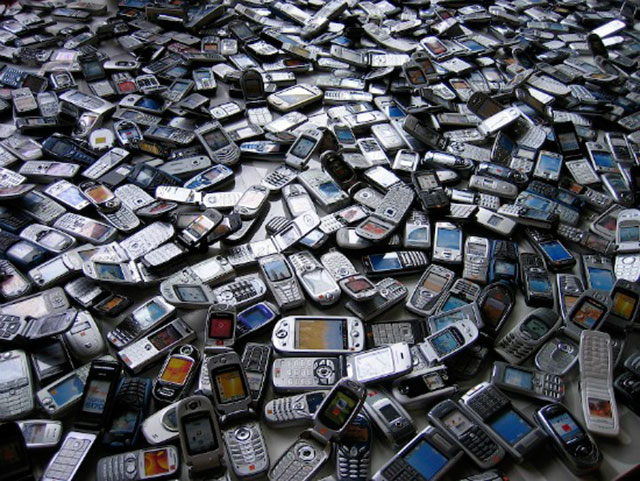
https://www.techcrates.com/wp-content/uploads/2013/10/many-cell-phones-old-devices.jpg Smartphones with smart costs are dependably invited however what happens when a smartphone accompanies a cost below your expectations? Each item has a value section which relies upon fabricating cost and other different charges. Here we have grouped the least expensive smartphones all around the world, lets hear what are your contemplations on it. 1. Namotel ‘Acche Din’ (∼$1.5) What! Just $1.5 ? Yes. an Indian based startup organization Namotel launched a smartphone called 'Acche Din' which in English can be better meant as 'Good Days'. The phones specs and features are- Display – 4.0 Inch HD screen Operating system – Android Lollipop 5.1 Camera – 2 MP Rear with AF and 0.3 MP selfie camera Processor – 1.3 GHz Quad-Core Storage – 1GB RAM and 4GB ROM Connectivity – 3G, 2G, EDGE, GPRS Dual SIM Dual Standby Battery – 1325 mAh The organizations promoters said they made this item to demonstrate love for India and it will distribute the smartphone over Cash On Delivery (COD) on enrollment through their site. Be that as it may, numerous media outlets observed the organizations cases to be deceiving and its official website page moreover doesn't give much data. As of data available, the organization could be a trick. https://www.digitbin.com/content/uploads/Nomatel-Acche-din.jpg 2. Freedom251 (∼ $4) Freedom251 overwhelmed internet on its launch with around 30 Million hits on its official site inside seven days. You can say Freedom251 as first super low-estimated affordable smartphone. It was moreover launched by Indian organization Ringing Bells Private Ltd. Give us a chance to take a gander at specs and features. Display – 4.0 Inch qHD screen Operating system – Android Lollipop 5.1 Camera – 3.2 MP front with AF and 3 MP front Processor – 1.3 GHz Quad Core Storage – 1GB RAM and 8GB ROM Battery – 1450 mAh The cost and specs might be enticing enough however many inquiries were raised because of realisticity of offering a smartphone at 251 INR. The phone was available on pre-booking. The phone looks like a Chinese phone where the original brand name was concealed with whitener. Later it was found they rebranded and attempted to exchange Adcom Ikon 4 ($50) which was launched a month before,Thus, Freedom 251 ended up being another trick. https://www.digitbin.com/content/uploads/Freedom-251.jpeg 3. Docoss X1 (∼ $14) Launched after dubious arrival of Freedom251, Docoss X1 was too examined because of its low cost . It's authentic page highlighted 'No Scam. Genuine Phone For Cheap Value', highlighting data on its authenticity. Give us a chance to take a gander at specs. Display – 4 inch IPS Screen Operating system – Android 4.4 Kitkat Camera – 2MP Rear and 0.3MP front camera. Processor – 1.2GHz Dual-Core Cortex A7 Storage – 1GB of RAM and 4GB ROM Battery – 1300mAh The organization additionally made requests through its site on registration. It made daily paper adverts and even included some genuine singles out its social media pages. Yet, the thing here is everybody who registered didn't get the confirmation message and numerous individuals who got the confirmation message didn't get the smartphone delivered . Along these lines, be careful before you purchase. https://www.digitbin.com/content/uploads/Docoss-X1.jpg 4. Alcatel Fire Onetouch C 4020D (∼$25) Every one of the items above are loaded with questions, in any case, Fire Onetouch C 4020D is a smartphone which is not available on pre- registration, but is available on Amazon in select nations. Give us a chance to take a gander at specs. Firefox v1.3 (OS), 1 GHz Spreadtrum 6821 Processor Expandable Storage Capacity of 32 GB 1.3 MP Primary Camera 3.5-inch Capacitive Touchscreen Dual Sim, GSM + GSM & GSM – 900, 1800, FM Radio, Wi-Fi Enabled https://www.digitbin.com/content/uploads/Aceltal-Fire-OneTouch.jpg 5. Datawind PocketSurfer 2G4 (∼$27) A smartphone evaluated at a little more than a $25, a true blue brand available on various online retailers all over the world. Operating System Version: KitKat Primary Camera: 0.3 megapixel Sim Type: Dual Sim https://www.digitbin.com/content/uploads/Datawind-pocketsurfer.jpg Source http://tutsmap..com/2017/07/check-out-worlds-5-cheapest-smartphones.html Lalasticlala seun mynd44 Dominique |
| Crime › Re: Car Thief Caught On Highway While Running Away With Car He Stole In Kano(pics) by Cutezt(m): 9:43am On Jul 19, 2017 |
See him belle Translation This is a picture of a car thief who stole a car from sauna, he ran out of luck when he passed through hotoron arewa Road where there was a trailer, he had no choice than to park. Oya clap for me 2 Likes |
| Politics › Re: Ademola Adeleke Meets With Femi Fani-Kayode And Iyiola Omisore by Cutezt(m): 9:43am On Jul 19, 2017 |
OK |
| Christianity Etc › Re: 'It Is An Irresponsible Thing To Wish Buhari Dead' - Apostle Suleman (Video) by Cutezt(m): 9:21am On Jul 19, 2017 |
What are you saying? |
| Business › Re: Nigeria’s Steel Sector Comes Alive Despite Failed Ajaokuta by Cutezt(m): 9:20am On Jul 19, 2017 |
Good one. 1 Like |
| Politics › Re: LAGOS To Connect Ikorodu With Lagos-ibadan Expressway by Cutezt(m): 9:17am On Jul 19, 2017 |
Good one Mr Ambode Badoo boys right now... 3 Likes
|
| Car Talk › Re: Benue Civil Servant Hawks Groundnuts To Survive Over Unpaid Salary. Photo by Cutezt(m): 9:15am On Jul 19, 2017 |
Chai It shall never be well with that foreign based ugwu leaf 1 Like |
| Politics › Re: Again, Multiple Explosions Rock Maiduguri by Cutezt(m): 9:10am On Jul 19, 2017 |
I wonder how buhari was able to work his magic around Nigerians, oh 2019, where art thou? 1 Like |
| Romance › Re: 17-Year-Old Girl Who Met Her Boyfriend At 13 And Got Pregnant At 14 by Cutezt(m): 8:04am On Jul 19, 2017 |
 1 Like |
| Politics › Re: Serah John Awa Kidnapped By Boko Haram In Borno. Photos by Cutezt(m): 8:00am On Jul 19, 2017 |
Kai, this is disheartening I can only imagine what has gone through her already in her short stay there. Oh naija 1 Like |
| Celebrities › Re: D'banj Signs Deal With Priority Records (Photos) by Cutezt(m): 7:47am On Jul 19, 2017 |
It's not a lie 11 Likes 1 Share |
| Celebrities › Re: Davido's Convoy Causes Roadblock In Iseyin, Oyo State. by Cutezt(m): 7:46am On Jul 19, 2017 |
Ok 1 Like |
| Pets › Re: Teenager Cries As He Buries His Dead Dog (Photos) by Cutezt(m): 12:15am On Jul 19, 2017 |
Please don't blame the poor boy, my aunt used to have this dog called Sadam, the dog was easily the most beautiful thing I've ever seen, I loved the dog so much, I cared for it right from the day it was brought into our house, soon, I had to go to school,I felt bad because I knew I was going to miss Sadam, when I went, it was time for holidays, I came back home very happy, I thought about Sadam through out the term, as soon as I got home, I didn't even go inside the room, I dropped my bad, ran straight to its cage and opened it, what I saw shocked me, the little dog o left some months back was now very big, I was scared as the dog ran out of the cage, I ran away and had inside our bathroom, the dog was chasing me, not to bite me but because it was happy to see me, I didn't understand, I was screaming and running, I hid inside the bathroom, locked the door and was screaming for help, the dog was at the door Making funny noises, wiggling it's tail, jumping and hitting the door, I was too scared to open, I thought the dog had forgotten me, I screamed till my grandma came, the dog wasn't tired of waiting as it sat by the door waiting for me, I explained to my grand ma and she asked me to open the door, that it was only playing with me, I no gree o, after series of convincing, I opened it, to my greatest surprise, this dog sprang up, jumped on my body and was playing with me, I was so scared, I loved the dog even more, we played football together, he was my closest friend, some months later, it bit somebody and my aunty decided to sell it, God, I was frustrated that day, wish I had money then, I would have paid anything to buy it, I begged her but she refused, I cried bitterly together with my aunty daughter, we both loved the dog, the buyers came and the dog refused to go with them, it kept on running towards me, I was devastated, they decided to kill it there, I felt like they were killing me too, that was how they tied the dog inside a sack and kept on beating it with woods till it died,it didn't die without a fight tho, it bit 2 more people that were wanting to catch it, in my life, I never felt such pain, I hated my aunty for years, till date, when I remember Sadam, I feel sad, I love dogs, and will get one soon. 3 Likes |
| Politics › Re: 2 Brothers Who Met Boko Haram Terrorists In Borno, 1 Killed, The Other Injured by Cutezt(m): 8:44am On Jul 17, 2017 |
So graphic image is now hard to spell abi? |
| Politics › Re: Presidency Drags Senate To Supreme Court Over Magu, Others by Cutezt(m): 8:20am On Jul 17, 2017 |
Who is the presidency? 1 Like |
| Politics › Re: Kanti Bello Says President Buhari Has Failed, Regrets Inviting Him To Politics by Cutezt(m): 8:17am On Jul 17, 2017 |
This is the second time I will be seeing this thread on fp, that is to tell you that buharis uselessness can not be overemphasized. 2 Likes 1 Share |
| Car Talk › Re: Frsc Tried 63 Drivers Records 90 Offence In Plateau State by Cutezt(m): 8:08am On Jul 17, 2017 |
Good one frsc |






1 2 3 4 5 6 7 8 ... 50 51 52 53 54 55 56 57 58 (of 95 pages)